VAIO® Notebook User Guide
54
VAIO Action Setup
VAIO Action Setup manages the settings for your computer's Jog Dial™ control,
Memory Stick® media,
and i.LINK
®
interface. An overview of some of the
functions controlled by VAIO Action Setup is provided. For more information on
changing the settings using VAIO Action Setup, right-click the Jog Dial control
icon or , in the task tray and click Help Topics.
The Jog Dial™ Control
This section explains how to use the Jog Dial control. For information on how to
change the Jog Dial control settings, right-click the Jog Dial control icon in the
task tray and click Help Topics.
Using the Jog Dial™ Control
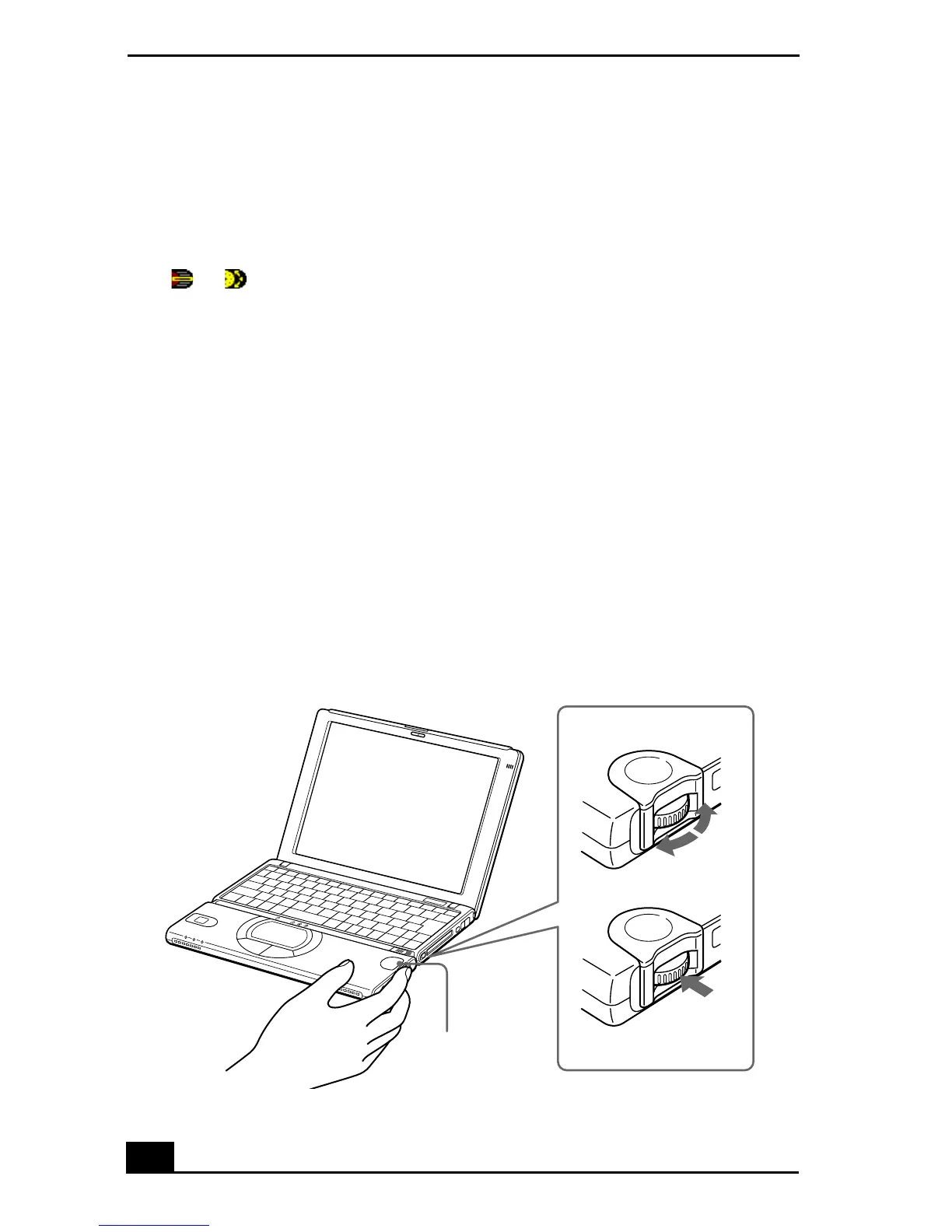
Your computer is equipped with a Jog Dial control on the right side of the unit.
The Jog Dial control enables you to open an application, folder, or document
from a predefined list by rotating and pressing the Jog Dial control. In addition,
when you press the Jog Dial control, you can turn on your computer
automatically and start the selected application or document.
Jog Dial Control
turn
press
Jog Dial control









 To Next Page