VAIO® Notebook User Guide
38
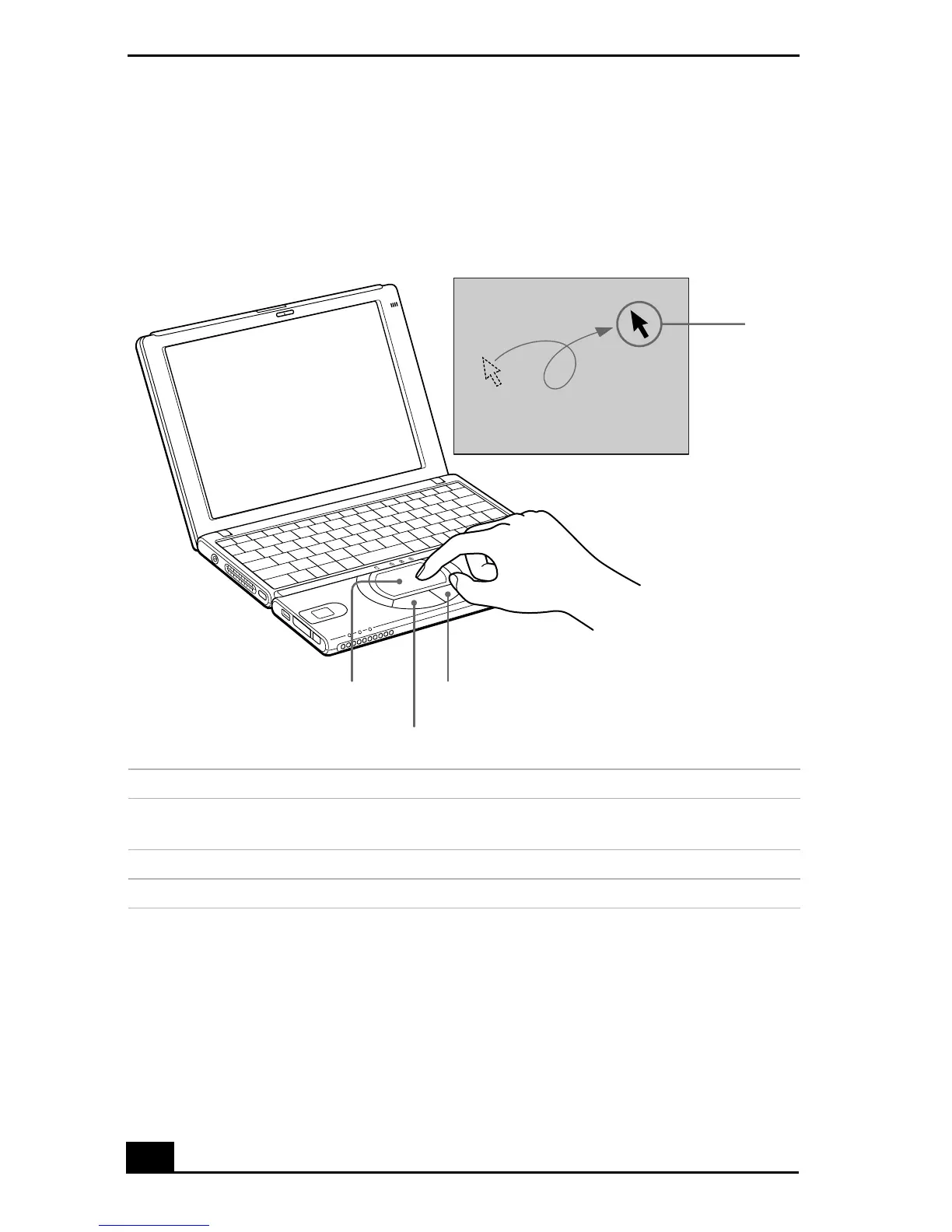
Using the Touchpad
The keyboard contains a cursor-pointing device called a touchpad. You can point
to, select, drag, and scroll objects on the screen using the built-in touchpad.
Touchpad
Actions Descriptions
Point
Slide one finger on the touchpad to place the pointer
on an item or object.
Click
Press the left button once.
Double-click
Press the left button twice.
Right button
Left button
Touchpad
Pointer









 To Next Page