VAIO® Notebook User Guide
74
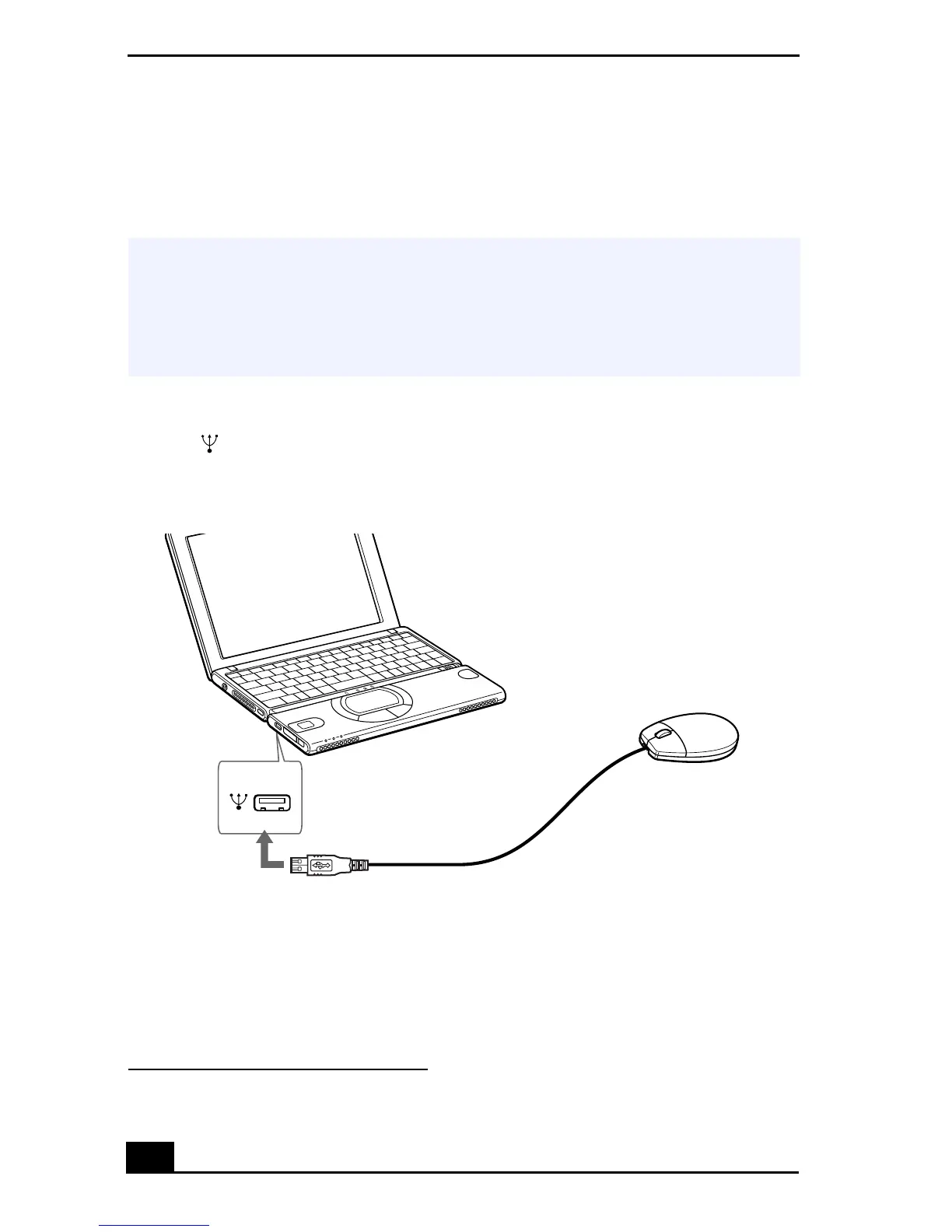
Connecting a Universal Serial Bus (USB) Device
You can connect a USB device, such as a USB mouse, floppy disk drive, or
printer
*
to your computer.
To Connect a USB Device
Use the symbol to locate the USB connector on the left side of the computer.
Plug the USB cable into this port.
* You must use a USB cable (optional) to connect a printer to your computer.
✍
You can use the optional Sony USB mouse (PCGA-UMS1 series) or the optional Sony
floppy disk drive (PCGA-UFD5) with this notebook. Plug the USB device into the USB
port. You do not need to turn off your computer.
See the manual that came with your USB device for more information on installation
and use.
Connecting a USB Device
USB mouse









 To Next Page