VAIO® Notebook User Guide
76
To remove the display adapter
Press both sides of the display adapter connector and unplug it from the
notebook.
To select a display
When you connect an external display to your notebook, you can press Fn+F7 to
toggle the output between the Liquid Crystal Display (LCD), the external
monitor, or both devices.
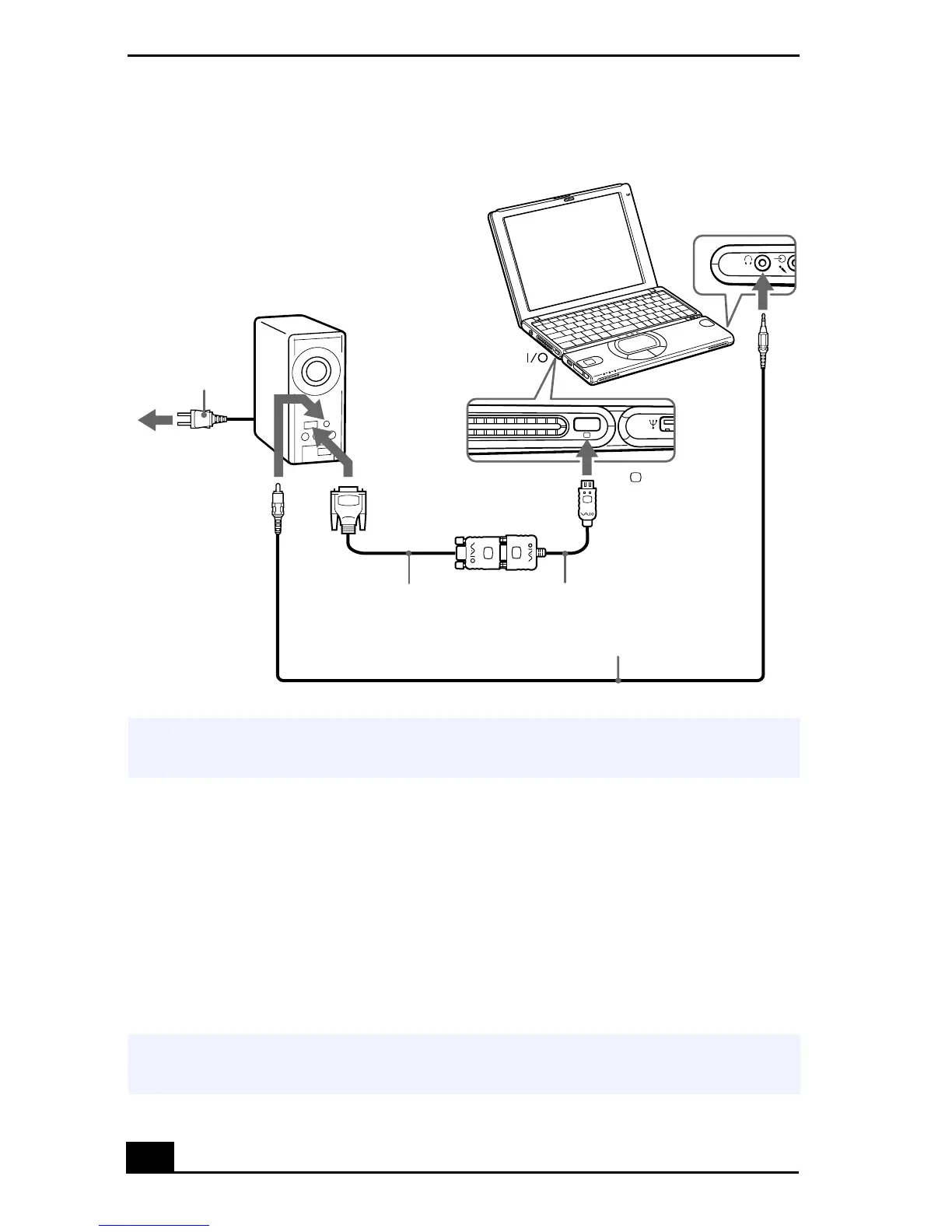
Connecting a Projector
✍
See the manual that came with your projector for more information on installation and
use.
✍
See Selecting the Display Mode in the online manual Customizing Your VAIO®
Notebook for more information.
Projector
Audio cable (optional)
VGA Display adapter (supplied)
RGB signal cable
Power cord
Monitor
To
to









 To Next Page