Using Memory Stick® Media
61
3
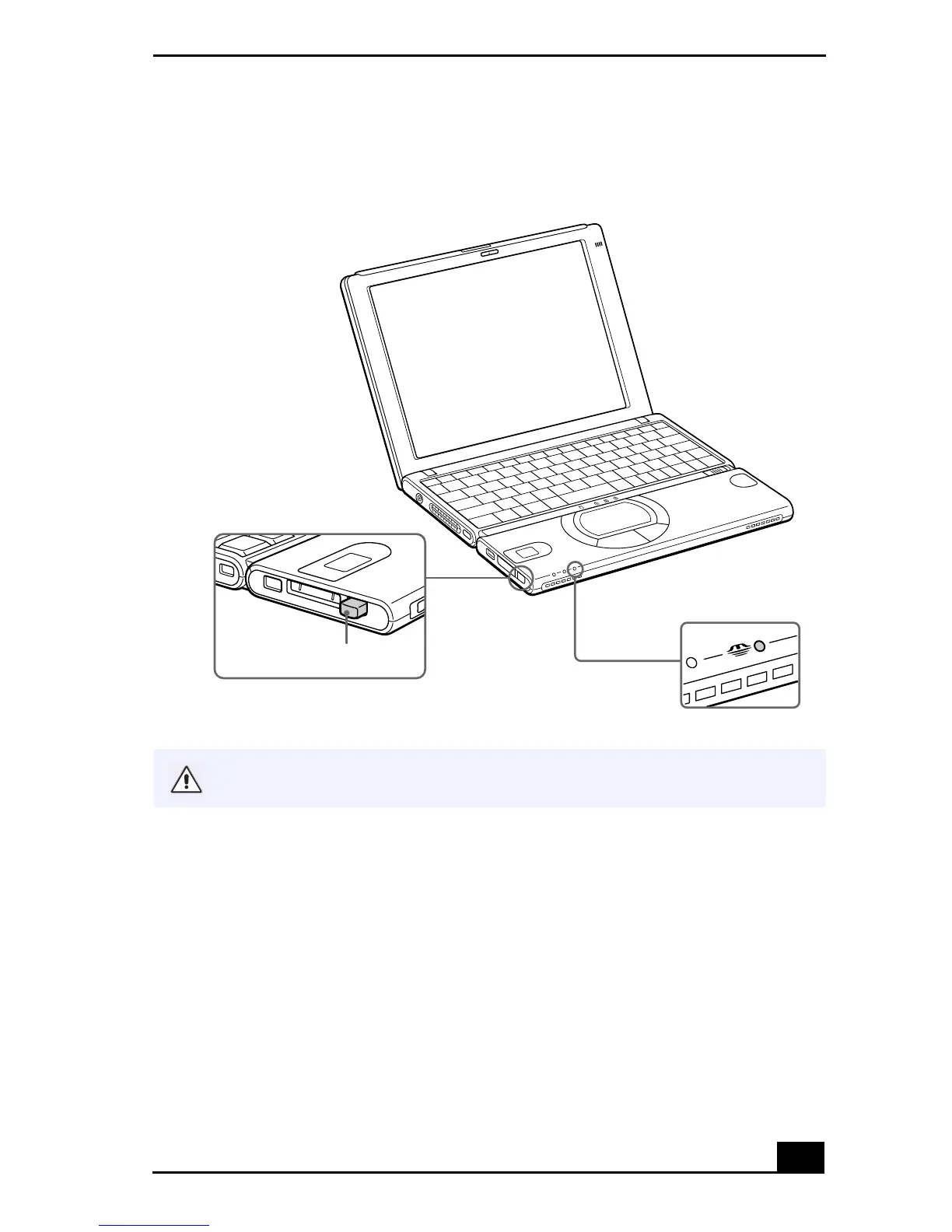
When the button ejects, push it again and remove the
Memory Stick
media.
Using MG Memory Stick Media with Data from Another Device
Memory Stick
media can be used with compatible devices like a Sony digital
video camera recorder or digital still camera. Insert the media into the Memory
Stick media slot and save your movie or still image as data files to the
Memory
Stick
media. Use Sony’s PictureGear™ software (preinstalled with your
notebook) to move the files to a
Memory Stick
media.
Removing a Memory Stick Media
Large image files require more time to load to a Memory Stick media.
Media eject button









 To Next Page