46
Playing a file
Playback
You can play a file recorded using the linear
PCM recorder or a music file transferred from
your computer through the built-in speaker.
1
Select a file you want to play using
the HOME menu (page 28).
2
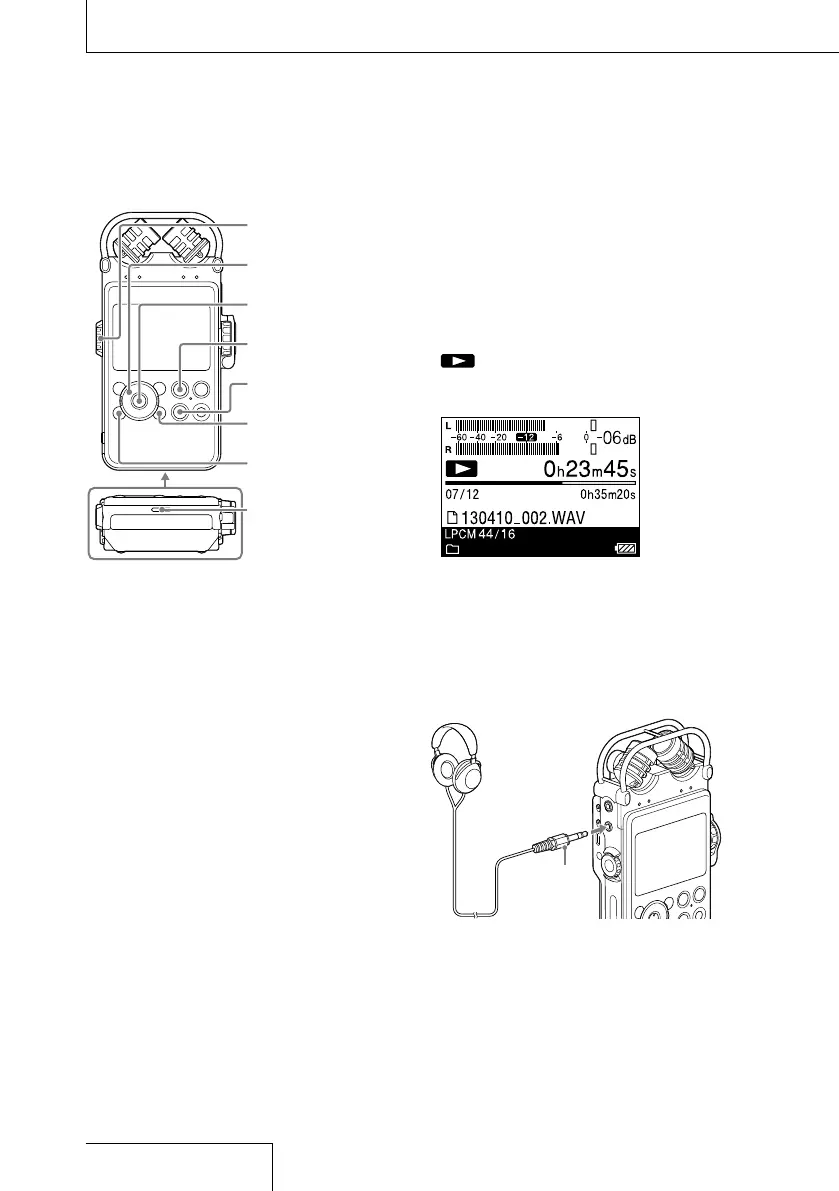
Press the button.
Playback starts.
is lit on the display. All of the files
in the folder are played in order of file
number.
3
Adjust the volume with the volume
dial.
Listening through headphones
Connect optional headphones or earphones
to the
(headphones) jack of the linear PCM
recorder.
Headphones
(not supplied)
Connect to the
(headphones)
jack
Stereo
mini plug
PAUSE button/
lamp
OPTION button
Speaker
HOME/BACK
button
STOP button
button
Volume dial
, , ,


 To Next Page