50
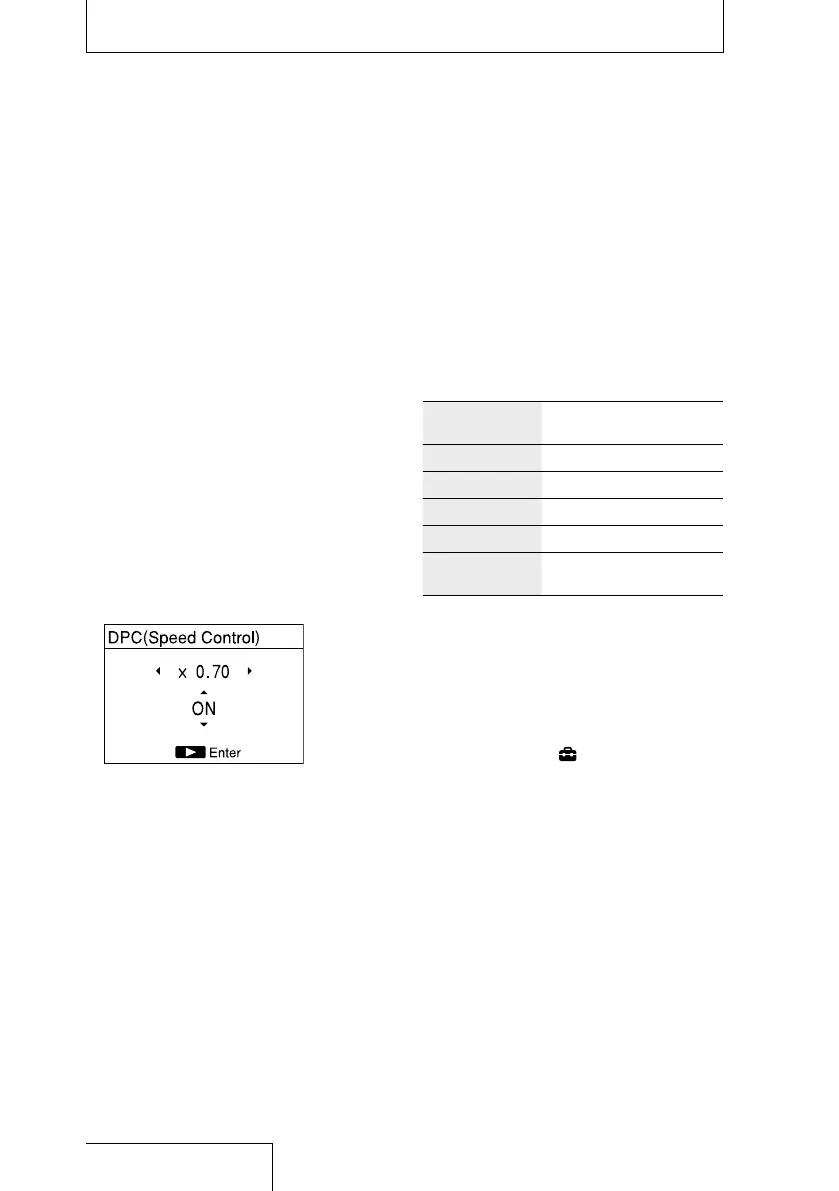
Adjusting the playback speed
(DPC(Speed Control))
You can adjust the playback speed in a
range from 0.25 times to 2.00 times. The
file is played in natural tones using a digital
processing function.
1
Select a file you want to play using
the HOME menu (page 28).
2
In play or playback stop mode, press
the OPTION button to display the
OPTION menu, select “DPC(Speed
Control),” and then press the
button.
3
Press and to select “ON,” and
press
and to adjust the
playback speed.
The speed decreases by 0.05 times (from
×1.00 to x0.25).
The speed increases by 0.10 times (from
×1.00 to ×2.00).
At the time of purchase, “OFF” is selected.
4
Press the button.
Note
You cannot set “DPC(Speed Control)” for a DSD file.
Improving the playback sound
quality (Upsampling)
By interpolating and raising the sampling
frequency to 2 times or 4 times the original
frequency of the source sound, you can
improve the playback sound quality.
This function is only valid for PCM files.
The original and up-converted sampling
frequencies are as follows:
Original
frequencies
×2.0 ×4.0
44.1 kHz 88.2 kHz 176.4 kHz
48 kHz 96 kHz 192 kHz
88.2 kHz 176.4 kHz 176.4 kHz
96 kHz 192 kHz 192 kHz
176.4 kHz/
192 kHz
— —
—: Invalid. Upsampling is not performed when the
original frequency is 176.4 kHz or 192 kHz.
1
Select a file you want to play using
the HOME menu (page 28).
2
In the stop mode, press and hold
the HOME/BACK button for 1 second
or more, select “
Settings”
“Playback Settings” “Upsampling,”
and then press the
button.
3
Press and to select “×2.0” or
“×4.0,” and press the
button.
Notes
When you enable “Upsampling”, “DPC(Speed
Control),” ”Effect,” and “Key Control” are disabled.
At the time of purchase, “OFF” is selected.
Setting the playback sound quality (continued)


 To Next Page