The CD Player
The CD Player 17
GB
Creating your
own programme
(Programme Play)
While listening to the CD, you can select
the track you want and arrange the
playing order of up to 20 tracks on a CD.
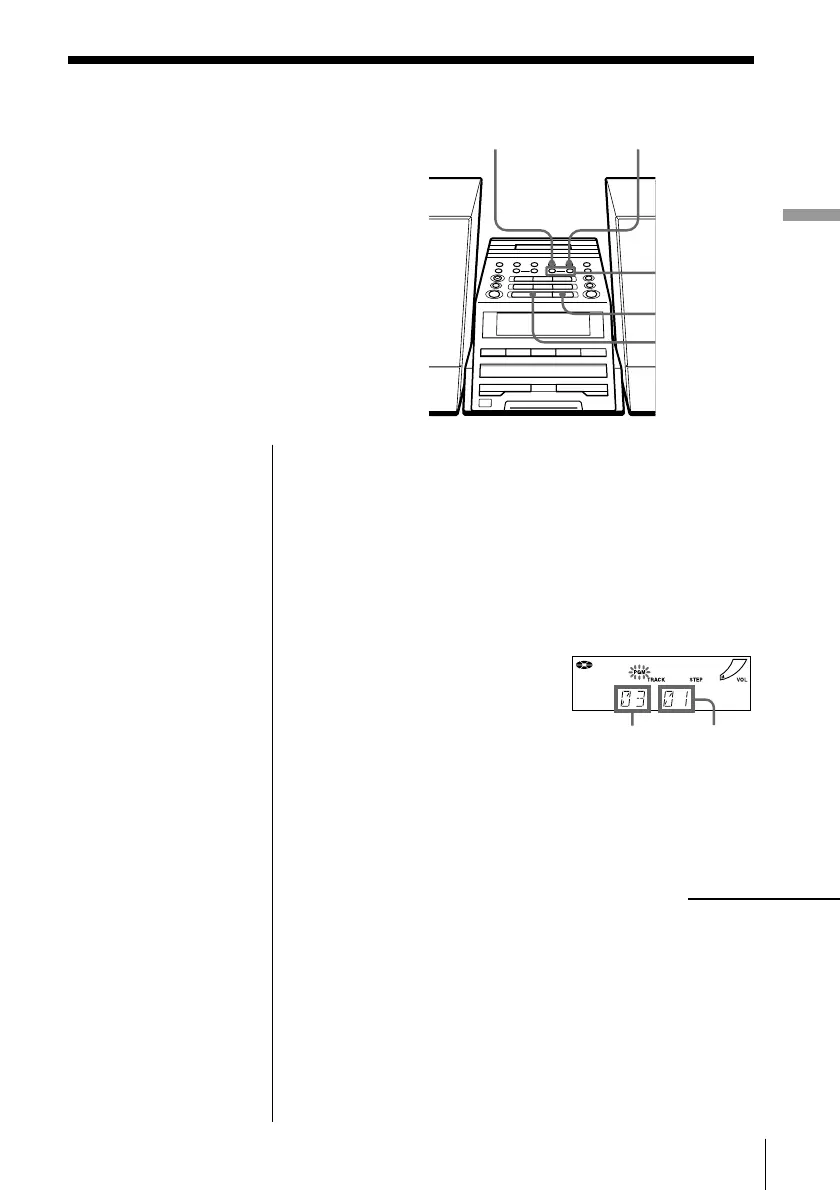
1 Press x on the CD section.
“CD” appears in the display.
2 Press PLAY MODE•MONO/ST ISS until “PGM”
appears in the display.
3 Press . or > to select the track you want to
programme, and press ENTER MEM.
Repeat this step.
4 Press u.
Track number Playing order
On the remote
1 Press x on the CD
section.
2 Press MODE to select
“PGM”.
3 Press the number
button to select the
track you want to
programme.
Repeat this step.
4 Press N on the CD
section.
continued
PLAY MODE
MONO/ST ISS
ENTER MEM
u
., >
x


 To Next Page