Basic Operations8
GB
Playing a tape
For hookup instructions, see pages 37 - 41 (PMC-DR50L) or
pages 42 - 47 (PMC-DR70L).
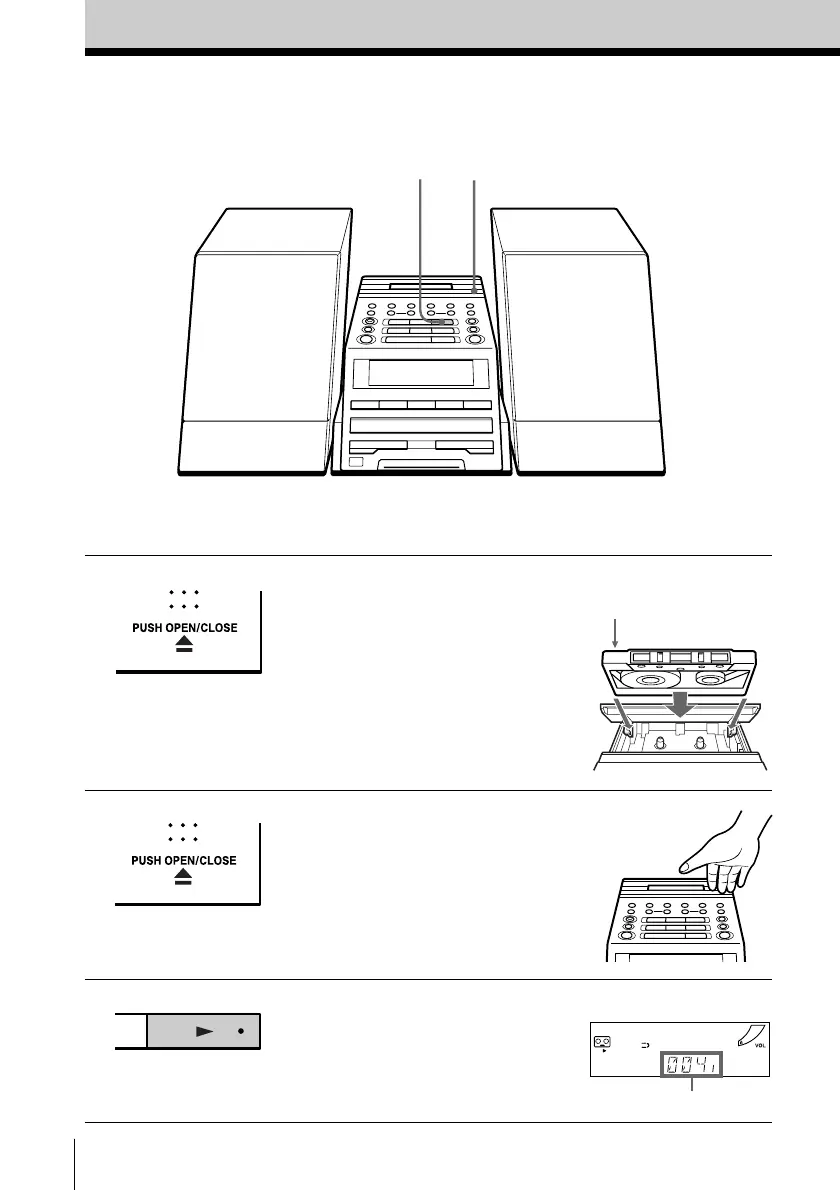
1 Press Z PUSH OPEN/CLOSE to
open the tape compartment and
insert a recorded tape. Use TYPE I
(normal), TYPE II (high position)
and TYPE IV (metal) tapes.
2 Press Z PUSH OPEN/CLOSE to
close the compartment.
3 Press N.
(On the remote, press TAPE N.)
The player turns on (direct
power-on) and starts playing.
Display
1, 23
With the side you want
to play facing up
Tape counter


 To Next Page