The Timer28
GB
Setting the clock
“– –:– –” indication appears in the
display until you set the clock.
The Timer
Tip
The time display
system of this player is
the 24-hour system.
Before you begin, hook up the system (see pages 37 -
41 for PMC-DR50L or pages 42 - 47 for PMC-DR70L).
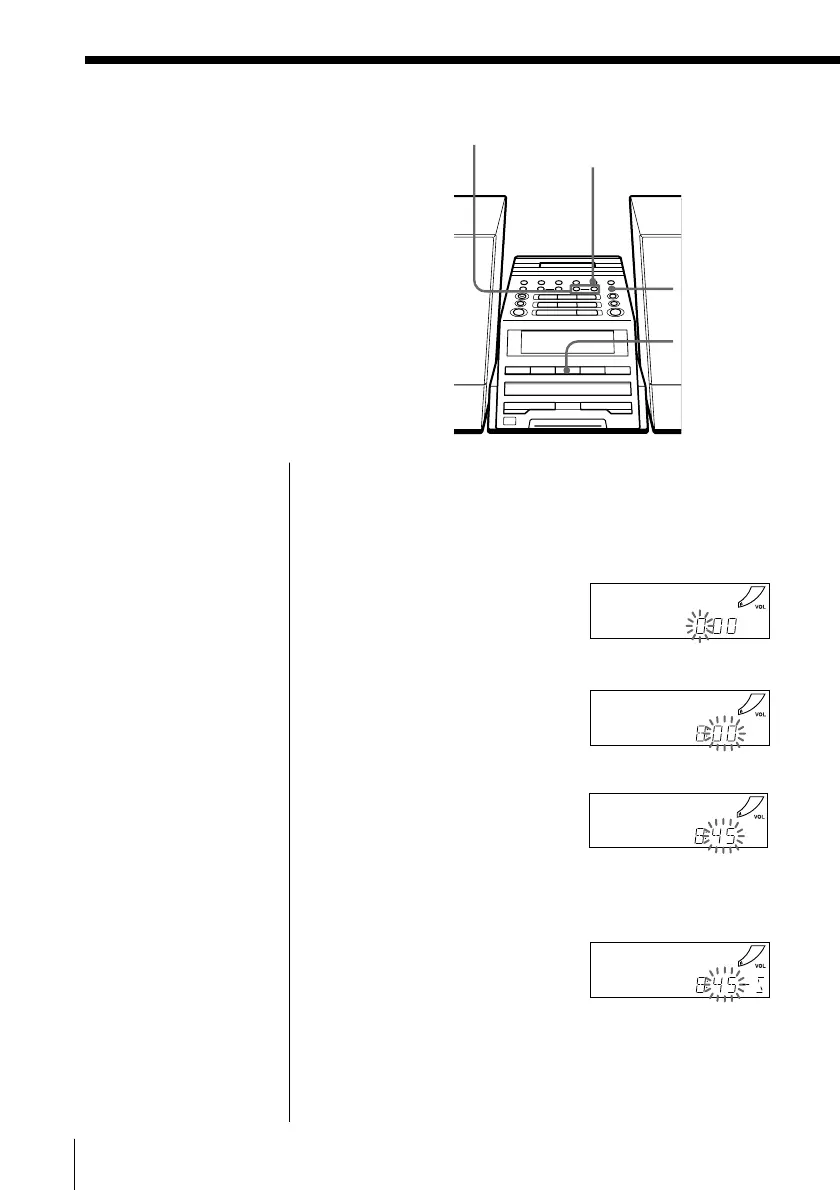
1 Press and hold CLOCK until the hour digit flashes.
2 Set the clock.
1 Press TUNE TIME SET
+ or – to set the hour
and press ENTER
MEM.
2 Press TUNE TIME SET
+ or – to set the
minutes.
3 If you are on daylight saving time, press SUMMER
TIME.
4 Press ENTER MEM.
The clock starts from 00 seconds.
m
TUNE TIME SET
–, +
ENTER MEM
SUMMER
TIME
CLOCK


 To Next Page