2. Save the log data in the PC according to the displayed message.
Note
If an error occurs during acquisition of the log, restart the unit.
3-3-7. Warning
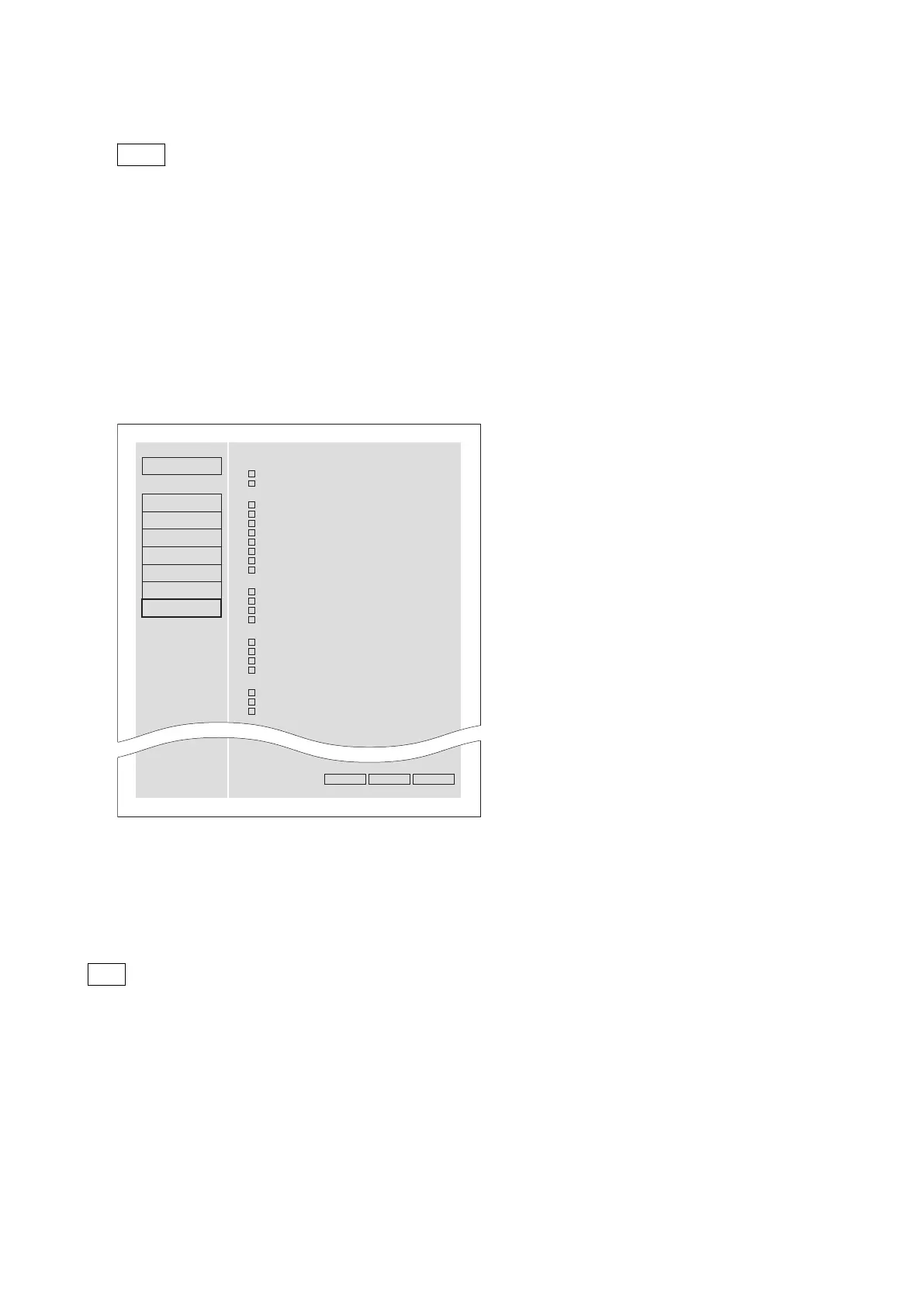
The Warning page on the Maintenance menu provides options that keep alarms displayed.
A continuously displayed alarm disappears by pressing the DISPLAY button.
To clear all continuously displayed alarms at a time, press the SHIFT button and the DISPLAY button simultaneously.
Procedure
1. Click the checkboxes at the left of the alarms.
Status
Maintenance
Hold Warnings
When the unit is powered on
ILL. SETUP!
Exchg batt!
When a memory card is inserted
Under Repair Media(A/B)
Repair Failed(A/B)
Unknown FS!(A/B)
R/W Limit(A/B)
Unknown Media!(A/B)
Memory(A/B) Error!
Memory(A/B) needs Restoring.
Over DUR!(A/B)
Software Version
Network
SNMP
Account
Setup Menu
Software Update
Log
Warning
XDCAM
SONY
ExecutePresetReset
When a folder in external storage is being mounted
USB DRV is locked
USB DRV Error!
USB DRV needs Restoring.
Over DUR!(USB DRV)
During recording operations
REC STOP WITHIN 2MIN.
ILL. REC!
MEM. Full!
REC ERR!
During playback operations
ILL PLAY!
MEM Empty!
Media Data Error!
• Off: The alarm disappears after a certain period of time. (Factory default)
• On: The alarm continues to be displayed.
2. Click “Execute” button.
The settings are stored.
3. Confirm that “Success” appears in the Status column.
Tip
• “Reset” button
Use this button to cancel continuous display for all alarms.
• “Preset” button
Use this button to set only the following alarms to continuous display.
- R/W Limit(A/B)
- ILL. REC!
- MEM. Full!
- REC ERR!
- ILL. PLAY!
- MEM. Empty!
- Media Data Error!
PMW-1000
3-16


 To Next Page