Attaching the Viewfinder
37
Chapter 2 Preparations
You can also attach a commercially available
protection filter, close-up lens, etc. that is
52 mm in diameter.
To reattaching the eyepiece
1 Align the red marks on the eyepiece
locking ring and the viewfinder barrel.
2 Align the red mark on the end of the
eyepiece end with the red marks on the
eyepiece locking ring and the
viewfinder barrel. Then insert the
eyepiece into the viewfinder barrel.
3 Turn the eyepiece locking ring
clockwise until its “LOCK” arrow
points at the red mark on the viewfinder
barrel.
When the eyecup is worn out, replace it with a
new one.
For details of a replacement eyecup, contact a Sony
service representative.
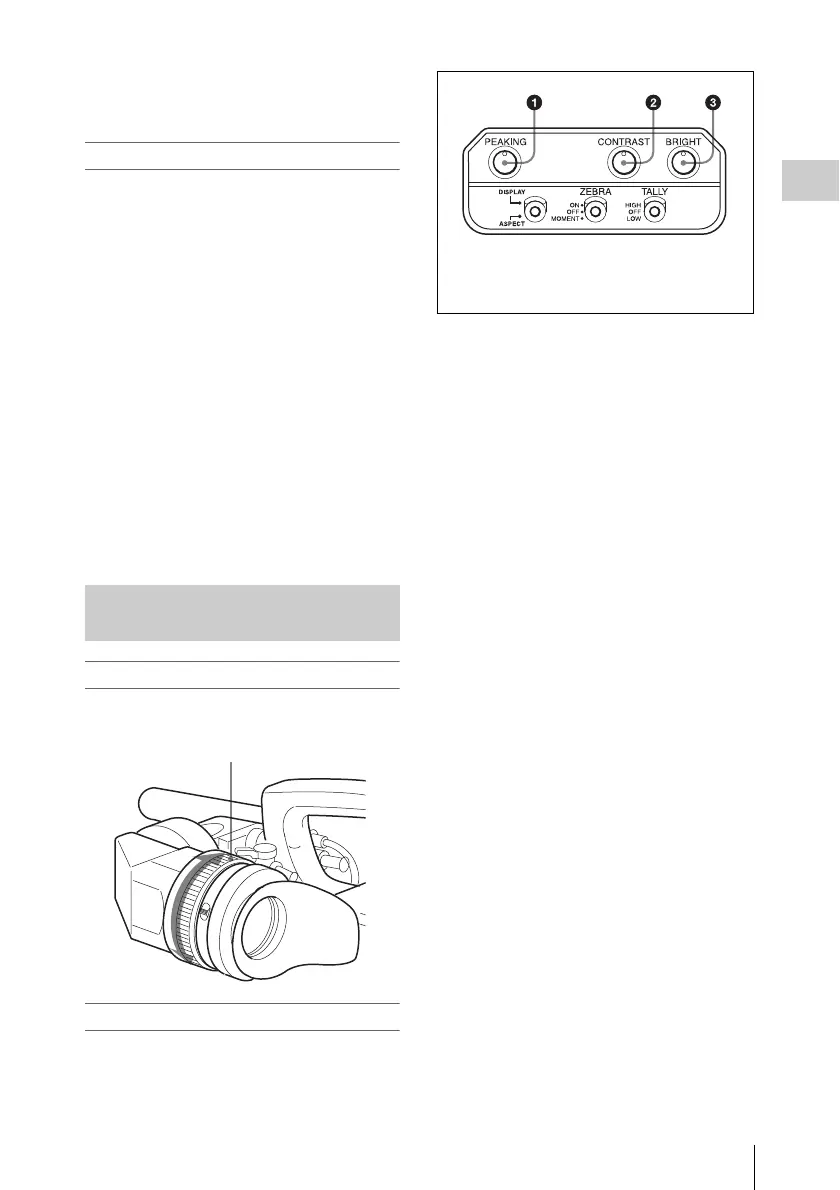
To adjust the viewfinder focus
Turn the diopter adjustment ring until the
viewfinder image is sharpest.
To adjust the viewfinder screen
Adjust the brightness, contrast, and peaking of the
viewfinder screen with the controls shown below.
Adjusting the Viewfinder Focus
and Screen
Diopter adjustment ring
1 PEAKING control
2 CONTRAST control
3 BRIGHT control



 To Next Page