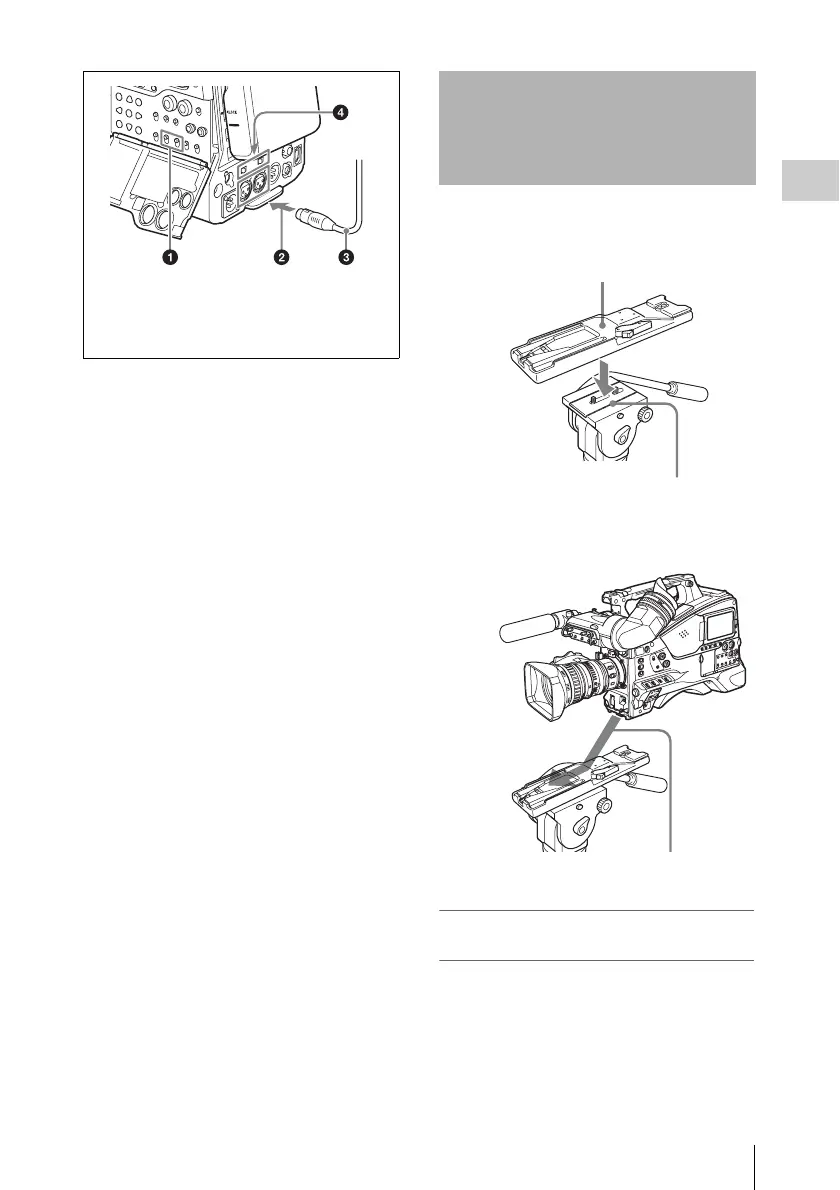
Tripod Mounting
45
Chapter 2 Preparations
1 Attach the optional VCT-14/U14
Tripod Adaptor to the tripod.
2 Mount the camcorder on the tripod
adaptor.
To remove the camcorder from the tripod
adaptor
Hold down the red button and pull the lever in the
direction of the arrow.
1 AUDIO IN CH1/CH2 switches
2 To AUDIO IN CH-1 or CH-2 connector
3 Audio equipment
4 AUDIO IN selectors
Tripod Mounting
Tripod adaptor
Camera mount
Slide the camcorder forward along the
groove in the adaptor until it clicks.



 To Next Page