Mounting and Adjusting the Lens
40
Chapter 2 Preparations
Caution
If the lens is not firmly locked, it may come off
while the camcorder is being used. This could cause
a serious accident. Make sure the lens is firmly
locked. It is recommended that the lens mount
securing rubber be put on the lens locking lever as
illustrated above.
4 Connect the lens cable to the LENS
connector.
5 Secure the lens cable with the cable
clamps.
If you have attached an aberration correction
lens
The aberration correction function is activated
automatically. Starting the camcorder with an
aberration correction lens may require more time
than normally because of data loading at start-up.
Contact a Sony service representative for
information about aberration correction lenses.
If the lens does not stay in focus properly as you
zoom from telephoto to wide angle, adjust the
flange focal length (the distance from the plane of
the lens mounting flange to the imaging plane).
Make this adjustment just one time after
mounting or changing the lens.
When carrying out the adjustment, use a flange
focal length adjustment chart as the subject.
Notes
• If you use a subject with insufficient contrast, or move
the camcorder or subject during adjustment, this will
cause an adjustment error.
• Place the subject (the flange focal length adjustment
chart) so that it appears at the center of the screen at the
telephoto end. Arrange so that no nearby object (no
object closer to the camera than the chart) enters the
screen at the wide-angle end.
Carrying out the adjustment
1 Set the iris to manual.
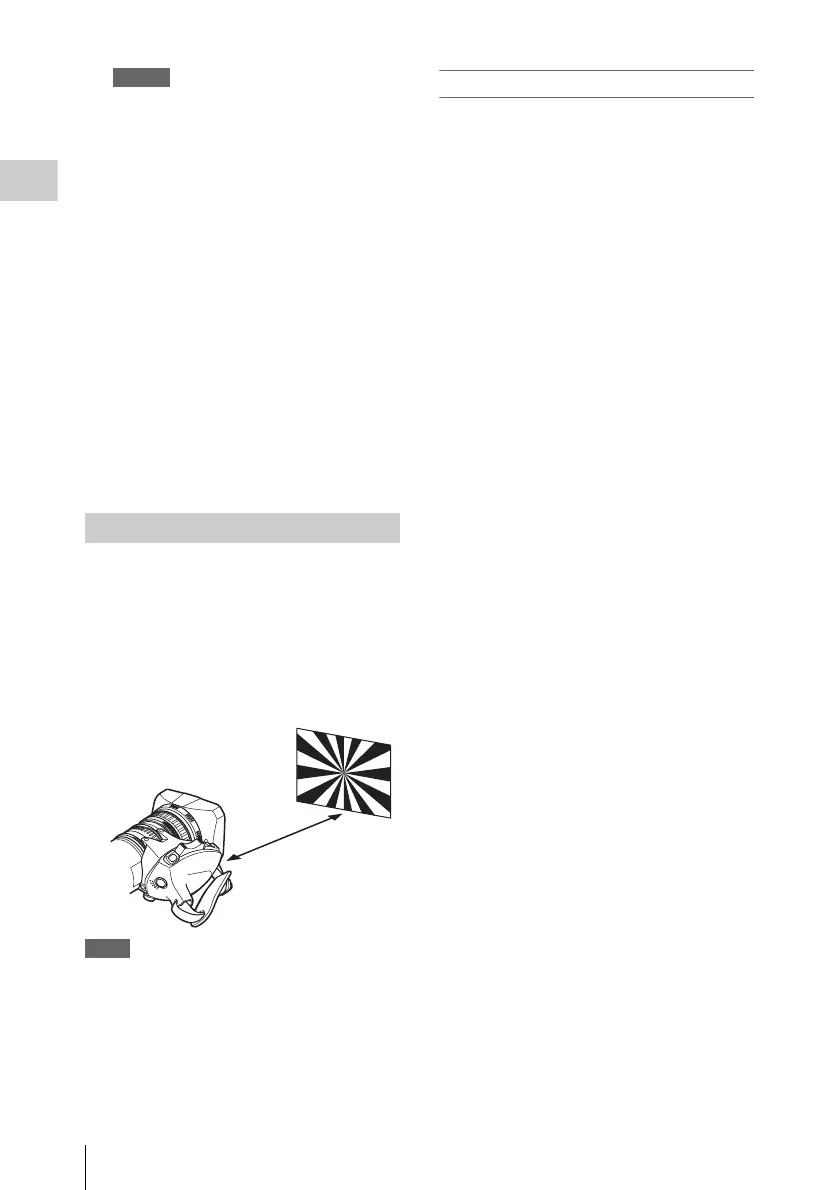
2 Open the iris, position the supplied
flange focal length adjustment chart
approximately 3 meters (10 ft) away
from the camcorder, and arrange the
lighting to obtain a satisfactory video
output.
3 Loosen the fixing screws on the F.f or
F.B ring (flange focal length adjustment
ring).
4 Use manual or power zoom to set the
lens to telephoto.
5 Point the camcorder at the chart by
turning the focus ring and focus on it.
6 Set the zoom ring to wide angle.
7 Turn the F.f or F.B ring until the chart
is in focus, being careful not to disturb
the focus ring.
8 Repeat steps 4 to 7 until the chart stays
in focus all the way from wide angle to
telephoto.
9 Tighten the F.f or F.B ring fixing
screws.
Adjusting the Flange Focal Length
About 3 m (10 ft)



 To Next Page