Basic Menu Operations
111
Menu Configuration and Detailed Settings
This section covers basic operations for setting
the Setup menu items.
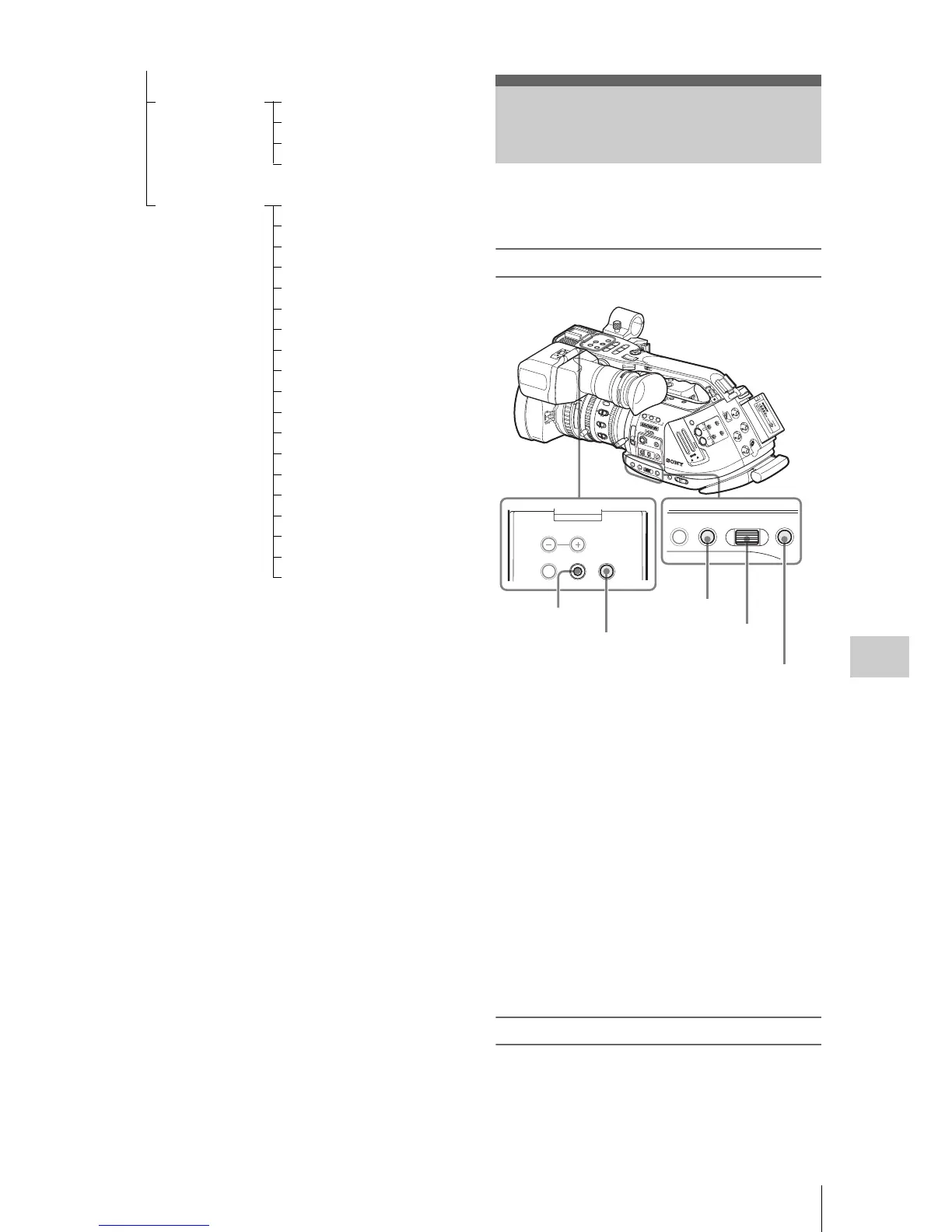
Menu controls
MENU button
To turn Menu mode to use Setup menus on/off.
Joystick (SEL/SET button)
When you tilt it, the cursor moves in the
corresponding direction, permitting you to select
menu items or setting values.
Jog dial (SEL/SET dial)
When you turn the dial, the cursor moves up or
down, permitting you to select menu items or
setting values.
CANCEL button
To return to the previous layer of the menu. An
uncompleted change is canceled.
Displaying the Setup menu
Press the MENU button.
Th
e menu icons appear on the screen.
LENS Auto FB ADJ
File
Flare
Shading
OTHERS All Reset
Camera Data
Time Zone
Clock Set
Language
Assign Button
Tally
Hours Meter
IR Remote
Battery Alarm
Battery INFO
Genlock
Direct Menu
i.LINK I/O
Trigger Mode
Country
Video Format
Clip
Format Media
Basic Menu Operations
15
25
40
10
3
10
mm
5
10
30
ft
15
5.8
8
5.6
4
2.8
1.9
16
C
MANU
AUTO
M
A
NU
A
UTO
PU
S
H A
F
FOCUS
I
RI
S
MACRO
OFF
ON
SDI OUT
GENLOCK IN
REMOTE
TC OUT
TC IN
HDV
O
FF
2
1
ND
FILTER
-
+
F
R
A
M
E
GAIN
STATU
S
MENU
SEL/SET
CANCEL
P
IC
TUR
E
P
RO
FIL
E
CA
M
ER
A
O
FF
M
ED
IA
B
A
PR
ST
L
ATW
M
H
WHITE BAL
B
AR
S/C
AM
F
U
LL A
U
T
O
PMW
-EX3
CH
-1
A
U
T
O
MA
NUA
L
IN
EX
T
AU
T
O
M
AN
UA
L
IN
EX
T
C
H-
2
AUDIO
LEV
EL
SLO
T SE
LECT
AU
D
IO
S
EL
EC
T
AUDIO
IN
A
B
OPEN
A
CC
E
SS
1
2
3
A
SS
IG
N
L
EN
S IN
FO
BRT D
ISP
H
IST
OGR
A
M
B
TC
/U
-BIT
/DU
R
ATIO
N
THUMNAIL
F REV
PREV
SEL/SET
P
L
A
Y
/P
AU
S
E
STOP
CANCEL
F FWD
NEXT
REC
START/STOP
HOL
D
l s L
j
G
/S
J
MONITOR
VOL
L
R
H
L
O
F
F
16:9
W
IDE SCREEN
THUMBNAIL SEL/SET CANCEL
MONITOR VOL
STATUS MENU SEL/SET CANCEL
MENU button
Jog dial
CANCEL button
Joystick
CANCEL button



 To Next Page