Power Supply
26
Preparations
You can use a battery pack or AC power via an
AC adaptor.
If you connect an AC power source, it has a
priority even if a battery pack is mounted.
Mount a BP-U30 or BP-U60 Lithium-ion battery
pack.
One BP-U30 is supplied with this camcorder.
Notes
• Before use, charge the battery pack with the
supplied BC-U1 Battery Charger.
• A warm battery pack immediately after use may
not be able to be fully recharged.
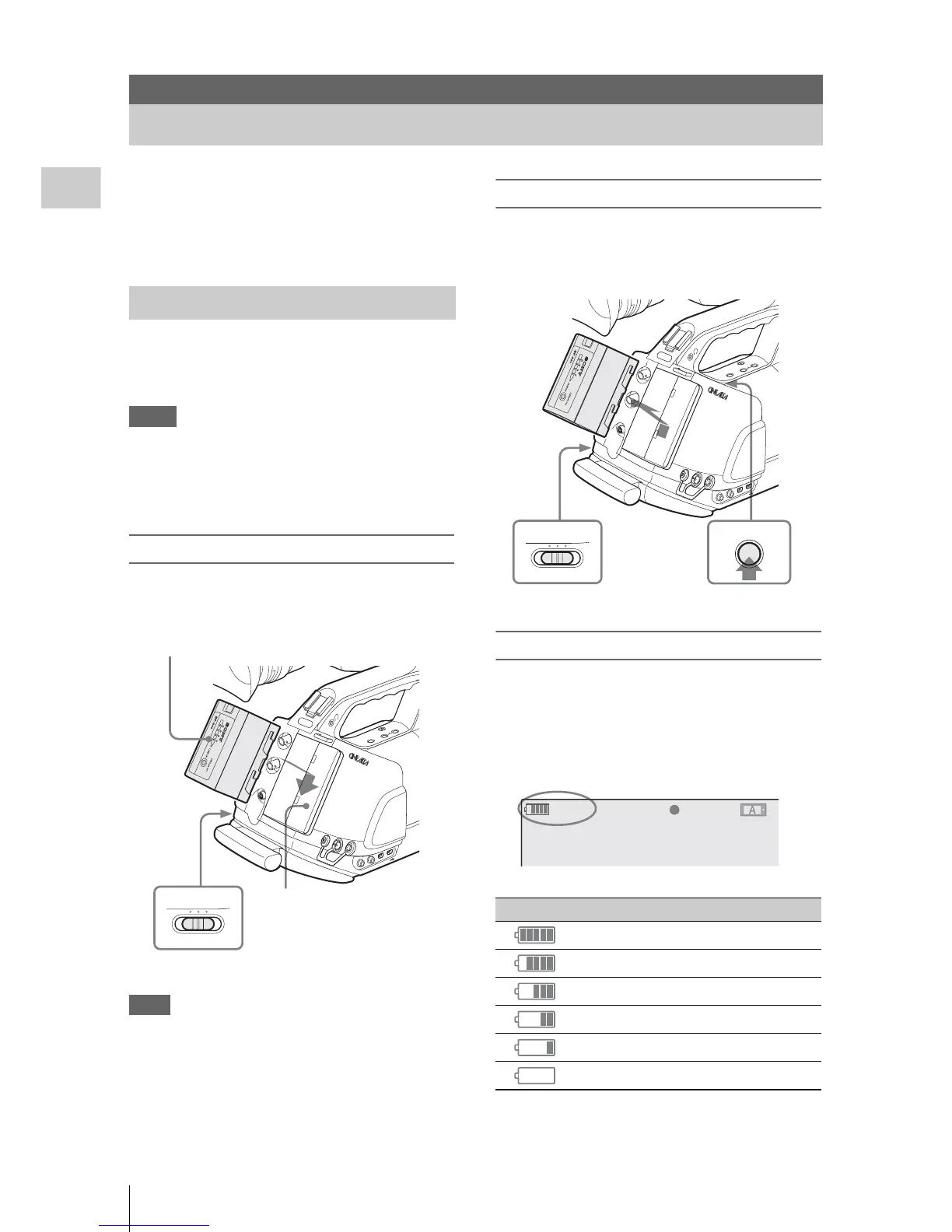
Mounting the battery pack
Fully insert the battery pack then slide it
downward to lock.
Note
If a battery pack that cannot be used with this
c
amcorder is mounted, an error message is
appears in the viewfinder. Replace the battery
pack with the BP-U30 or BP-U60, or connect a
power to the DC IN connector after removing the
battery pack.
Removing the battery pack
Hold the BATTERY RELEASE button pressed,
slide the battery pack upward to unlock, then pull
it out.
Checking battery charge remaining
To check during operation
When recording or playback is in progress on the
battery pack, an icon to show the current battery
charge level and usage time remaining are
displayed in the viewfinder screen.
The camcorder indicates the remaining usage
time in minutes by calculating the available time
Preparations
Power Supply
Using a Battery Pack
SD
I O
UT
GEN
LOCK
IN
REMOTE
TC
O
U
T
TC
IN
HDV
CO
M
PO
N
EN
T
O
UT
DC IN
MONITOR
OUT
S VID
EO
A
UDIO
O
UT
CH
-1
C
H-2



 To Next Page