Adjusting the White Balance
52
Recording
Execute auto white-balance adjustment according
to the color temperature of the light source.
The adjustment value can be stored in memory A
or B.
Note
Auto white-balance adjustment cannot be
executed in Preset mode.
1 To store the adjustment value in
memory, select Memory A or Memory
B mode.
2 Select the appropriate ND filter
according to the lighting condition.
3 Place a white subject under the same
lighting condition and zoom in on it so
that a white area is obtained on the
screen.
A white object (white cloth, a white wall,
etc.) near the subject may be used in place.
Be careful not to have any spots of high
illumination on the screen.
4 Adjust the lens iris opening.
Set it to the proper condition if the manual
iris adjustment mode is selected.
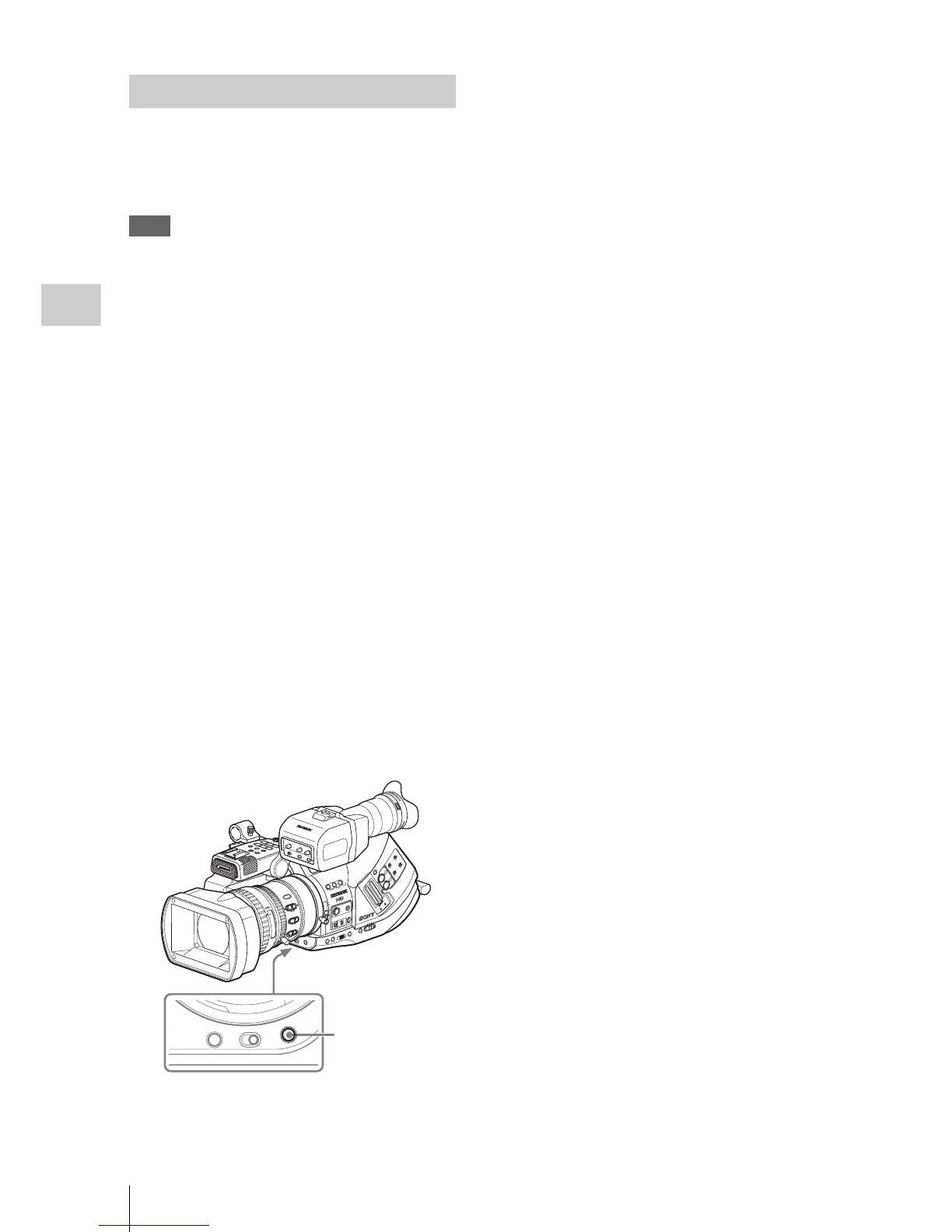
5 Press the WHT BAL button.
Au
to white-balance adjustment begins.
During adjustment, an in-progress message is
displayed on the screen. When the adjustment is
completed successfully, the message changes to a
completion message, and the obtained color
temperature is displayed.
• When you execute the adjustment in a memory
mode, the adjusted value is stored in memory
(A or B) selected in step 1.
• When you execute the adjustment in ATW
mode, adjustment in ATW is resumed.
If auto white-balance adjustment fails
An error message is displayed on the screen for
approximately three seconds.
If the error message is displayed, try auto white-
balance adjustment again.
If the error message continues to be displayed
after several attempts, consult your Sony service
representative.
Executing Auto White Balance
T
W
OPEN
A
S
S
IG
N
4
O
FF
ON
S
H
U
T
TE
R
W
H
T
B
A
L
A
CC
E
SS
SLOT SELECT
CH
-1
AUTO
MANUAL
INT
EXT
AUTO
MANUAL
INT
EXT
C
H-2
AU
D
IO
LE
VE
L
AU
DIO
SE
LE
C
T
A
UD
IO
IN
A
B
1 2
3
LENS INFO BRT D
ISP HISTOGRAM
AS
SIG
N
OFF
2
1
ND
FILTER
-
+
FRAME
GAIN
S
TATUS
MEN
U
S
EL/SET
C
AN
CEL
PICTU
RE
PROFILE
C
AMER
A
OFF MEDIA
B
A
PAST
L
ATW
M
H
W
HITE B
AL
BARS
/C
AM
FULL
AUT
O
S
H
OT
T
RA
NS
IT
ION
A
B
TC
/U-
B
IT/D
URAT
ION
PM
W-E
X3
REC
START/STOP
H
OLD
T
HU
M
NA
IL
F
R
E
V
P
RE
V
S
EL
/SE
T
PLA
Y/P
AUSE
S
TO
P
C
AN
C
EL
F FW
D
N
EX
T
l
s
L
j
G
/SJ
M
ON
ITO
R
V
OL
H
L
O
FF
M
IR
R
O
R
IM
A
G
E
OFFON
D
IS
P
L
A
Y
/BA
T
T I
N
FO
ZEBRA
PEAK
ING
CONTRAST BRIGHT
8
5.6
4
2.
8
1.9
16
C
m
m
ft
MANU
A
F/M
F
Fu
ll
MF
M
ACRO
S
TEADY
S
HOT
ON
A
U
T
O
OF
F
FOCUS
AUTO
IRIS
30
10
15
5
10
3
7
2
ASSIGN 4
SHUTTER
OFF ON
WHT BAL
WHT BAL button



 To Next Page