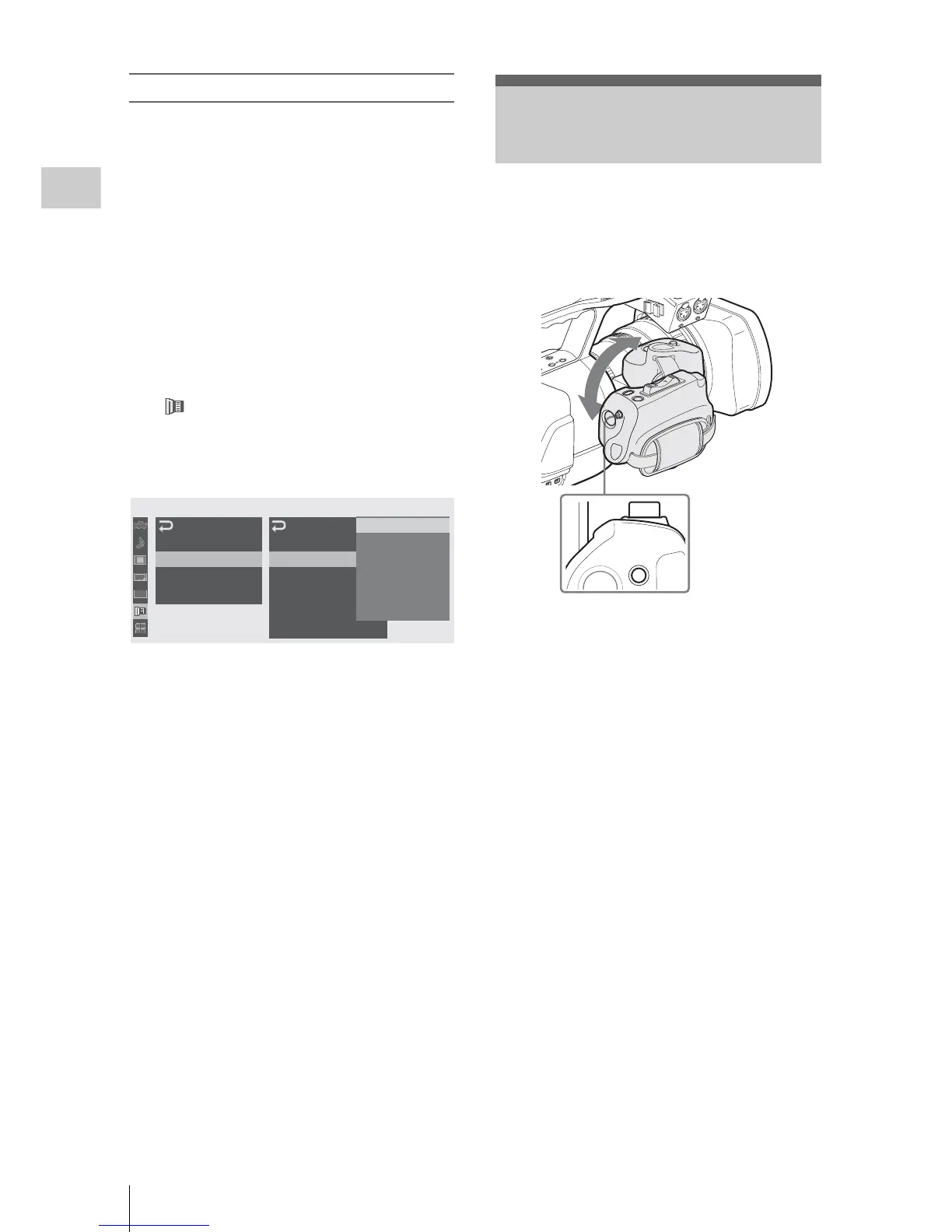
Adjusting the Grip
36
Preparations
When using a non-exclusive lens
You can use the lens file in which you stored the
compensation data for the lens, using the LENS
menu.
For the storage method, see “Lens File Operations”
on page 143.
When you mount a serial lens
The corresponding file is automatically retrieved.
When you mount a non-serial lens
Retrieve the corresponding lens file, using the
LENS menu.
1 Press the MENU button to set the
camcorder to Menu mode and select
(the LENS menu).
2 Select “Recall” from “File” then the
corresponding lens file from the list.
3 When the confirmation message is
displayed, select “Execute.”
For details on menu operations, see “Basic Menu
Operations” on page 111.
The grip rotates approx. 120 degrees to support a
variety of shooting styles.
Holding the RELEASE button pressed, slowly
rotate the grip.
Click positions are provided at each 15 degrees.
Release the RELEASE button at the desired click
position to lock the grip.
00:00
LENS
Auto
FB
ADJ
File
Flare
S
had ing
Lens
ID
R
ecal l
Store
File ID
N
o
O
ffset
Auto
R
ecal l
:
:
On
VC
L
-
6
1
4
B
2
X
XS
8
X4AS
-
XB
8
User_
File
1
User_
File
2
User_
File
3
User_
File
4
B
B
B
B
B
Adjusting the Grip
LOCK
RELEASE
S
H
O
T
TR
A
N
S
ITIO
N
B
A
T



 To Next Page