On-Screen Indications
24
Overview
6. Media remaining indication [M] (page 43)
7. Zoom position indication [M] (page 59)
8. Lens extender indication
(available only when a lens extender is used)
9. TLCS mode indication [M][D] (page 117)
10. Steady Shot indication [M] (page 64)
11. Focus mode indication [M] ( [D] only in MF
mode) (page 61)
(available only when an auto-focus lens is
mounted)
12. White balance mode and color
temperature indications [M][D] (page 51)
13. Picture profile indication [M][D] (page 84)
14. ND filter indication [M] (page 50)
15. Iris position indication [M][D] (page 58)
16. Gain indication [M][D] (page 55)
17. Shutter mode/shutter speed indication
[M][D] (page 56)
18. Audio level meters [M] (page 68)
19. Histogram indication [M][A]
20. Fader indication [M] (page 82)
21. Video level cautioning indication [M]
If the video level is too high or too low, a caution
is generated showing the appropriate ND filter
number.
22. Depth-of-Field indication [M][A]
(available only when a serial lens is mounted)
23. Brightness level indication [M][A]
24. Special recording mode indication [M]
25. Video Format indication [M
] (page 49)
The settings of the items named with a suffix [D]
can be changed using the Direct menu on the
screen.
Select “All,” “Part,” or “Off” for Direct Menu
using “Direct Menu” (page 126) of the OTHERS
menu.
When the Direct mode is set to “Part,” the
operation is limited depending on the GAIN,
SHUTTER, or WHITE BAL switch setting.
When the Direct mode is set to “All,” the GAIN,
SHUTTER, and WHITE BAL switches are
disabled.
Note
When the indicator of the FULL AUTO button is
lit, the Direct Menu operation is disabled for the
functions that are forcibly set to the automatic
mode in Full Auto mode (page 48).
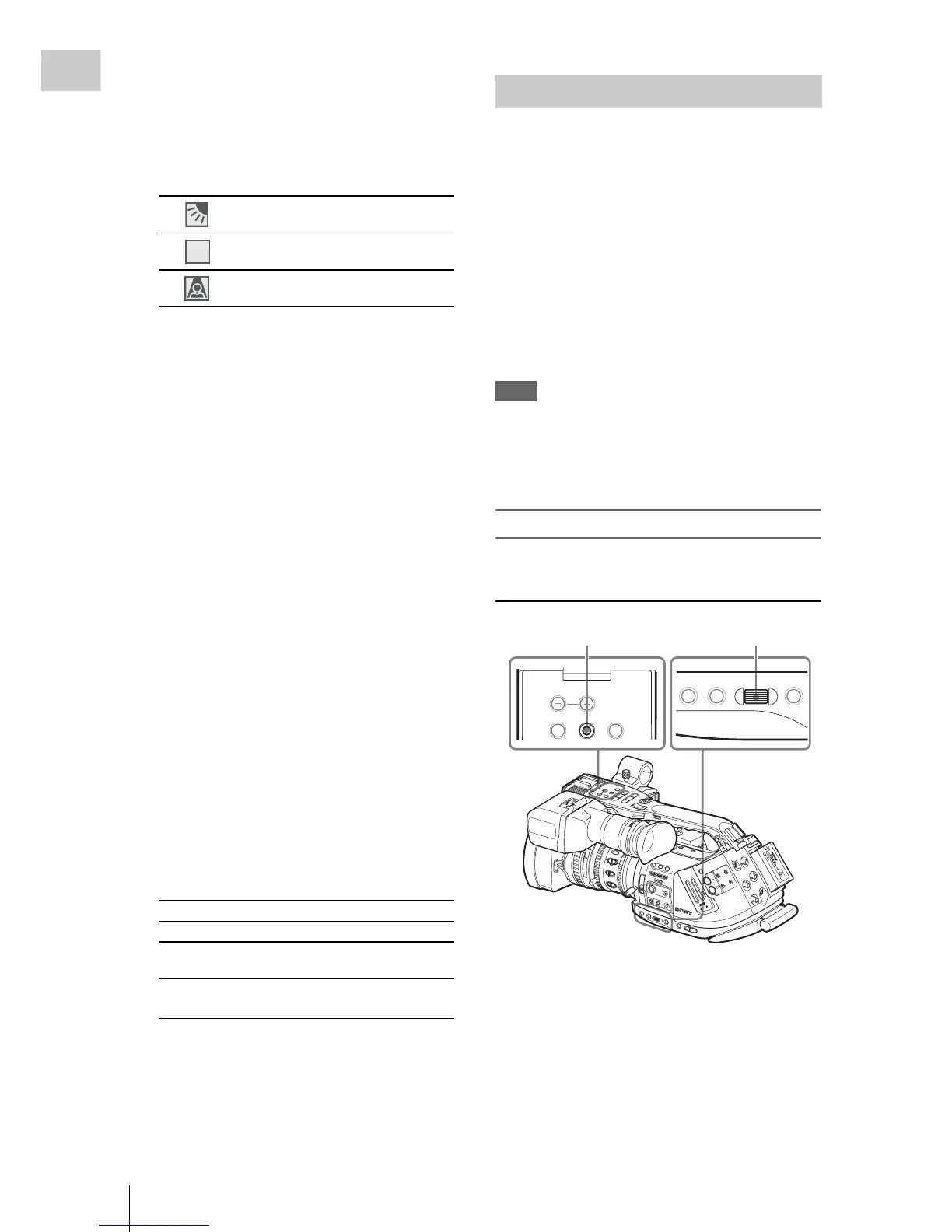
To operate the Direct menu
Use the joystick on the handle or the jog dial on
the side operation panel.
1 Press the joystick or the jog dial.
If “Direct Menu” is set to “All” or “Part,” the
cursor is displayed on one of the items for
which the Direct menu operation is
permitted.
Example: TLCS mode indication
Backlight mode
Standard mode
Spotlight mode
Frame Rec Frame Rec mode
Interval Rec Interval Rec mode
S&Q Motion
xx/xx fps
Slow & Quick Motion mode
EXT-LK Time code external lock (see
page 134)
STD



 To Next Page