Using the PHU-60K
45
Preparations
You can use an optional PHU-60K Professional
Hard Disk Unit with this camcorder. The PHU-
60K incorporates a 60GB 1.8-inch hard disk, on
which up to 200 minutes of HD video can be
recorded in HQ mode.
Note
High-speed playback (page 95) may not be
properly achieved with the PHU-60K.
Recording/playback can be made using the PHU-
60K in the same manner as with SxS memory
cards by mounting the PHU-60K on the accessory
shoe of the camcorder and connecting the PHU
connection cable to an SxS memory card slot.
For the mounting method, refer to the instructions
supplied with the PHU-60K.
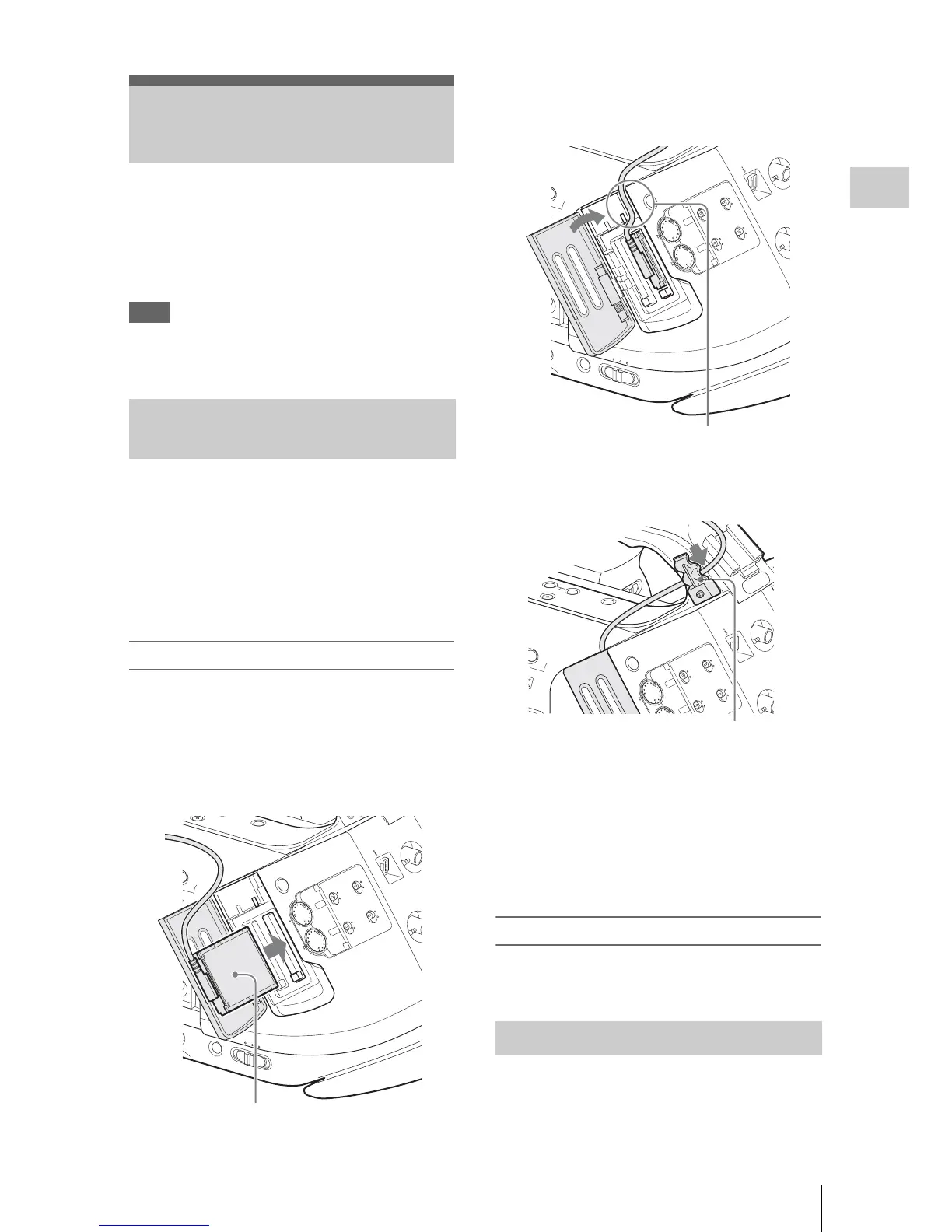
Connecting the PHU connection cable
1 Set the power switch of the camcorder
to the CAMERA position.
2 Open the cover of the card slot and plug
the PHU connection cable into the slot.
3 Pass the cable through the cable guide
slot above the card slot B and close the
cover.
4 Secure the cable at the cable clamp.
5 Turn on the PHU-60K.
The POWER indicator of the PHU-60K
lights in green.
Subsequently, the ACCESS lamp of the
camcorder lights in red then changes to green
once the unit is ready for use.
Disconnecting the PHU connection cable
Operate in the same manner as when you remove
an SxS memory card from the slot.
For a PHU-60K that is not formatted or that was
formatted with another system, a message to
confirm if formatting is to be executed is
displayed in the viewfinder.
Using the PHU-60K
Connecting/Removing the PHU
Connection Cable
SDI OUT



 To Next Page