Basic Operation Procedure
47
Recording
The operations described in this section assume
that you are using the supplied or optional
exclusive lens. The displays and menu settings
may differ when a non-exclusive lens is used.
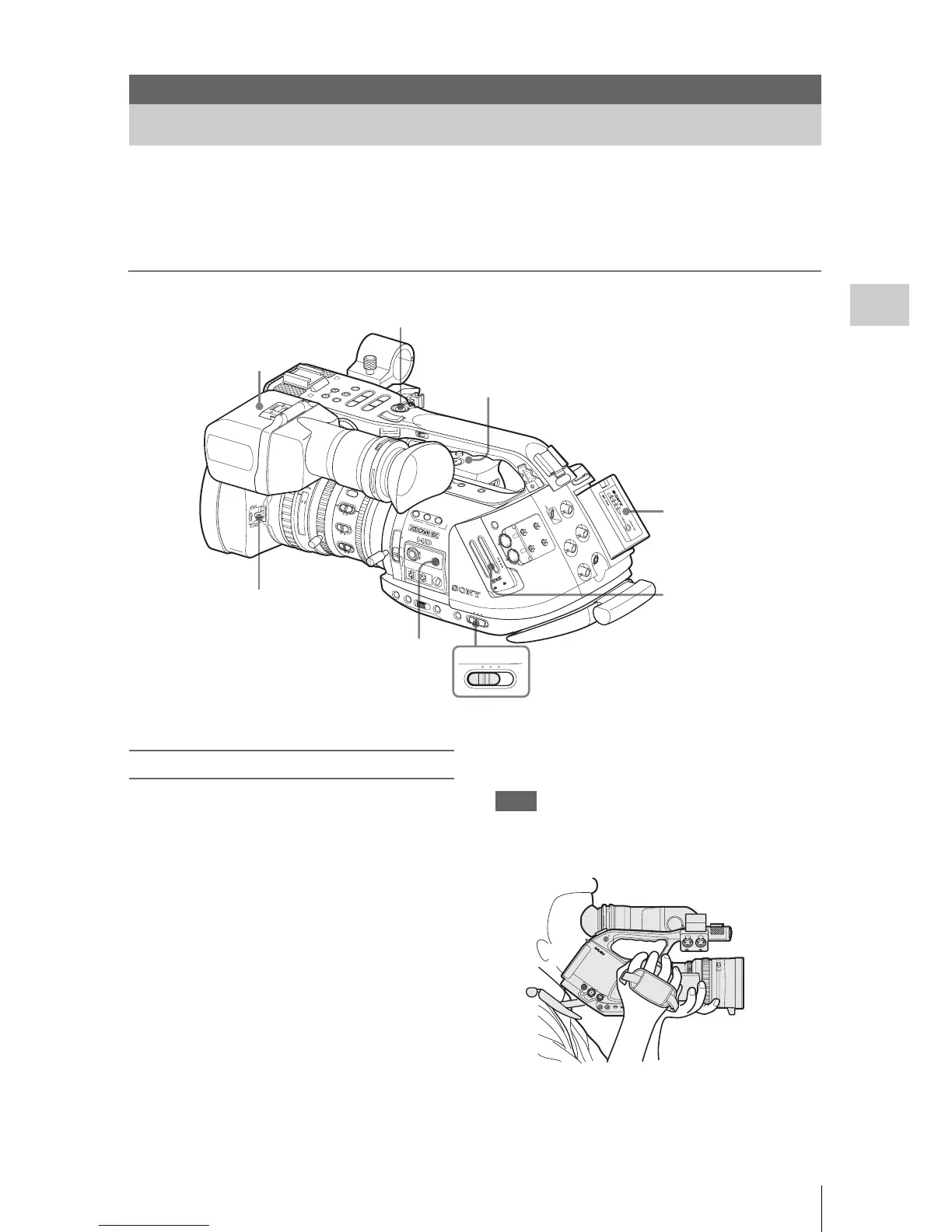
Basic recording with the exclusive lens can be
performed with the following procedures:
Preparations
1
Mount a fully charged battery pack.
2 Load SxS memory card(s).
If you load two cards, recording is continued
by automatically switching to the second
card when the first card becomes full.
3 Pull up on the lens cap open/close lever
to open the lens cap built in the lens
hood.
4 Adjust the viewfinder for best viewing.
5 Set the power switch to the CAMERA
p
osition.
The camcorder is turned on and enters
Camera mode.
When using the remote commander, activate the remote
control mode (page 39).
Note
When you hold the camcorder by the grip,
support it from underneath with your left hand.
Recording
Basic Operation Procedure
1
2
3
7,8
9
5
6
15
25
40
81.2
10
3
10
mm
5
10
30
ft
15
5.8
8
5.6
4
2.8
1.9
16
C
MAN
U
AUT
O
M
A
N
U
A
UT
O
P
U
S
H
A
F
FO
C
U
S
IR
IS
STEA
DY
SHOT
AF
Full
MF
M
A
C
R
O
O
F
F
O
N
SDI OUT
GENLOCK IN
REMOTE
TC OUT
TC IN
H
D
V
O
F
F
2
1
ND
FILTER
-
+
FRAM
E
GAIN
S
T
A
T
U
S
MENU
SE
L/S
ET
CANCEL
PIC
TURE
PROFILE
CAMERA
OFF
MED
IA
B
A
P
R
S
T
L
A
TW
M
H
WHITE BAL
BARS
/CAM
FULL
AUT
O
PMW-EX3
C
H
-1
AU
T
O
M
A
NU
AL
IN
EXT
A
UT
O
M
A
NU
AL
IN
EX
T
CH
-2
A
UD
IO
L
E
VE
L
SLO
T
S
EL
E
CT
A
U
DIO
S
EL
E
CT
A
U
D
IO
IN
A
B
OPEN
A
C
CE
S
S
1
2
3
ASSIGN
LENS
IN
FO
BRT
DIS
P
HISTOGRAM
A
SH
OT
TR
AN
SITIO
N
B
T
C/U-BIT/DU
R
ATION
TH
UMN
AIL
F RE
V
PR
EV
SEL/SET
PLAY/PAUS E
STO
P
CAN
CE
L
F FWD
N
EX
T
REC
START
/STOP
HOL
D
l
s L
j
G
/S J
M
ON
ITO
R
VOL
L
R
H
L
O
F
F
1
6:9
WID
E SCREE
N
CAMERA OFF MEDIA
4
REC START/STOP
REC REVIEW
FULL AUTO
Memory card(s)
Battery pack
Lens cap OPEN
Viewfinder
Power switch: CAMERA



 To Next Page