External Synchronization
135
Connecting External Devices
Thus the built-in timecode generator of your
camcorder locks to the reference timecode.
The message “EXT-LK” is displayed on the
screen.
After about 10 seconds, you can disconnect the
external timecode without losing the
synchronization.
Notes
• Check that the reference timecode and the
reference video signal are in a phase relation
that complies the SMPTE timecode standards.
• When you finish the above procedure, the
timecode is immediately synchronized with the
external timecode, and the time data indication
will show the value of the external timecode.
However, wait for a few seconds until the
timecode generator stabilizes before recording.
• If the frequency of the reference video signal is
not the same as the frame frequency of the
camcorder, the camcorder cannot be correctly
genlocked. In such a case, the timecode is not
correctly synchronized with the external
timecode.
• When the connection is removed, the timecode
advance may shift one frame per hour with
respect to the reference timecode.
To release the external timecode
synchronization
Change the “Timecode” setting of the TC/UB
SET menu or turn off the camcorder.
External synchronization is also released when
you start recording in a special recording mode
(Slow & Quick Motion, Frame Rec, or Interval
Rec).
Synchronizing the timecode of another
unit with that of your camcorder
The timecode of another unit can be locked to that
of your camcorder.
1 Specify the timecode of your camcorder
with “Timecode” and “TC Format” (see
page 66).
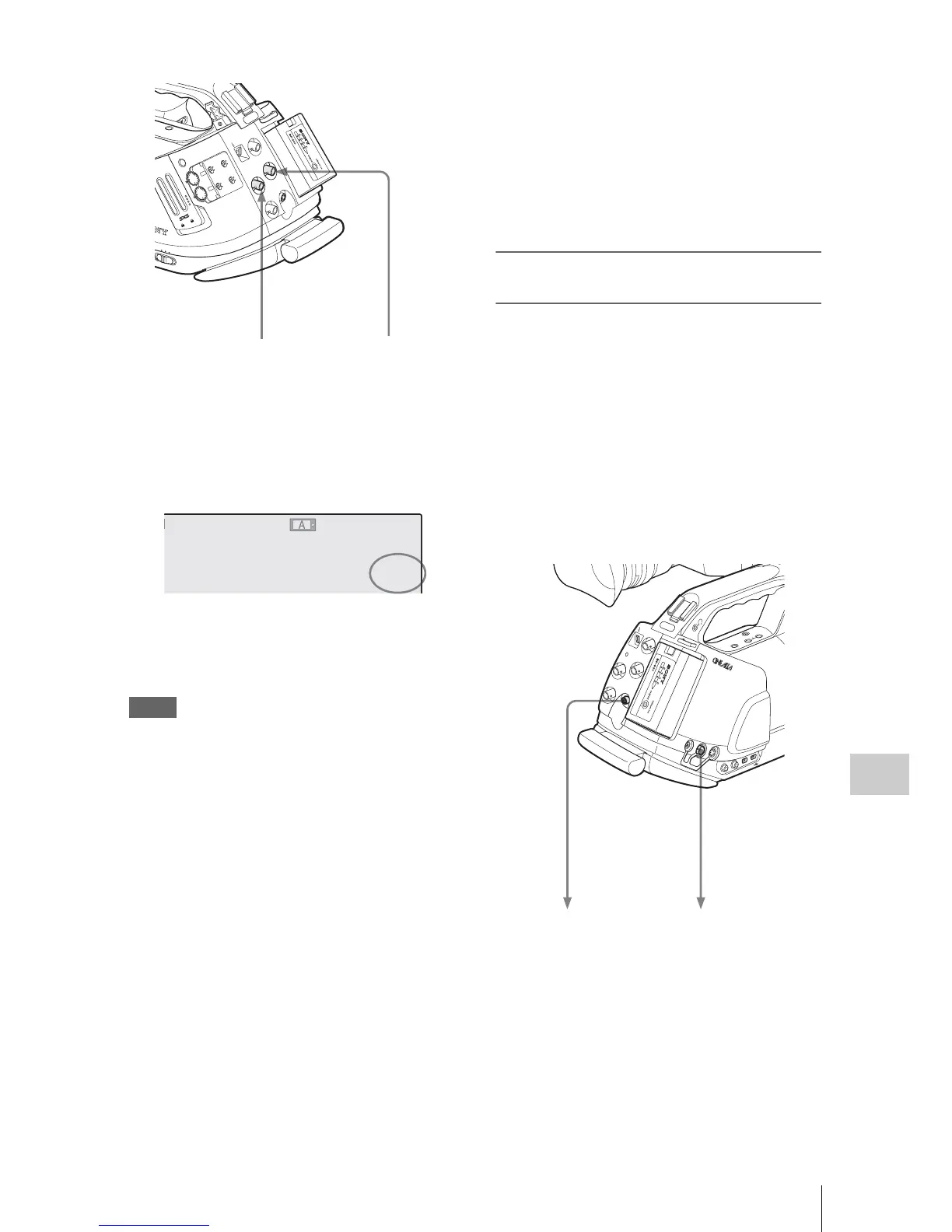
2 Connect the TC OUT connector and
MONITOR OUT connector with the
timecode input and reference signal
input of the other unit, respectively.
SDI OUT
GENLOCK IN
REMOTE
TC OUT
TC IN
H
D
V



 To Next Page