Using the Cheek Pad
38
Preparations
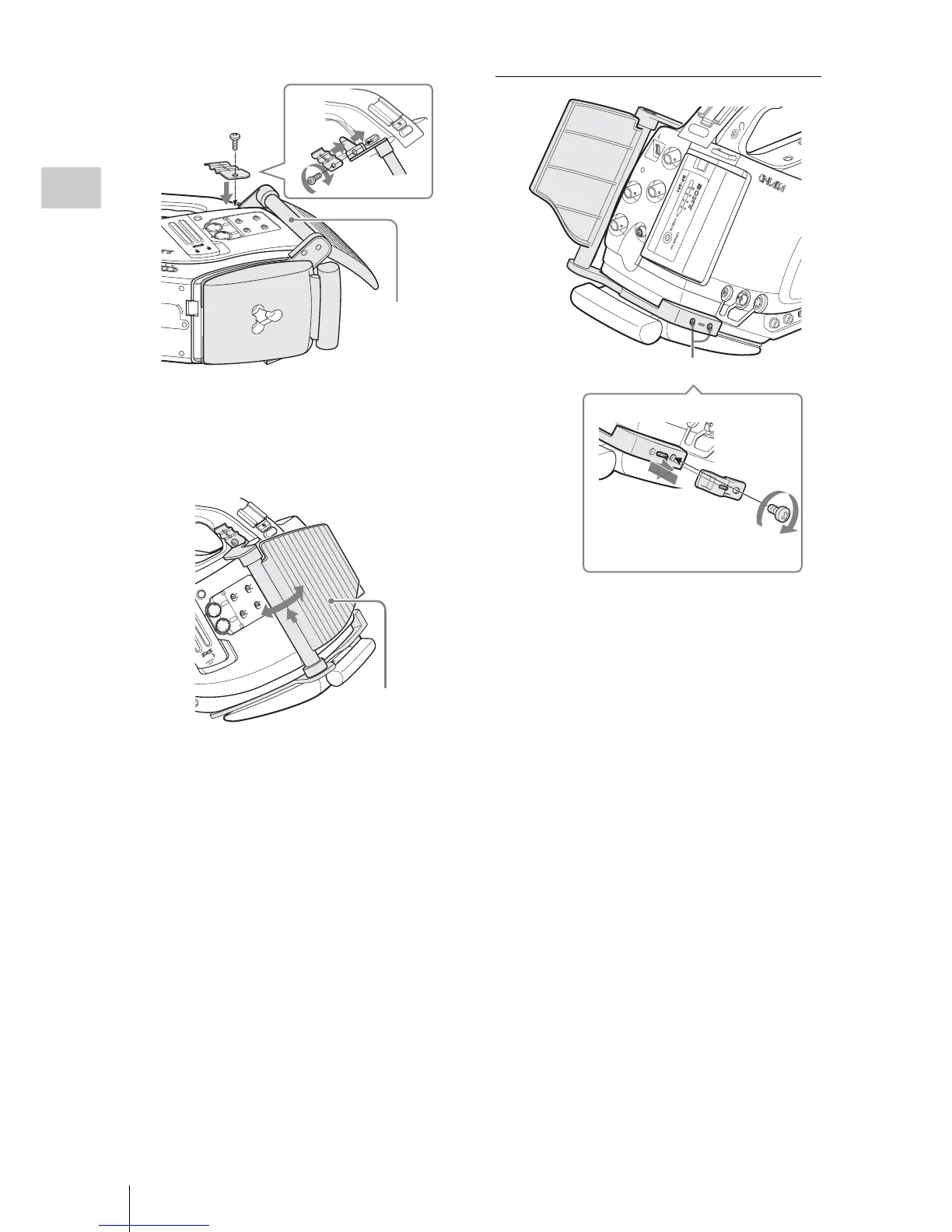
6 While holding the pole upward, flip the
pad toward the side panel of the
camcorder.
To attach the DC cable clamp
The supplied DC cable clamp can be attached to
the frame of the cheek pad at one of the accessory
screw holes on the opposite side of the pad.
The DC power output cable (page 27) of the BC-
U1 connected to the DC IN connector can be tied
down with the clamp.
1 Insert the cable clamp to the frame so
that the rear projection of the cable
clamp fits in the slot on the frame.
Adjust the position of the clamp by
sliding it so that the screw hole of the
clamp aligns with that of the frame.
2 Secure the clamp, using the supplied
screw.



 To Next Page