Shot Transition
80
Recording
2 Specify the conditions for a shot
transition.
Trans Time
After you set “Time/Speed” to “Time,” set
the duration of a transition in the range of 2
to 15 sec in steps of 1 second.
Trans Speed
After you set “Time/Speed” to “Speed,” set
the zoom transition speed (specifying the
time to be taken for the zoom moving from
the TELE end to the WIDE end at a certain
speed).
The setting range is from 1 to 10. The larger
the number you set, the higher speed.
Time/Speed
Set whether to specify the duration of a
transition by time or by speed of zoom
transition.
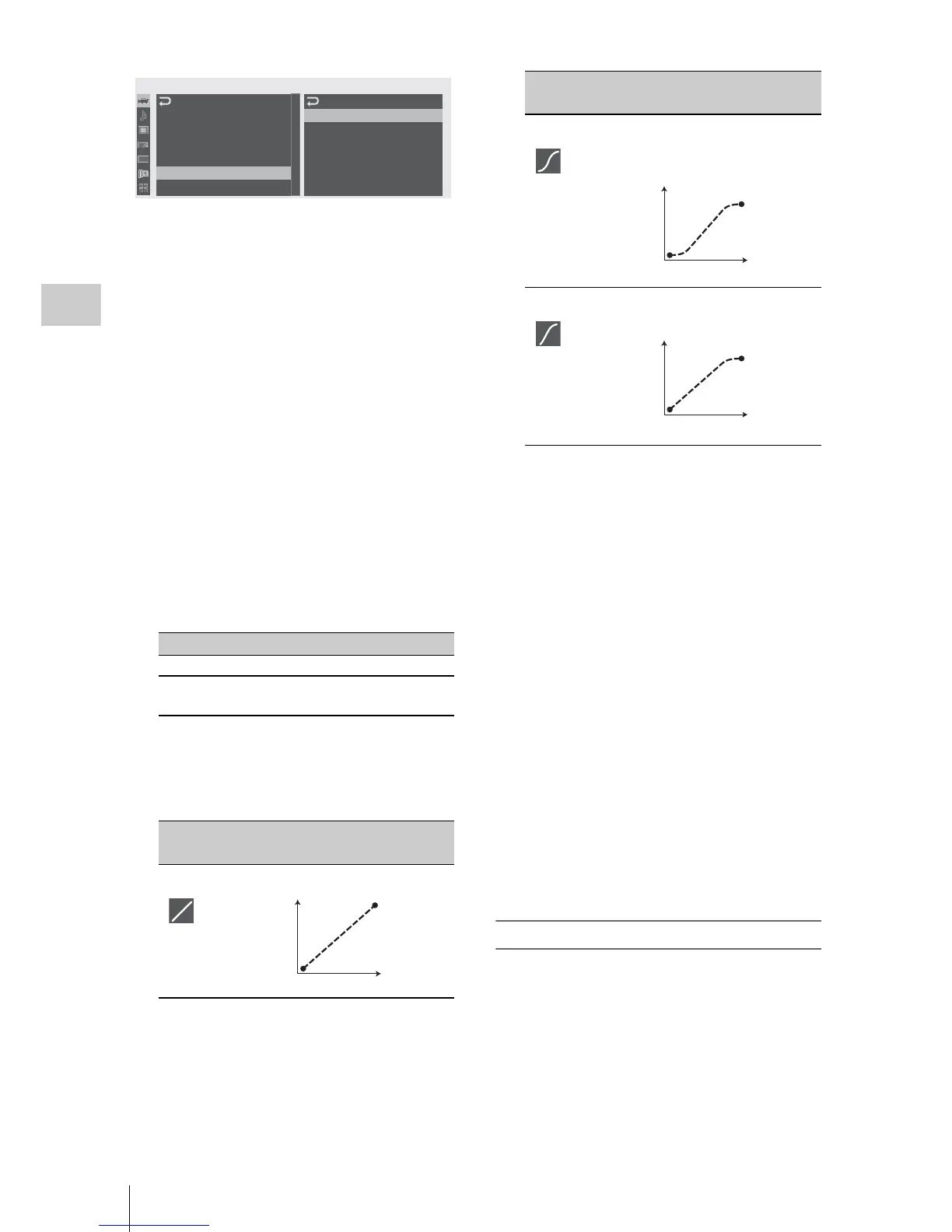
Trans Curve
Select the transition pattern.
The corresponding icon is displayed in the
shot transition information area.
P: Parameter level T: Transition of time
Start Timer
Set the time from start of recording to start of
the shot transition.
The countdown indication is displayed in the
shot-transition information area until the shot
transition is started by the Start Timer.
Rec Link
Set whether to link shot-transition start and
target shot selection to recording start.
The setting status is displayed in the shot
transition information area.
Off: Not to link to recording start
(To use the A or B button to start the
transition and specify the target shot)
Shot-A: To start the transition to Shot A in
synchronization with recording start
Shot-B: To start the transition to Shot B in
synchronization with recording start
3 Exit the menu to finish the settings.
Registering a shot
You can register two kinds of shots: A and B.
1 Press the MODE button to display
“Store” in the shot-transition operation
area.
2 Adjust the camera settings to obtain an
i
mage you wish to register.
Setting Contents
Time The “Transition Time” setting is valid.
Speed The “Transition Speed” setting is
valid.
Setting
and icon
Contents
Linear To make the transition linearly.
00:00
C
A
M
E
R
A
SET
Trans
Time
Trans
Speed
Time/ Speed
Trans
Curve
Start
Timer
Rec
Link
:
2sec
:
5
:
Speed
:
Soft
Stop
:
Off
:
Off
A
uto
BLK
B
alance
Gain
Setup
Shutter
EX
S
lo
w
S
hutter
Shot
Transi t ion
MF
A
ssis t
:
Off
B
B
B
B
B
B
T
P
Soft Trans To make the transition slowly at
the beginning and end but linearly
in between.
Soft Stop To make the transition slowly near
the end.
Setting
and icon
Contents
T
P
T
P



 To Next Page