21
Hookups and Settings
Controlling a Sony TV with the
remote
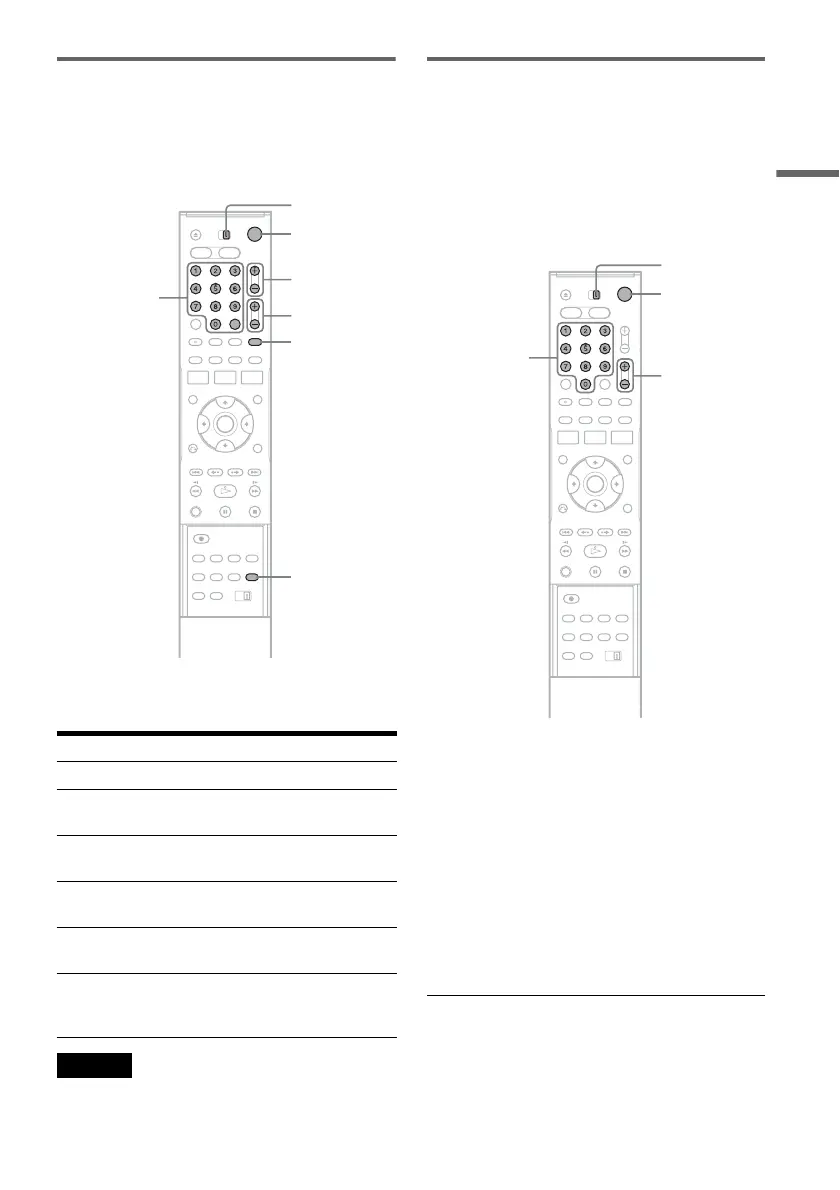
You can use this remote to operate your Sony TV.
Use the buttons marked with an orange dot (•).
Slide the TV/DVD·VIDEO switch to TV.
The remote performs the following:
Note
Depending on the connected unit, you may not be able to
control your TV with some or any of the buttons.
Controlling the volume of a Sony AV
amplifier (receiver) with the remote
If you connect the recorder to a Sony AV amplifier
(receiver), you can use the supplied remote to
control the AV amplifier’s (receiver’s) volume.
Set the code number for your AV amplifier
(receiver) to control it.
1 Slide the TV/DVD·VIDEO switch to
DVD·VIDEO.
2 Hold down "/1 and enter 78, 79, 80, or 91
using the number buttons.
3 Release "/1.
The VOL +/– buttons control the AV
amplifier’s volume. If the buttons do not
work, try the other numbers one at a time.
If you want to control the TV’s volume, slide
the TV/DVD·VIDEO switch to TV.
z Hint
If you want to control the TV’s volume even when the
TV/DVD·VIDEO switch is set to DVD·VIDEO, repeat
the steps above and enter the code number 90 (default).
Press To
"/1 Turn your TV on or off
VOL +/– Adjust the volume of your
TV
CH +/– Select the channel on your
TV
TV/VIDEO Switch your TV’s input
source
Number buttons and
SET
Select the channel on your
TV
WIDE MODE Switch to or from the wide
mode of your wide-screen
TV
TV/DVD·VIDEO
switch
"/1
VOL +/–
Number
buttons,
SET
TV/VIDEO
CH +/–
WIDE MODE
TV/DVD·VIDEO
switch
"/1
VOL +/–
Number
buttons
,continued














 To Next Page