70
Formatting/Renaming/
Protecting a Disc
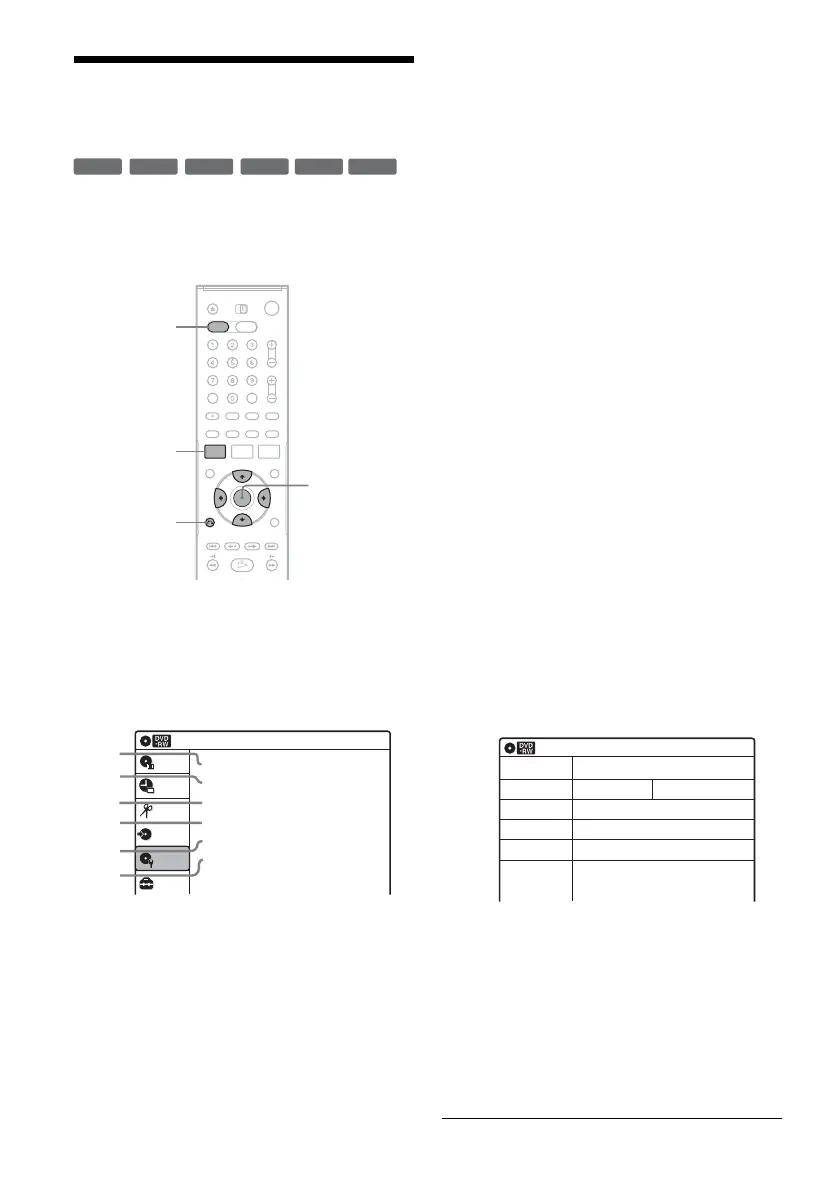
The “Disc Setting” display allows you to check the
disc information or change the disc name.
Depending on the disc type, you can also format or
set protection.
1 Press DVD to operate the DVD recorder.
2 Press SYSTEM MENU while the recorder is
in stop mode.
3 Select “Disc Setting,” and press ENTER.
The “Disc Setting” display appears.
4 Select an option, and press ENTER.
A “Disc Name”: Allows you to rename a
disc.
For details on how to enter characters,
see page 63.
B “Disc Protect” (DVD+RWs/DVD-RWs
(VR mode)/DVD-Rs (VR mode) only):
Protects all titles on the disc when
“Protected” is selected. To cancel the
protection, select “Not Protected.”
C “Disc Format” (DVD+RWs/DVD-
RWs/DVD-Rs only): Erases all
contents of the disc, including protected
titles, and makes a blank disc (except
DVD-Rs).
For DVD-RWs, select a recording
format (“VR Mode” or “Video Mode”)
according to your needs.
To format unused DVD-Rs in VR
mode, select “VR Mode” and then
“OK.”
D “Disc Finalize”: Finalizes a disc. See
page 91 for details.
E “Disc Information”: Displays the
following information.
• Disc name
• Disc type (and recording format for a
DVD-RW (VR mode)/DVD-R (VR
mode))
• Total number of titles
• Protect setting
• The oldest and most recent recording
date
• The total available recording time in
each recording mode
F “Erase All Titles” (DVD+RWs/DVD-
RWs/DVD-Rs (VR mode) only):
Erases all titles on the disc (except
protected titles). Select “OK” when
asked for confirmation.
For DVD-RWs (VR mode)/DVD-Rs
(VR mode), Playlist titles created with
protected titles are also erased.
+
RW
-
RWVR
-
RW
Video
+
R
-
RVR
-
R
Video
SYSTEM
MENU
DVD
M/m/</,,
ENTER
O RETURN
Disc Setting
10:10 AM
Disc Name :
Disc Protect : Not Protected
Disc Format : VR Mode
Disc Finalize : Unfinalized
Disc Information
Erase All Titles
Setup
Disc Setting
Edit
Title List
Timer
Dubbing
2
3
4
5
1
6
10:10 AM
Disc Information
Disc Name
Media
Title No.
Protected
Date
Remainder
Disc 1
DVD-RW VR ModeFormat
Original 6 / Playlist 1
Not Protected
4/05/2006 ~ 4/30/2006
HQ : 0H 57M
LSP : 2H 23M
EP : 5H 46M
HSP : 1H 26M
ESP : 2H 52M
SLP : 7H 40M
SP : 1H 55M
LP : 3H 50M
4.4/4.7GB














 To Next Page