63
DVD Editing
Notes
• If a message appears and indicates that no more chapter
marks can be added, you may not be able to record or
edit.
• You cannot add or erase chapter marks on protected
titles or discs.
Changing the Name of a
Title
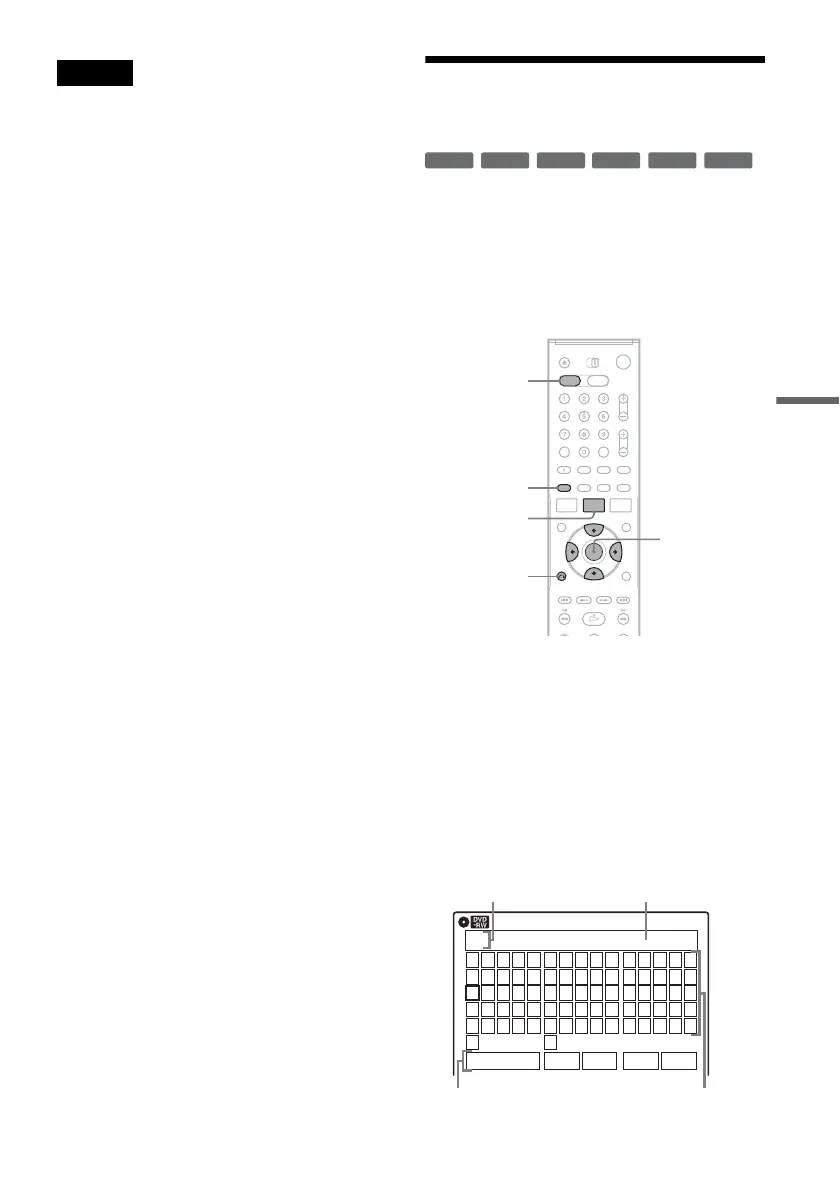
You can enter a title name of up to 32 characters.
Since the displayed number of characters is
limited, their appearance in menus such as Title
List may be different. When the display for
entering characters appears, follow the steps
below.
1 Press DVD to operate the DVD recorder.
2 Press TITLE LIST.
When editing a DVD-RW (VR mode) or
DVD-R (VR mode), press ORIGINAL/
PLAYLIST to switch to the “Title List
(Original),” if necessary.
3 Select a title, and press ENTER.
The sub-menu appears.
4 Select “Title Name,” and press ENTER.
The “Title Name” display appears.
+
R
-
RWVR
-
RW
Video
+
RW
-
RVR
-
R
Video
M/m/</,,
ENTER
O RETURN
TITLE LIST
DVD
ORIGINAL/
PLAYLIST
Title Name
K
_
A B C D E
F G H I J
K L M N O
P Q R S T
U V W X Y
Z
a b c d e
f g h i j
k l m n o
p q r s t
u v w x y
z
1 2 3 4 5
6 7 8 9 0
- _ + = .
~
!
@ # $
%
^
& ( )
Backspace Space Delete Clear Finish
10:10 AM
Input row
Character paletteSetting buttons
Cursor
,continued














 To Next Page