43
DVD Playback
Playing MP3 Audio Tracks
and JPEG Image Files
You can play DATA CDs (CD-ROMs/CD-Rs/
CD-RWs)/DATA DVDs (DVD-ROMs/
DVD+RWs/DVD-RWs/DVD+Rs/DVD-Rs) that
contain MP3 audio tracks or JPEG image files.
Playing MP3 audio tracks
You can play MP3 audio tracks on DATA CDs or
DATA DVDs.
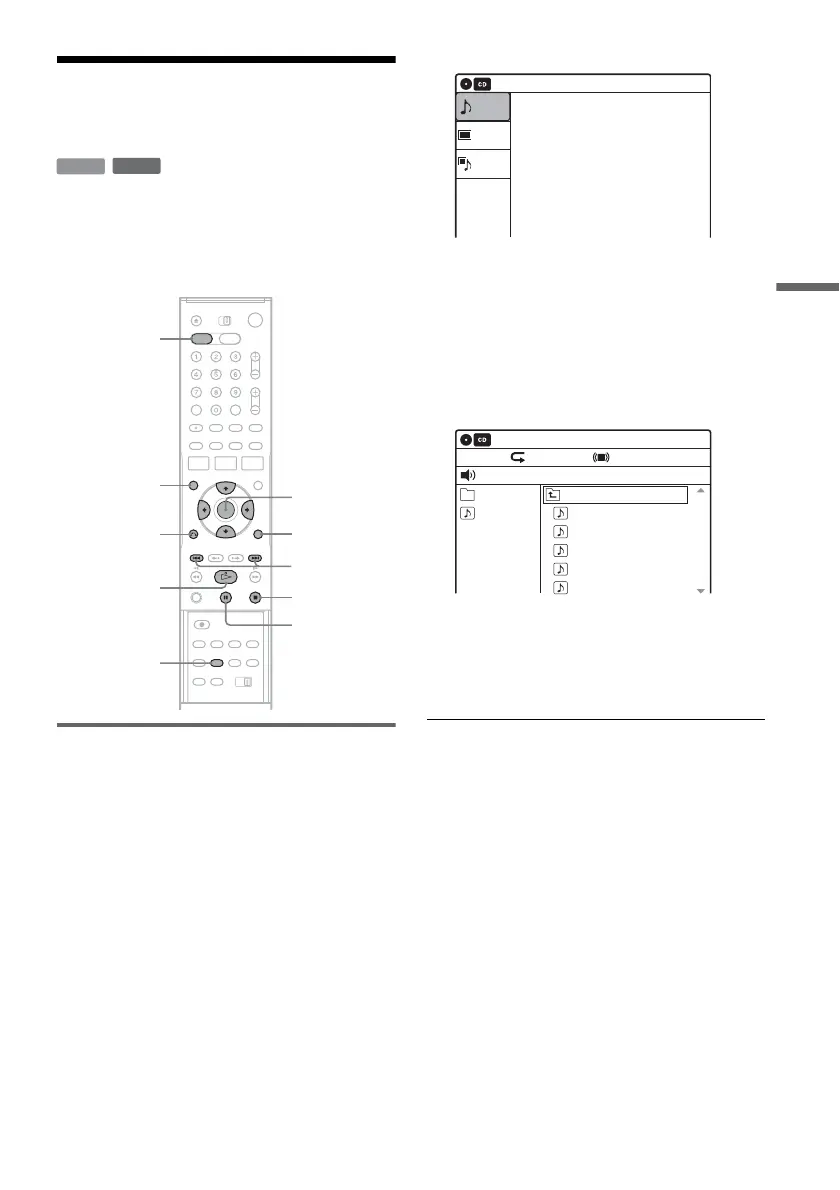
1 Press DVD to operate the DVD recorder.
2 Place a DATA CD/DATA DVD on the disc
tray.
When you insert a DATA CD/DATA DVD
containing MP3 audio tracks and JPEG image
files, the display for selecting a media type
appears. When you select “Mix,” you can
enjoy a slide show with sound (page 45).
If you insert a DATA CD/DATA DVD
containing only MP3 audio tracks, the
“Music” display appears. Go to step 4.
3 Select “Music,” and press ENTER.
The “Music” display appears.
4 Select an album, and press ENTER.
5 Select a track, and press ENTER.
Playback starts from the selected track.
When a track or album is being played, the
title is shown in a box.
To stop playback
Press x STOP.
To pause playback
Press X PAUSE.
To restart playback, press H PLAY or X
PAUSE.
To play repeatedly
Press REPEAT repeatedly during playback.
“Off”: Does not play repeatedly.
“File”: Repeats the current track.
“Folder”: Repeats the current album.
To return to the previous display
Press O RETURN.
DATA CD
DATA DVD
H PLAY
O RETURN
M/m/</,,
ENTER
./>
DVD
TOP MENU
x STOP
TOOLS
REPEAT
X PAUSE
10:10 AM
Photo
Music
Mix
Press ENTER :
Music menu for this disc.
Stop 00:00:00
Prev Directory
01-Track1.mp3
02-Track2.mp3
03-Track3.mp3
04-Track4.mp3
05-Track5.mp3
MP3_001
0/9
10:10 AM
Music
Repeat:Off Surround:Off
,continued














 To Next Page