59
DVD Editing
In this case, you can compile highlight scenes as a
Playlist title. You can even rearrange the scene
order within the Playlist title. See “Editing a
Playlist” on page 66.
The advanced edit functions available for Playlist
titles are:
– Renaming a title (page 63).
– Erasing a title (page 59).
– Erasing a chapter (page 60).
– Erasing a section of a title (A-B Erase) (page 60).
– Editing a Playlist scene (page 66).
– Dividing a title (page 61).
– Combining titles (page 67).
z Hint
You can switch the Title List to show original or Playlist.
While the Title List menu is turned on, press ORIGINAL/
PLAYLIST repeatedly.
Notes
• You cannot protect Playlist titles.
• If a message appears and indicates that the disc’s
control information is full, erase unnecessary titles.
• Once the disc is finalized, you cannot create or edit
Playlist titles on the disc.
Editing a Title
This section explains the basic edit functions. Note
that editing is irreversible. To edit a DVD-RW
(VR mode) or DVD-R (VR mode) without
changing the original recordings, create a Playlist
title (page 64).
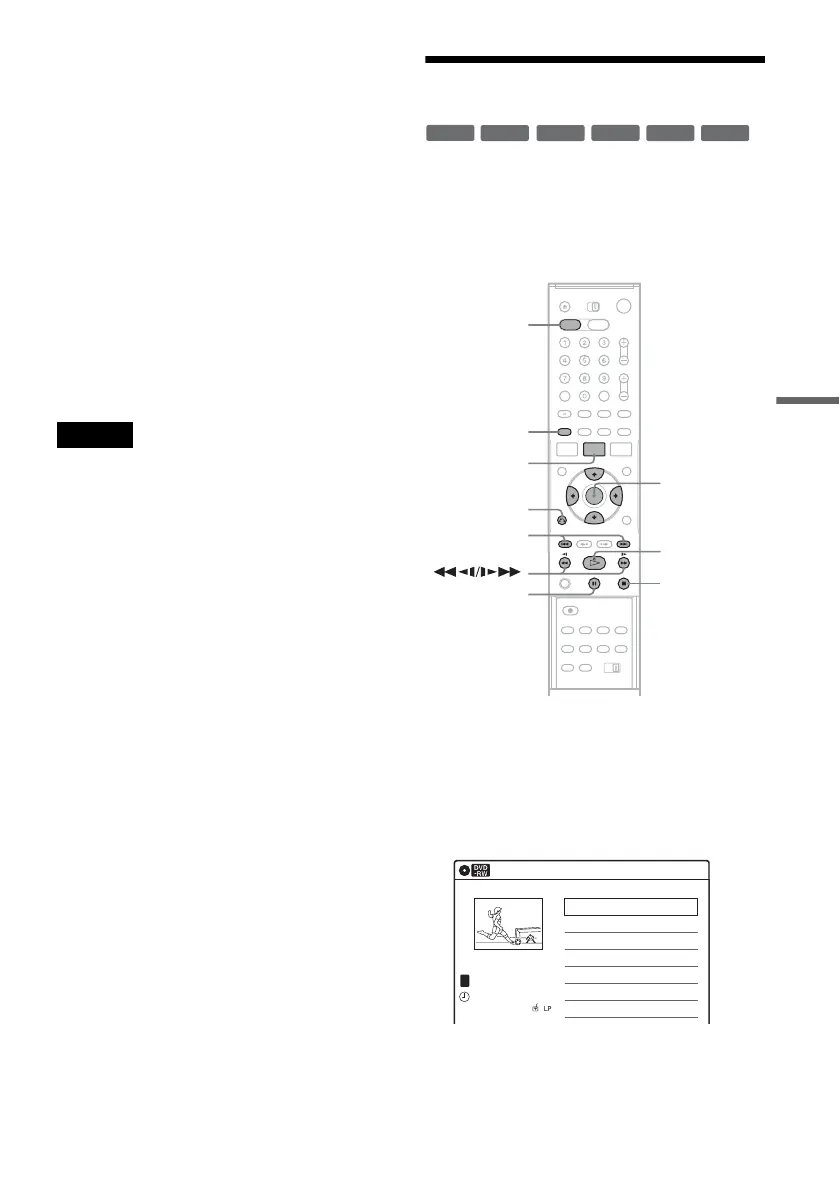
1 Press DVD to operate the DVD recorder.
2 Press TITLE LIST.
When editing a DVD-RW (VR mode) or
DVD-R (VR mode), press ORIGINAL/
PLAYLIST to switch to the “Title List
(Original),” if necessary.
3 Select a title, and press ENTER.
The sub-menu appears.
-
RWVR
-
RW
Video
+
RW
+
R
-
R
Video
-
RVR
M/m/</,,
ENTER
TITLE LIST
H PLAY
x STOP
X PAUSE
DVD
ORIGINAL/
PLAYLIST
./>
O RETURN
Title List (Original)
10:10 AM
>
>
Ch
23
08:00 PM
May/02/2006
T
No. Title Length Edit
01 Ch 23 01:29:03
02 Ch 66 00:31:23
03 Ch 95 >01:59:00
04 Ch 97 >00:58:56
1/4
,continued














 To Next Page