60
4 Select an option, and press ENTER.
You can select from the following:
“Title Erase”: Erases the selected title. Select
“OK” when asked for confirmation.
“Chapter Erase”
*1
: Allows you to select a
chapter in the title and erase it (see below).
“Protect”
*2
: Protects the title. Select “On”
when the Protection display appears. “ ”
appears for the protected title. To cancel the
protection, select “Off.” “ ” changes to
“.”
“Title Name”: Allows you to rename the title
(page 63).
“A-B Erase”
*2
: Erases a section of the title
(see below).
“Divide Title”
*2
: Divides a title into two
(page 61).
*1
DVD-RWs (VR mode) and DVD-Rs (VR mode)
only
*2
DVD+RWs, DVD-RWs (VR mode), and DVD-R
(VR mode) only
About freeing up disc space
Erasing titles, chapters, or scenes:
– frees up disc space on a DVD-RW (VR mode).
– frees up disc space on a DVD+RW/DVD-RW
(Video mode) only when you erase the last title
or chapter.
– cannot free up disc space on a DVD+R/DVD+R
DL/DVD-R/DVD-R DL.
z Hint
You can also rename a disc (page 70).
Notes
• When editing a DVD-RW (Video mode), DVD+R, or
DVD-R, finish all editing before finalizing the disc.
You cannot edit a finalized disc.
• You cannot erase protected titles or erase chapters from
a protected title.
• If you erase an original title used in a Playlist, that
Playlist is also erased.
Erasing a chapter (Chapter Erase)
You can select a chapter within a title and erase it.
Note that erasing chapters from original titles
cannot be undone.
1 Press TITLE LIST.
Press ORIGINAL/PLAYLIST to switch to the
“Title List (Original),” if necessary.
2 Select a title, and press ENTER.
The sub-menu appears.
3 Select “Chapter Erase,” and press ENTER.
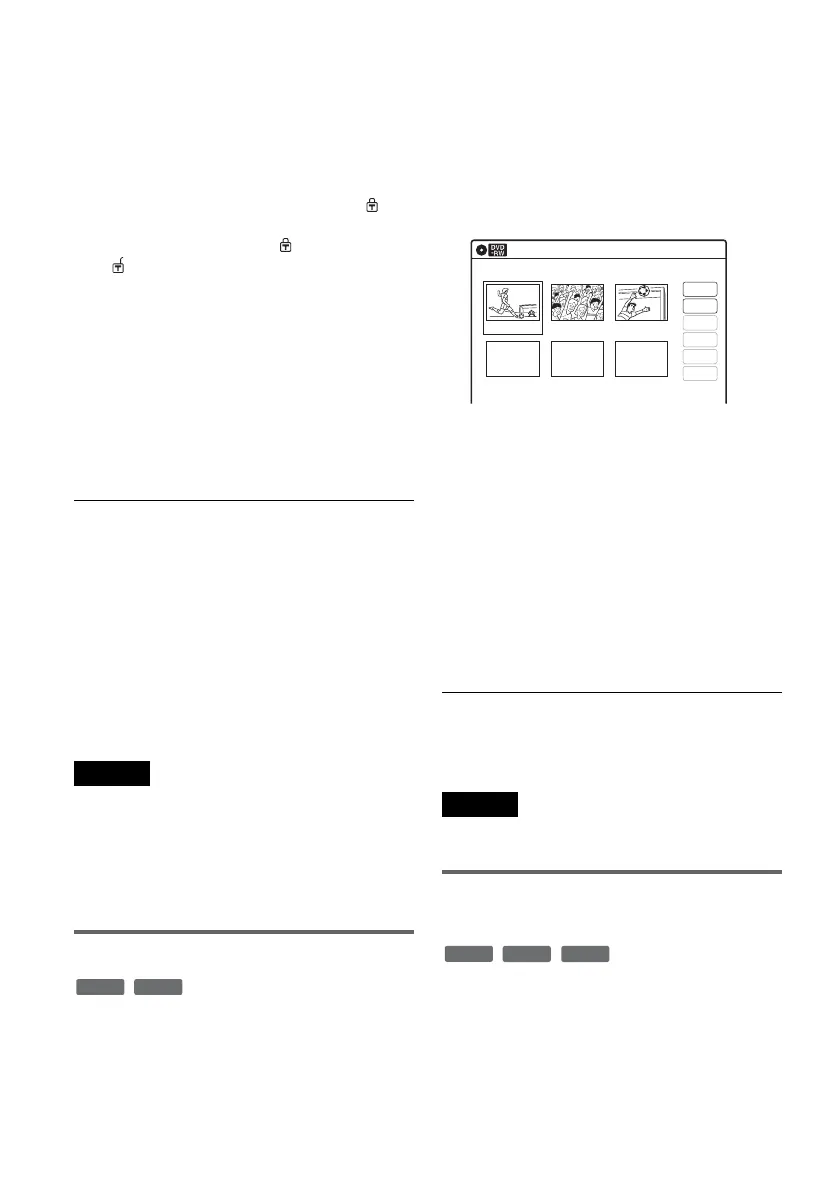
The display for erasing chapters appears.
4 Select the chapter you want to erase, and
press ENTER.
“Check” is selected. To preview the chapter,
press ENTER. When playback finishes or
when you press O RETURN, the display
returns to “Chapter Erase (Original).”
5 Select “Erase,” and press ENTER.
The display asks for confirmation.
6 Select “OK,” and press ENTER.
The selected chapter is erased from the title.
To erase other chapters, repeat from step 4.
z Hint
You can also erase chapters from a Playlist title
(page 66).
Note
If you erase an original title used in a Playlist, that Playlist
is also erased.
Erasing a section of a title
(A-B Erase)
You can select a section (scene) within a title and
erase it. Note that erasing scenes from original
titles cannot be undone.
-
RWVR
-
RVR
Chapter Erase (Original)
10:10 AM
Chapter 1 / 3 Title No.01
03 00:04:2002 00:00:1001 00:00:34
Check
Erase
Modify
Move
Add
Copy
-
RWVR
-
RVR
+
RW














 To Next Page