37
DVD Playback
SUR
(surround)
Surround lets you enjoy surround sound effects by
using sound imaging to create virtual rear speakers
from a stereo TV or two front speakers (page 19).
Selects one of the effects when pressed repeatedly.
“Off”: No surround effect.
“Surround1”: Creates one set of virtual surround
speakers.
“Surround2”: Creates two sets of virtual surround
speakers.
“Surround3”: Creates three sets of virtual surround
speakers.
This feature is effective when you use two separate
front speakers.
All discs
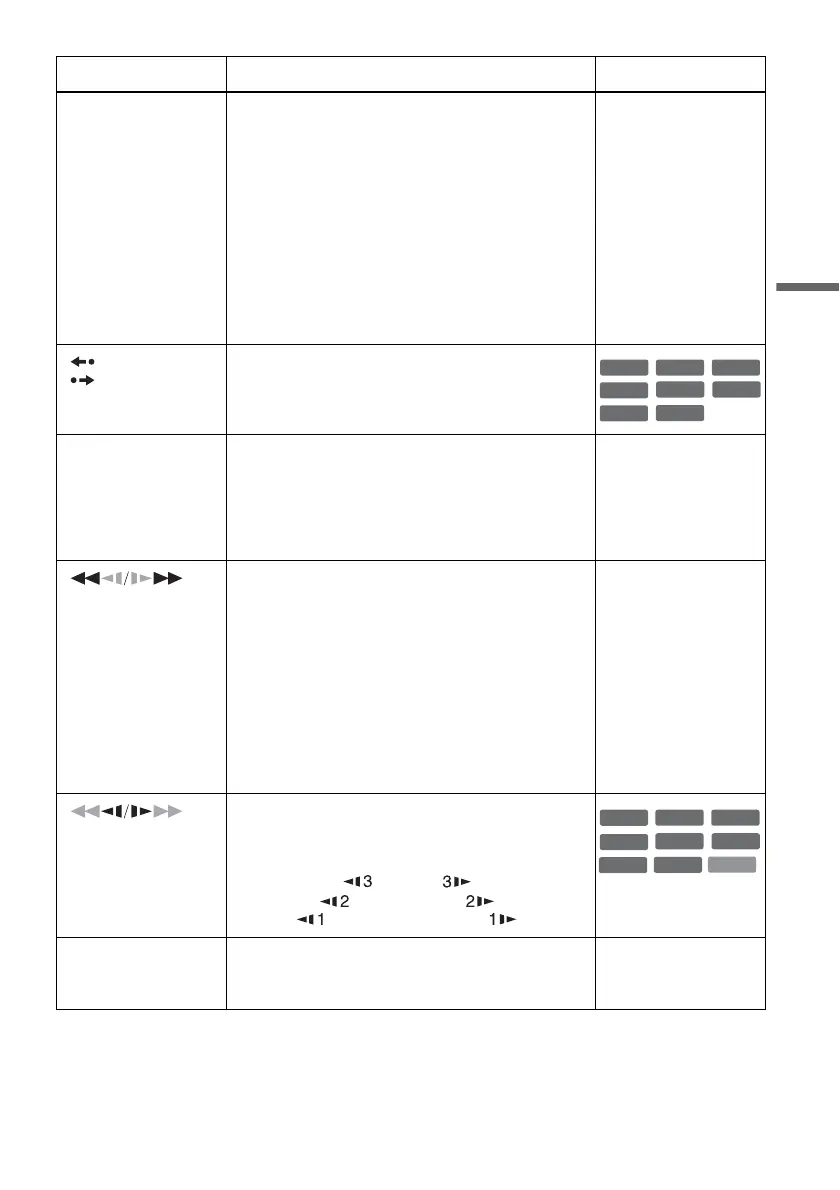
REPLAY/
ADVANCE
• Replays or briefly fast forwards a scene when
pressed during playback.
• Goes to the previous or next frame when pressed
during pause mode.
. PREV/
NEXT >
• Goes to the beginning of the current or next title/
chapter/scene/track and starts playback when
pressed during playback.
• Goes to the beginning of the previous title/chapter/
scene/track when .PREV is pressed within three
seconds after starting a title/chapter/scene/track.
All discs
(fast reverse/fast
forward)
Fast reverses or fast forwards the disc when pressed
during playback.
Search speed changes with each press:
fast reverse fast forward
FR1 T t FF1
*1
FR2
*2
T T t t FF2
*2
FR3
*3
T T T t t t FF3
*3
All discs
*1
FF1 with sound
(Scan Audio) is
available for DVDs
with Dolby Digital
soundtracks.
*2
FR2 and FF2 are not
available for MP3.
*3
FR3 and FF3 are only
available for DVDs
and VIDEO CDs.
(slow)
Plays in slow motion when pressed in pause mode.
Playback speed changes with each press:
reverse slow motion forward slow motion
T t
T T t t
T T T t t t
* Playback direction
only
X PAUSE Pauses playback.
If you pause playback for more than five minutes,
playback starts automatically.
All discs
Button Operation Disc
+
RW
-
RWVR
-
RW
Video
+
R
DVD
-
RVR
-
R
Video
RAM
VCD
+
RW
+
R
-
RWVR
-
RW
Video
DVD
-
RVR
-
R
Video
RAM
*
,continued














 To Next Page