EasyManua.ls Logo

Sony RM-E300 - Page 19

Sony RM-E300
73 pages
Print Icon
To Next Page IconTo Next Page
To Previous Page IconTo Previous Page
Loading...
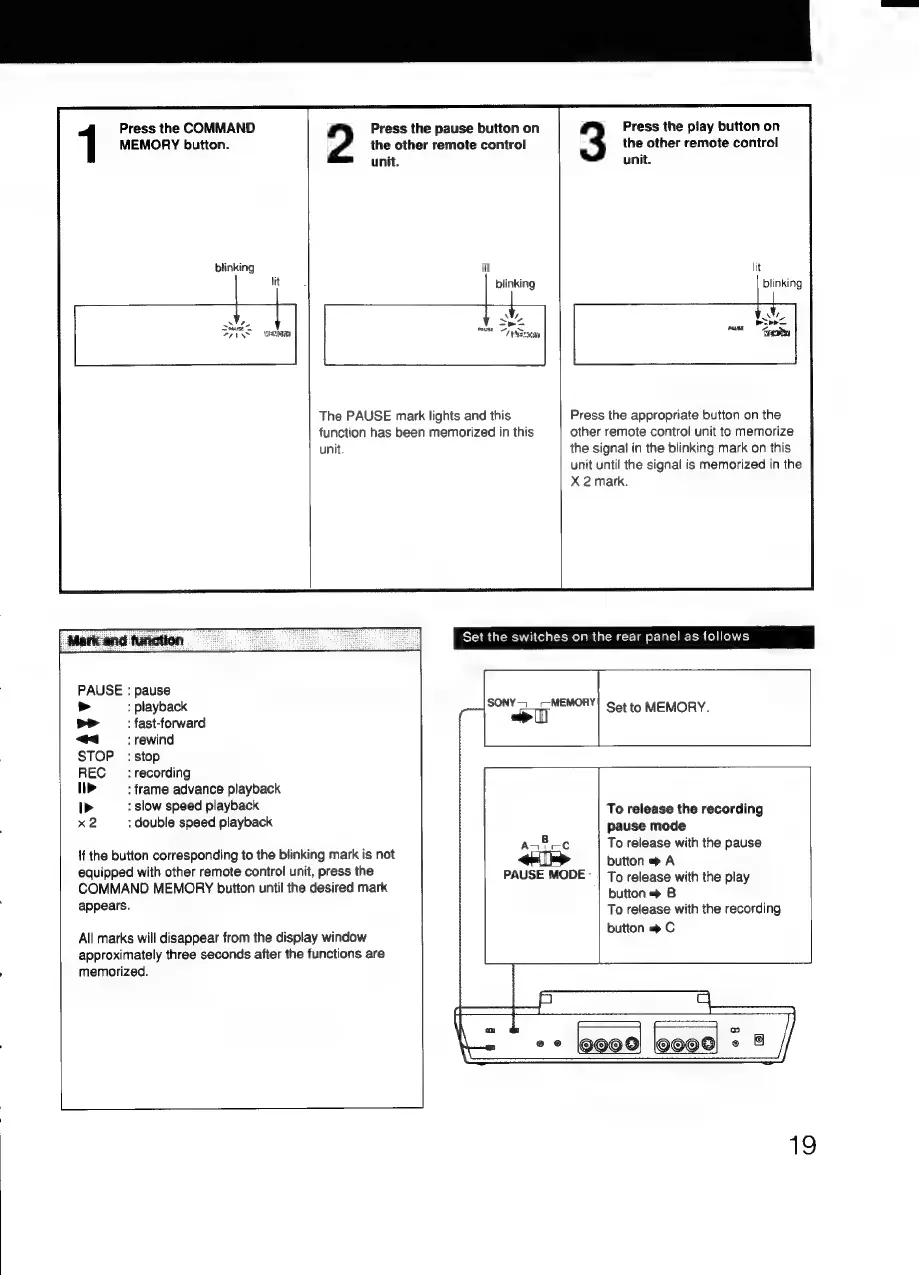
MEMORY
button.
the
other
remote
control
the
other
remote
control
1
Press
the
COMMAND
2
Press
the
pause
button
on
3
Press
the
play
button
on
unit.
unit.
blinking
lit
blinking
The
PAUSE
mark
lights
and
this
Press
the
appropriate
button
on
the
function
has
been
memorized
in
this
other
remote
control
unit
to
memorize
unit.
the
signal
in
the
blinking
mark
on
this
unit
until
the
signal
is
memorized
in
the
X
2
mark.
Set the
switches
on
the
rear
panel
as
follows
PAUSE
:
pause
:
playback
>>
:
fast-forward
«a
rewind
SONY
4_-—
MEMORY!
Set
to
MEMORY.
STOP:
stop
REC
_
:
recording
>
:
frame
advance
playback
D>
:
slow
speed
playback
To
release
the
recording
x2
:
double
speed
playback
pause
mode
Bo
To
release
with
the
pause
{f
the
button
corresponding
to
the
blinking
mark
is
not
-
:
button
A
.
equipped
with
other
remote
control
unit,
press
the
PAUSE
MODE
|
To
release
with
the
play
COMMAND
MEMORY
button
until
the
desired
mark
button
»
B
appears.
To
release
with
the
recording
button
C
All
marks
will
disappear
from
the
display
window
approximately
three
seconds
after
the
functions
are
memorized.
x
2090
19

Related product manuals