EasyManua.ls Logo

Sony RM-E300 - Page 47

Sony RM-E300
73 pages
Print Icon
To Next Page IconTo Next Page
To Previous Page IconTo Previous Page
Loading...
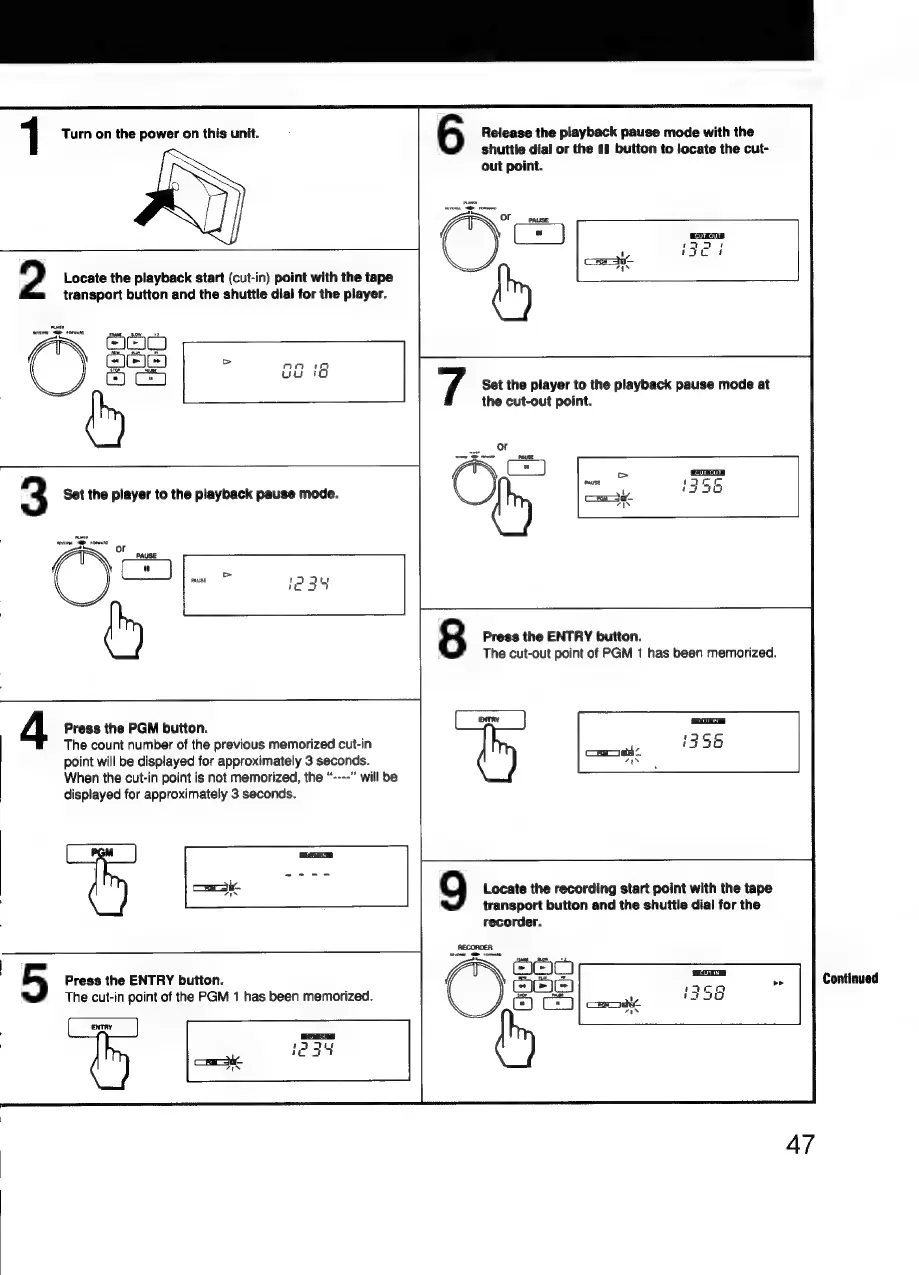
1
Turn
on
the
power
on
this
unit.
transport
button
and
the
shuttle
dial
for
the
player.
Va
ca
3
fay
2
Locate
the
playback
start
(cut-in)
point
with
the
tape
3
Set
the
player
to
the
playback
pause
mode.
(Sop
4
Press
the
PGM
button.
The
count
number
of
the
previous
memorized
cut-in
point
will
be
displayed
for
approximately
3
seconds.
“---"
will
be
When
the
cut-in
point
is
not
memorized,
the
displayed
for
approximately
3
seconds.
7
5
Press
the
ENTRY
button.
The
cut-in
point
of
the
PGM
1
has
been
memorized.
6
Release
the
playback
pause
mode
with
the
shuttle
dial
or
the
11
button
to
locate
the
cut-
out
point.
Set
the
player
to
the
playback
pause
mode
at
the
cut-out
point.
Press
the
ENTRY
button.
The
cut-out
point
of
PGM
1
has
been
memorized.
8
9
Locate
the
recording
start
point
with
the
tape
transport
button
and
the
shuttle
dial
for
the
recorder.
S
Ae
ae
=
Continued
47

Related product manuals