EasyManua.ls Logo

Sony RM-E300 - Page 53

Sony RM-E300
73 pages
Print Icon
To Next Page IconTo Next Page
To Previous Page IconTo Previous Page
Loading...
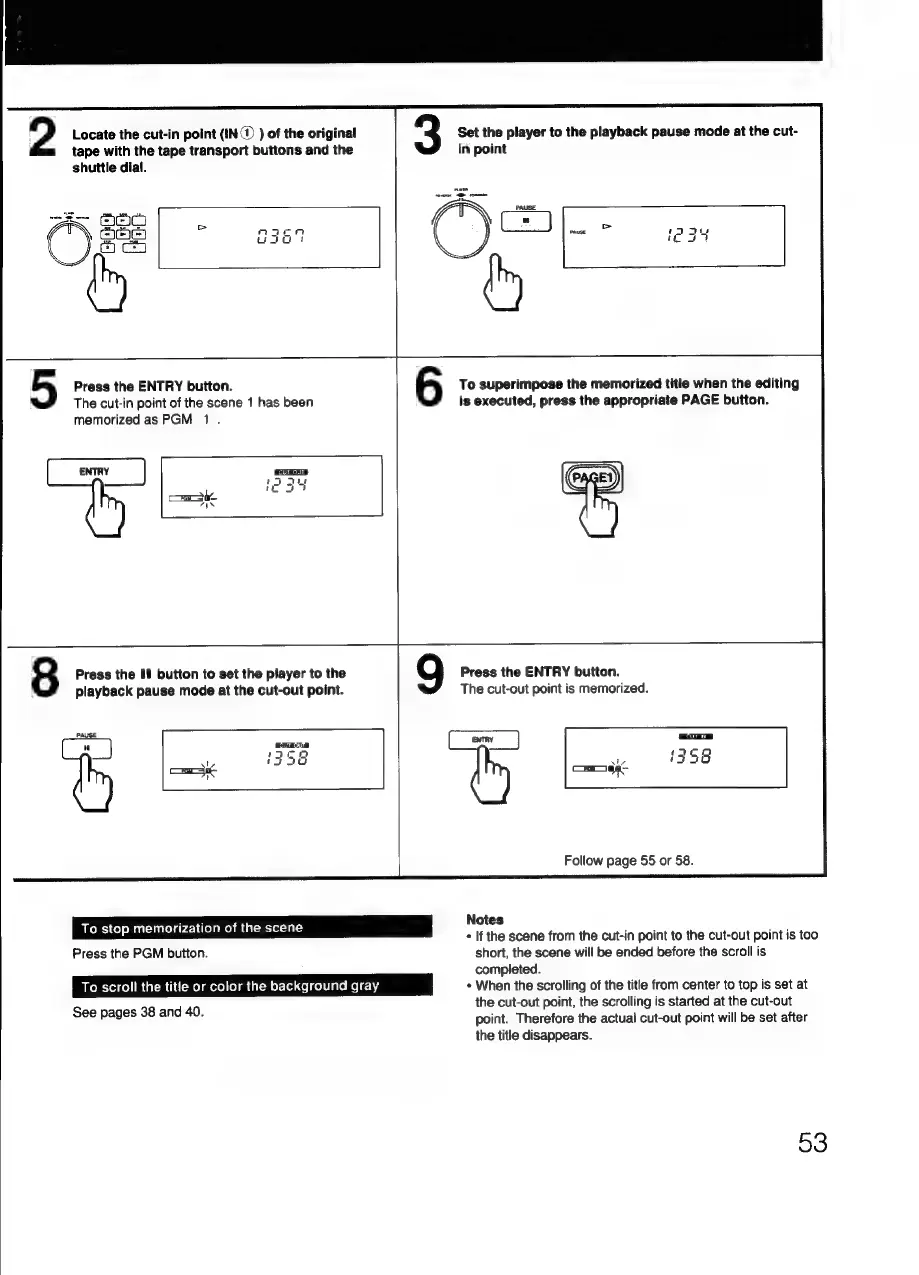
Locate
the
cut-in
point
({N@
)
of
the
original
tape
with
the
tape
transport
buttons
and
the
shuttle
dial.
2
a3
Lao
v
C3
-3
on
AS
coc
Press
the
ENTRY
button.
The
cut-in
point
of
the
scene
1
has
been
memorized
as
PGM
1.
ro)
Press
the
If
button
to
set
the
player
to
the
playback
pause
mode
at
the
cut-out
point.
8
PAUSE
a
unk
cog
uo
6
To
stop
memorization
of
the
scene
Press
the
PGM
button.
To
scroll
the
title
or
color
the
background
gray
See
pages
38
and
40.
Set
the
player
to
the
playback
pause
mode
at
the
cut-
in
point
Pause
an
hag
a)
To
superimpose
the
memorized
title
when
the
editing
is
executed,
press
the
appropriate
PAGE
button.
Press
the
ENTRY
button.
The
cut-out
point
is
memorized.
ENTRY
Follow
page
55
or
58.
Notes
+
If
the
scene
from
the
cut-in
point
to
the
cut-out
point
is
too
short,
the
scene
will
be
ended
before
the
scroll
is
completed.
+
When
the
scrolling
of
the
title
from
center
to
top
is
set
at
the
cut-out
point,
the
scrolling
is
started
at
the
cut-out
point.
Therefore
the
actual
cut-out
point
will
be
set
after
the
title
disappears.
53

Related product manuals