Getting started
20
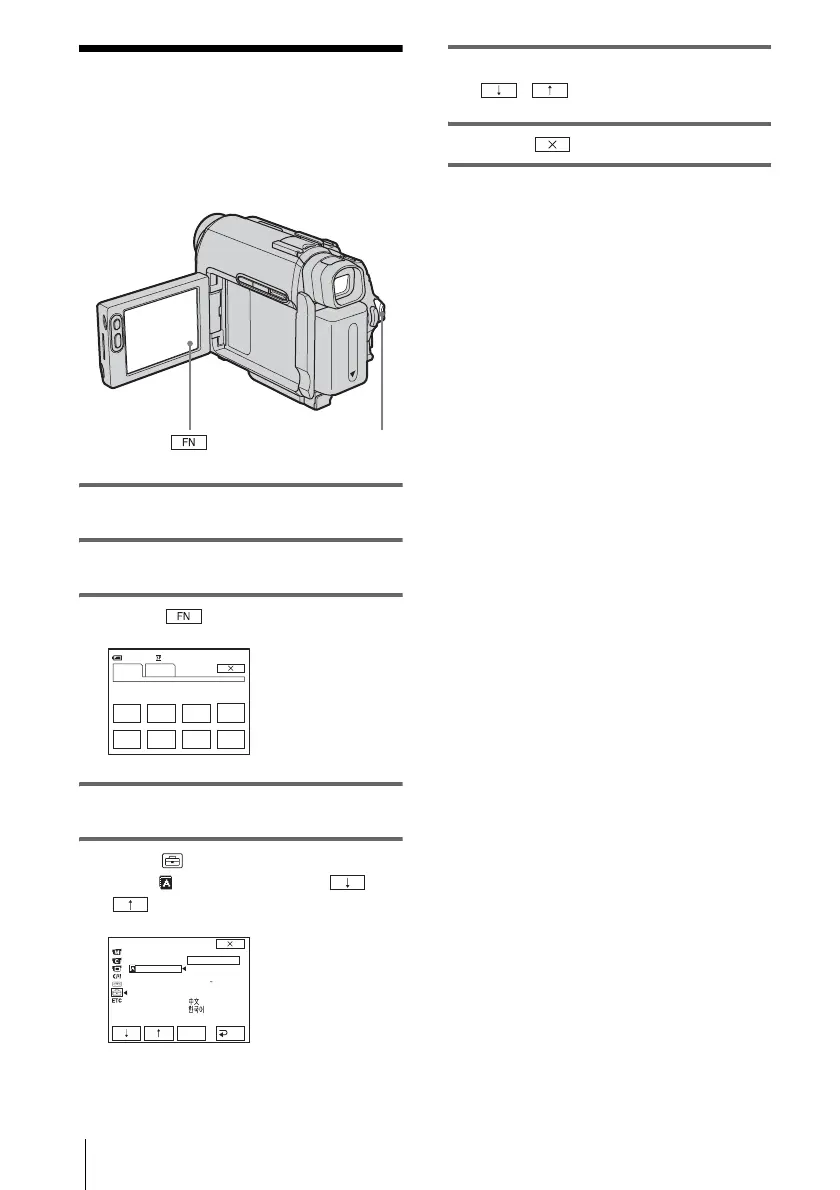
Step 7: Setting the
screen language
You can select the language to be used on the
LCD screen.
1 Turn on your camcorder.
2 Open the LCD panel.
3 Touch to display PAGE1.
4 Touch MENU.
5 Select (SETUP MENU), then
select LANGUAGE with /
, then touch EXEC.
6 Select the desired language with
/ , then touch EXEC.
7 Touch .
z Tip
• Your camcorder offers [ENG[SIMP]] (Simplified
English) for when you cannot find your native
tongue among the options.
POWER switch
0:00:00
STBY
SPOT
FOCUS
FOCUS WHT
BAL
MENU FADER END
SCH
EXPO–
SURE
SPOT
METER
PAGE1 PAGE2
60min
SETUP MENU
CLOCK SET
USB STREAM
LANGUAGE
DEMO MODE
ENGLISH
ENG
[
SIMP
]
FRAN
Ç
AIS
ESPANOL
PORTUGUÊS
EXEC
RET.
STBY








 To Next Page