Playback
40
Locating a scene on a
tape for playback
Searching quickly for a desired
scene – Zero set memory
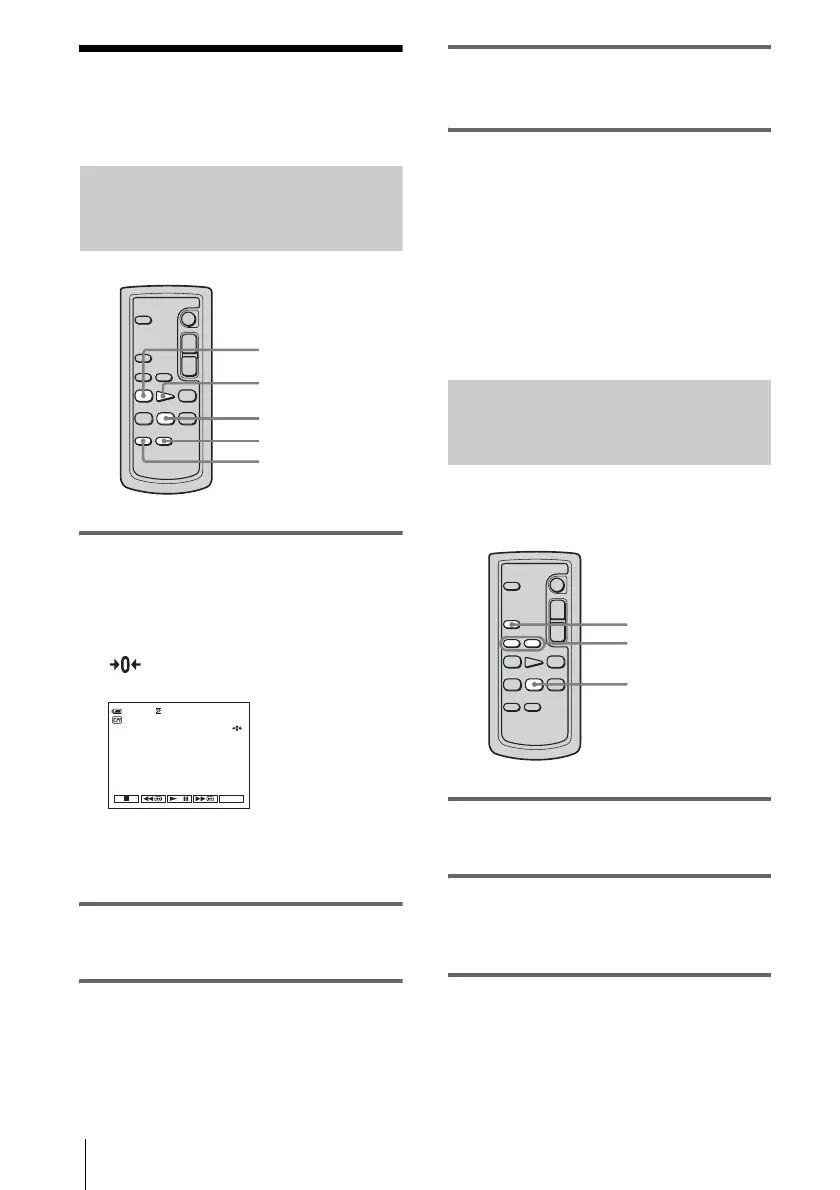
1 During playback, press ZERO SET
MEMORY on the Remote
Commander at the point you want to
locate later on.
The tape counter is reset to “0:00:00” and
appears on the screen.
If the tape counter is not displayed, press
DISPLAY on the Remote Commander.
2 Press STOP when you want to stop
playback.
3 Press mREW.
The tape stops automatically when the tape
counter reaches “0:00:00.”
4 Press PLAY.
The playback starts from the point
designated “0:00:00” on the tape counter.
To cancel the operation
Press ZERO SET MEMORY on the Remote
Commander again.
b Notes
• There may be a discrepancy of several seconds
between the time code and the tape counter.
• Zero set memory will not function correctly if there
is a blank section between recorded sections on the
tape.
Searching for a scene using
Cassette Memory – Title search
You can locate a scene where you have added a
title (p. 52).
1 Slide the POWER switch repeatedly to
select the PLAY/EDIT mode.
2 Press SEARCH M. on the Remote
Commander repeatedly to select
[TITLE SEARCH].
3 Press . (previous)/> (next) on
the Remote Commander to select a
title that you want to play.
mREW
PLAY
DISPLAY
STOP
ZERO SET MEMORY
0:00:0060min
FN
. / >
STOP
SEARCH M.








 To Next Page