Recording
Recording
31
Recording a picture
using various effects
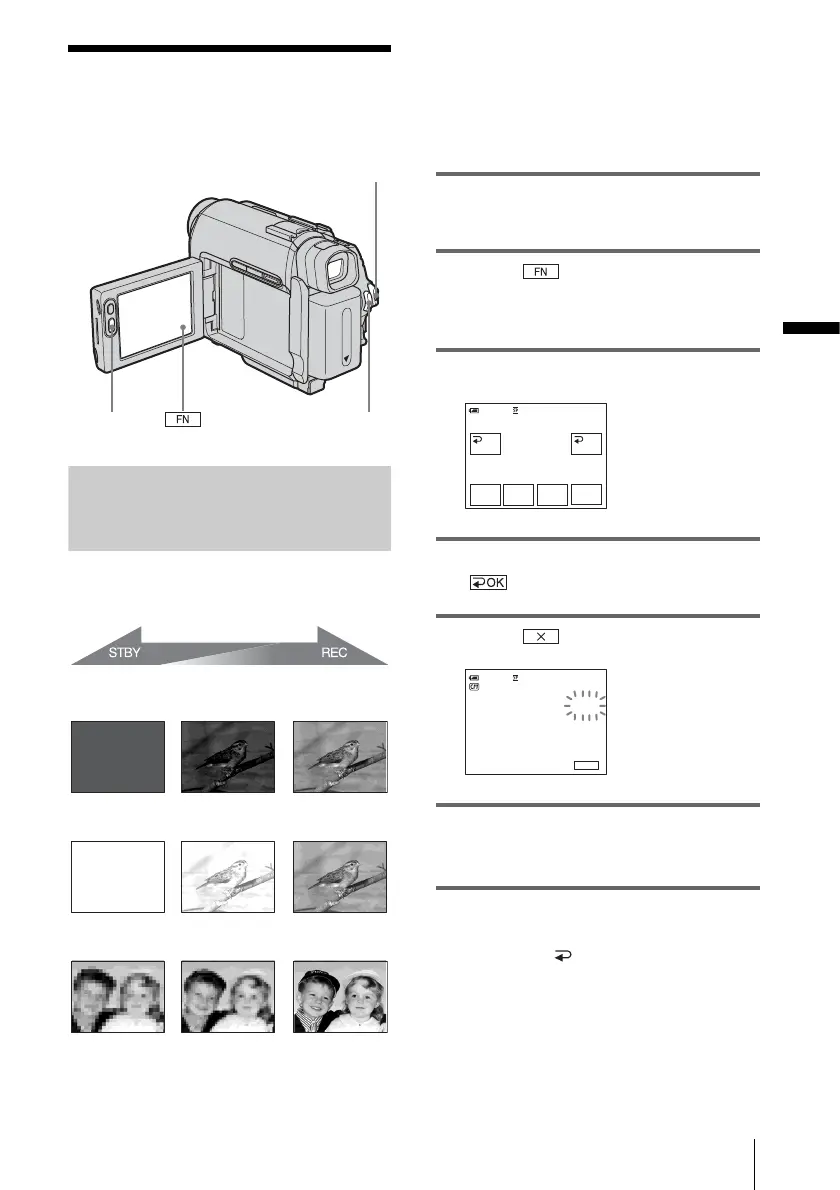
Fading in and out of a scene
– FADER
You can add the following effects to
currently recording pictures.
[BLACK] (black fader)
[WHITE] (white fader)
[MOSC. FADER] (mosaic fader)
[MONOTONE]
When fading in, the picture gradually changes
from black-and-white to color.
When fading out, the picture gradually changes
from color to black-and-white.
1 Slide the POWER switch to select the
CAMERA mode.
2 Touch to display [PAGE1] in
the standby mode (to fade in) or during
recording (to fade out).
3 Touch [FADER].
4 Touch the desired effect, then touch
.
5 Touch .
6 Press REC START/STOP.
The fader indicator stops flashing and
disappears when the fade is complete.
To cancel the operation
In step 3, touch [ OFF].
b Note
• You cannot use the FADER function together with:
– Tape photo recording
– [FRAME REC] (Frame recording)
– [INT.REC] (Interval recording)
REC START/STOPREC START/
STOP
POWER switch
0:00:0060min STBY
FADER
WHITE
BLACK
OFF OK
MONO–
TONE
MOSC.
FADER
0:00:00STBY
FN
60min
FADER
BLACK








 To Next Page