Getting started
Getting started
19
Step 6: Inserting a
cassette tape
You can use mini DV cassettes only.
For details on these cassettes (such as write-
protection), see page 82.
b Note
• Do not force the cassette into the compartment. This
may cause a malfunction of your camcorder.
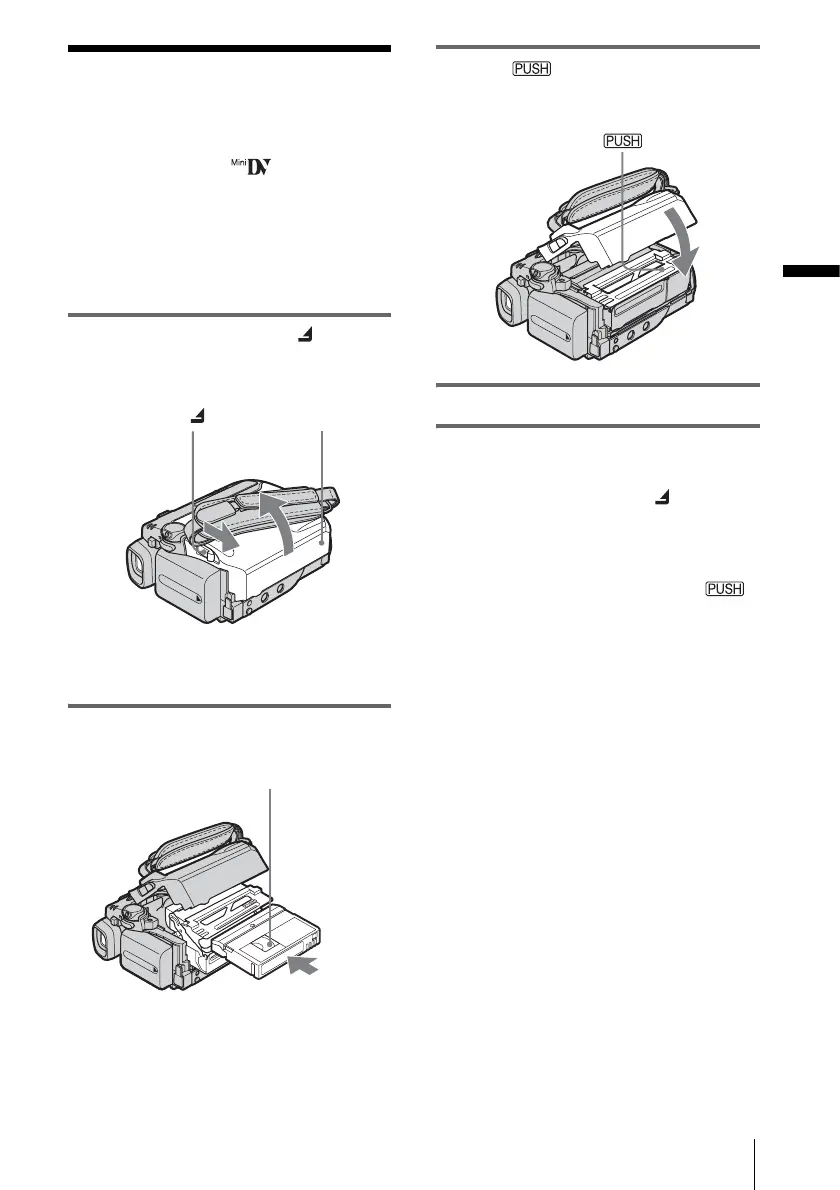
1 Slide the OPEN/ZEJECT lever in
the direction of the arrow and open the
lid.
The cassette compartment automatically
comes out and opens up.
2 Insert a cassette with its window-side
facing up.
3 Press .
The cassette compartment automatically
slides back in.
4 Close the lid.
To eject the cassette
1
Slide the OPEN/ZEJECT lever in the
direction of the arrow and open the lid.
The cassette compartment automatically
comes out.
2 Take out the cassette, then press .
The cassette compartment automatically
slides back in.
3 Close the lid.
Lid
OPEN/ZEJECT lever
Window-side
Push the center of the
back of the cassette
lightly.








 To Next Page