Troubleshooting
76
Dubbing/Editing
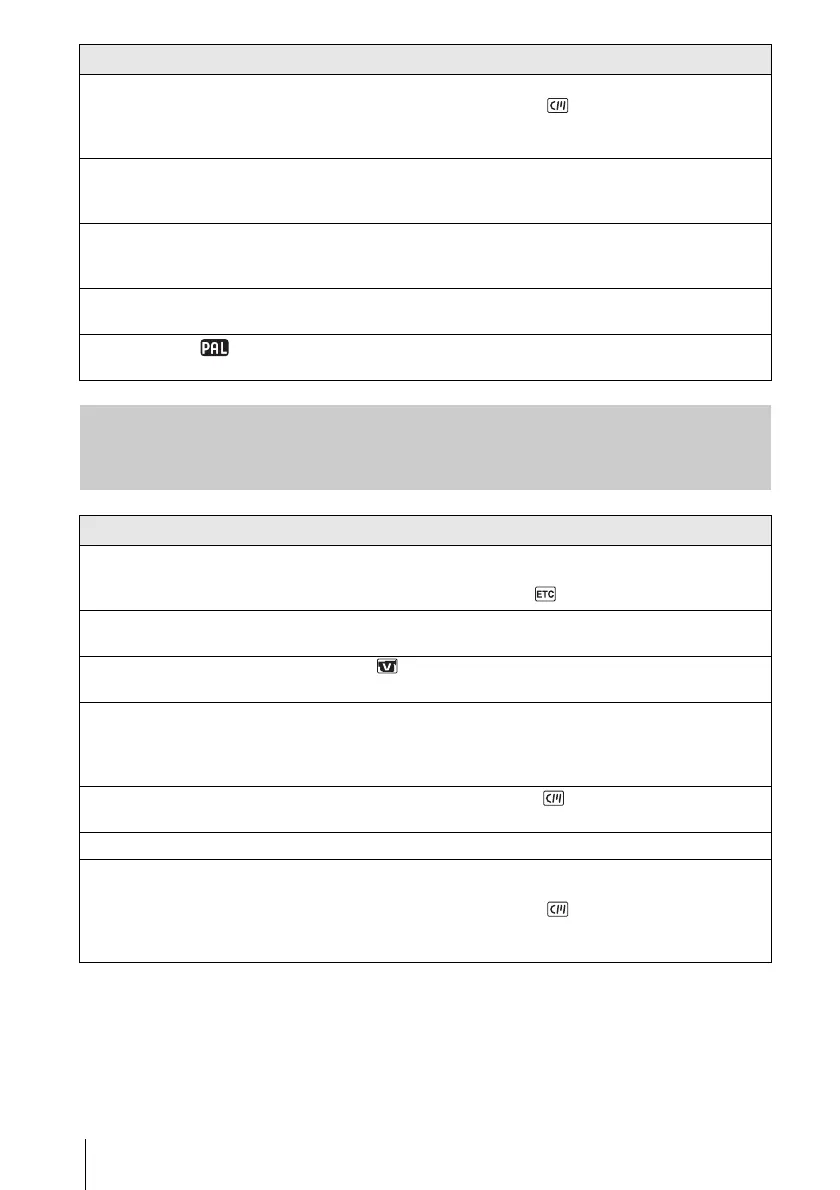
Cannot perform Date search with the
recording date displayed on the
screen.
cUse a cassette with Cassette Memory. (p. 82)
cSet [CM SEARCH] to [ON] in the (CM SET) menu. (p. 54)
• There is a blank section in the beginning or middle of the tape. This is
not a malfunction.
“---” is displayed on the screen. • The tape you are playing was recorded without setting the date and time.
• A blank section on the tape is being played.
• The data code on a tape with a scratch or noise cannot be read.
The END SEARCH function does not
work.
• The cassette was ejected after recording when using a cassette without
Cassette Memory. (p. 82)
• The cassette is new and has nothing recorded.
The END SEARCH function does not
work correctly.
• There is a blank section in the beginning or middle of the tape. This is
not a malfunction.
Noises appear and is displayed
on the screen.
• The tape was recorded in a TV color system other than that of your
camcorder. This is not a malfunction. (p. 81)
Symptom Cause and/or Corrective Actions
Cannot dub correctly using the A/V
connecting cable.
cMake sure your camcorder is connected correctly to the input jack of the
other device via the A/V connecting cable.
cSet [DISPLAY] to [LCD] in the (OTHERS) menu. (p. 61)
Pictures from connected devices are
not displayed correctly.
• The input signal is not NTSC. (p. 63)
New sound added to a recorded tape
is not heard.
cIn the (VCR SET) menu, adjust [AUDIO MIX] from the [ST1]
(original sound) side until the sound is heard appropriately. (p. 50)
A title is not recorded/A cassette label
is not recorded.
cUse a cassette with Cassette Memory. (p. 82)
cErase unnecessary titles when the Cassette Memory is full. (p. 53)
cSet the write-protect tab to REC. (p. 82)
• A title cannot be added to a blank section of the tape.
The title is not displayed. cSet [TITLE DSPL] to [ON] in the (CM SET) menu. (p. 53)
• During Easy Handycam operation, the title is not displayed.
The title cannot be deleted. cSet the write-protect tab to REC. (p. 82)
Title search does not work. cEnter a title if there is no title on the tape. (p. 52)
cUse a cassette with Cassette Memory. (p. 82)
cSet [CM SEARCH] to [ON] in the (CM SET) menu. (p. 54)
• There is a blank section in the beginning or middle of the tape. This is
not a malfunction.
Symptom Cause and/or Corrective Actions








 To Next Page