2-24
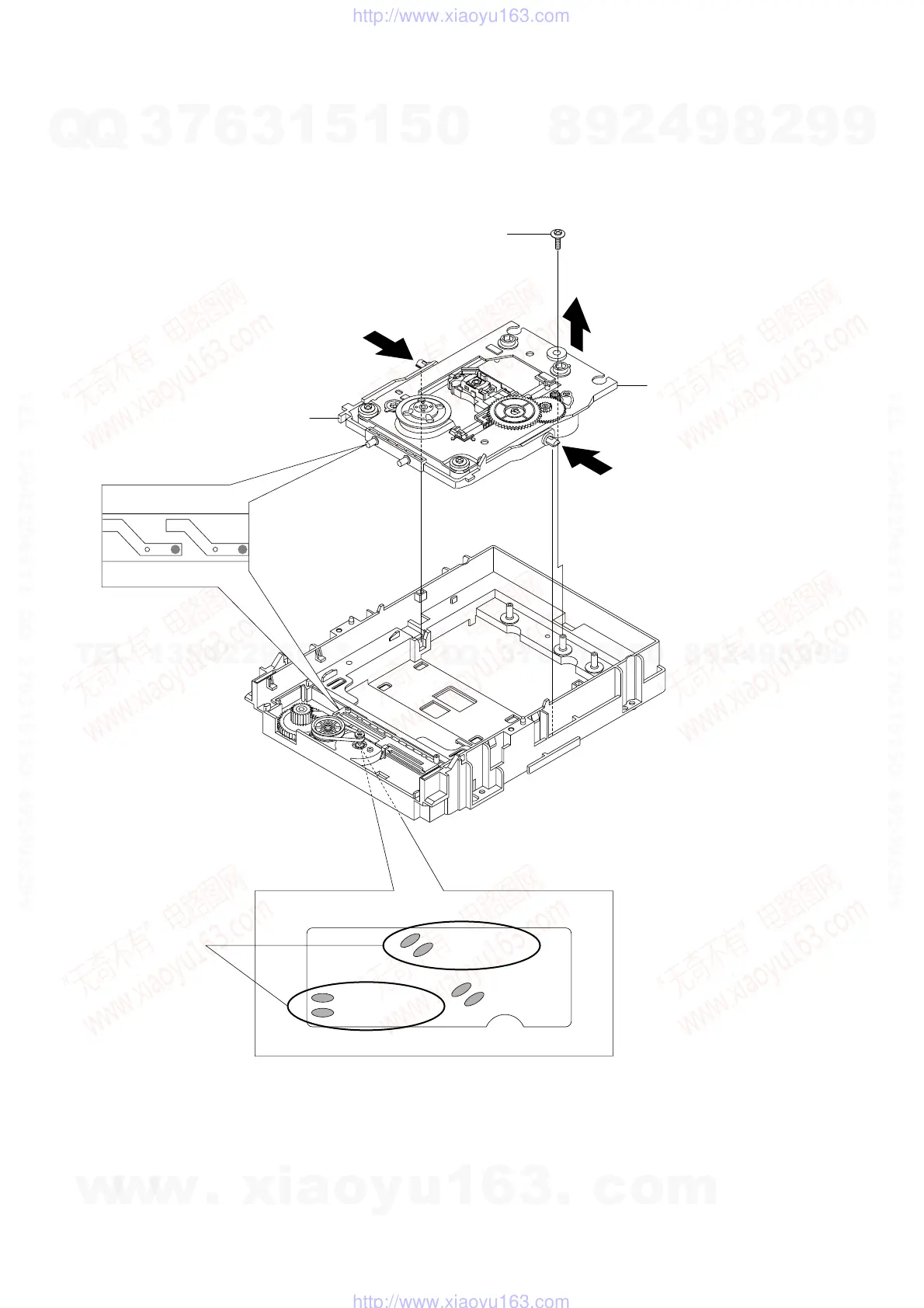
2-6-3 Ass’y P/U Deck Removal
1) Remove the 4 Soldering 1 (SL+, SL-, SP+, SP-).
2) Remove the 1 Screw 2 and lift up the Ass’y P/U Deck 3 in the direction arrow “A”.
3) When the Ass’y P/U Deck 3 lift up a little, push Chassis Sub in the direction of arrow “B” and lift up the Ass’y P/U Deck 3.
Fig. 2-46 Ass’y P/U Deck Removal
SL - (BLK)
SP - (BLK)
TM - (BLK)
TM + (BLK)
SL + (RED)
SP + (RED)
"A"
"B"
"B"
2 1 SCREW
3 ASS'Y P/U DECK
4 CHASSIS SUB
1 4 SOLDERING
<Assembly Point>
w
w
w
.
x
i
a
o
y
u
1
6
3
.
c
o
m
Q
Q
3
7
6
3
1
5
1
5
0
9
9
2
8
9
4
2
9
8
T
E
L
1
3
9
4
2
2
9
6
5
1
3
9
9
2
8
9
4
2
9
8
0
5
1
5
1
3
6
7
3
Q
Q
TEL 13942296513 QQ 376315150 892498299
TEL 13942296513 QQ 376315150 892498299
http://www.xiaoyu163.com
http://www.xiaoyu163.com



 To Next Page