1-1
SECTION 1
SERVICE NOTE
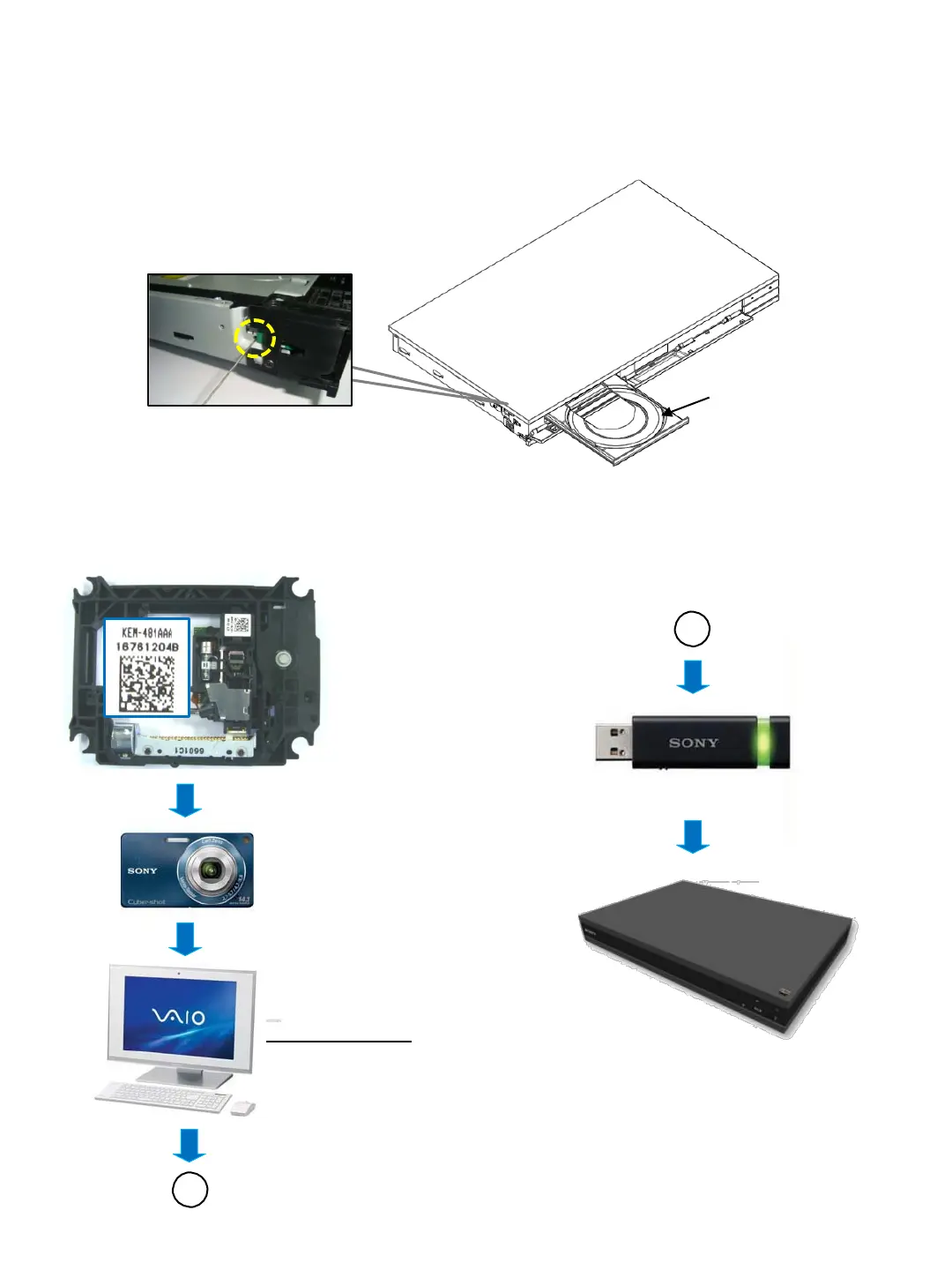
1-1. DISC REMOVAL PROCEDURE IF THE TRAY CANNOT BE EJECTED (FORCED EJECTION)
❶ Insert a pin or clip in the hole of drive to open the a tray
❷ Tray open
A
Shoot the barcode
Format is JPEG
Save the TEXT(.txt) data
Application Software
UHDBUDecode.exe
Data convert from JPEG TEXT
A
USB memory is connected to USB port on
the front unit, and the TEXT data as new
data is loaded to unit by Service Mode
1. Remove the side panel left. (Refer to page 2-1 in Disassembly section)
2. Insert a pin or clip in the hole of a drive to open the tray.
N
ote : Please do the following work when replace the Optical Unit (BU)
Details refer to 1.4-7 BU Data Decode Jig on page 1-7
1-2 WORK WHEN OPTICAL DEVICE ARE REPLACE



 To Next Page