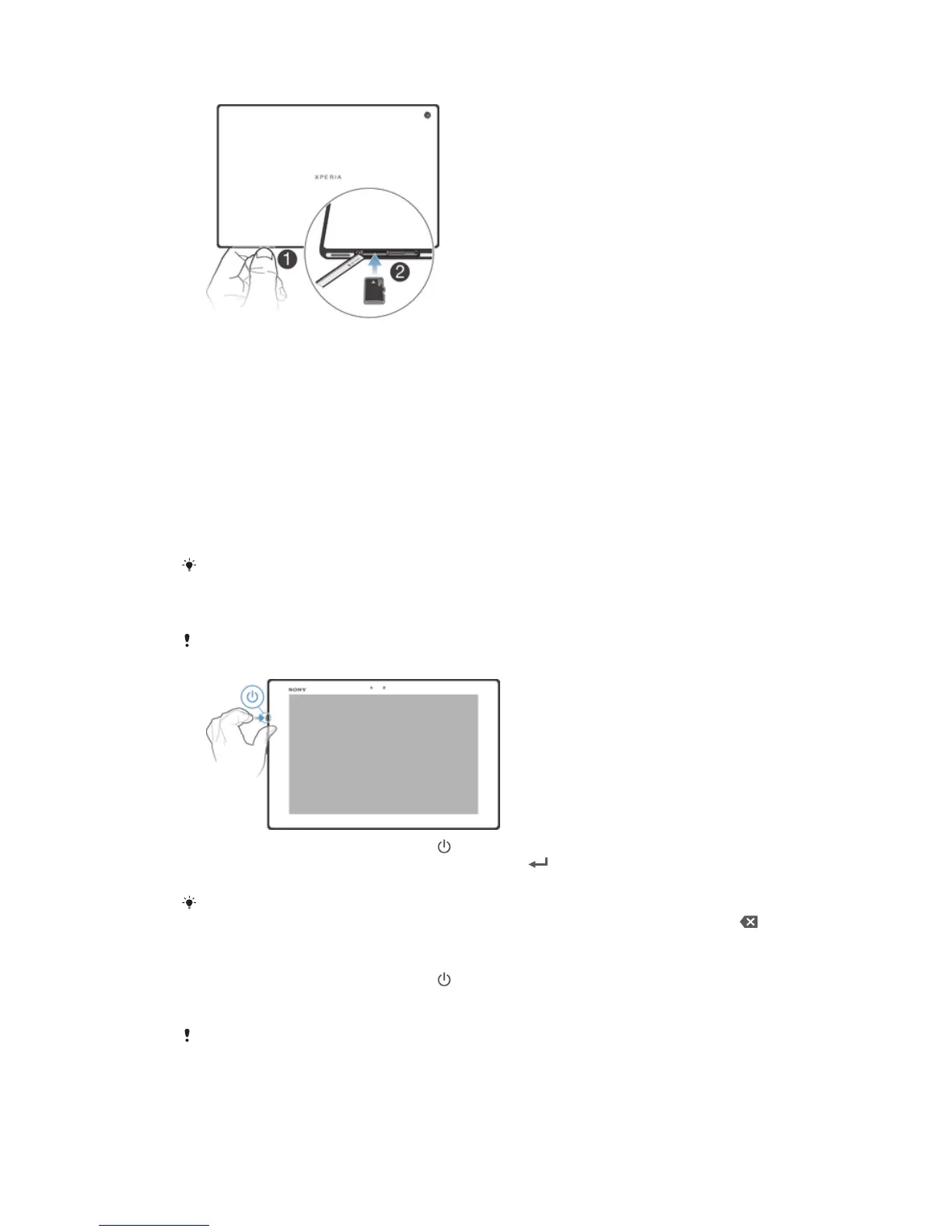
To insert a memory card
1 Insert a fingernail into the gap between the memory card slot cover and the top
side of the device, then detach the cover.
2 Place the memory card in the memory card slot, with the gold-colored contacts
facing down, then push the memory card all the way into the slot until you hear a
locking sound.
3 Reattach the memory card cover.
Starting your device for the first time
The first time you start your device, a setup guide opens to help you configure basic
settings, sign in to some accounts, and personalize your device. For example, if you have
a Sony Entertainment Network account, you can sign in to it here and get set up
straightaway. And you can download Internet and Wi-Fi® settings.
You can also access the setup guide later from the Settings menu. To access the setup guide
on a device with multiple users, you must be logged in as the owner, that is, the primary user.
To turn on the device
Make sure that the battery is charged for at least 30 minutes before you turn on the device for
the first time.
1 Press and hold down the power key until the notification light flashed once.
2 Enter your SIM card PIN when requested, then tap
.
3 Wait a while for the device to start.
Your SIM card PIN is initially supplied by your network operator, but you can change it later
from the Settings menu. To correct a mistake made while entering your SIM card PIN, tap .
To turn off the device
1 Press and hold down the power key
until the options menu opens.
2 In the options menu, tap Power off.
3 Tap OK.
It may take a while for the device to shut down.
8
This is an Internet version of this publication. © Print only for private use.














 To Next Page