Why do I need a Google™ account?
Your Xperia™ device from Sony runs on the Android™ platform developed by Google™.
A range of Google™ applications and services are available on your device when you
purchase it, for example, Gmail™, Google Maps™, YouTube™, and Google Play™—the
online store for downloading Android™ applications. To get the most out of these
services, you need a Google™ account. For example, a Google™ account is mandatory
if you want to:
• Download and install applications from Google Play™.
• Synchronize email, contacts, and the calendar.
• Chat with friends using the Hangouts™ application.
• Synchronize your browsing history and bookmarks.
For more information about Android™ and Google™, go to
www.sonymobile.com/support
.
To set up a Google™ account on your device
1 From your Home screen, tap
.
2 Find and tap Settings > Add account > Google.
3 Follow the registration wizard to create a Google™ account, or sign in if you
already have an account.
You can also sign in to or create a Google™ account from the setup guide the first time you
start your device. Or you can go online and create an account at
www.google.com/accounts
.
Charging your device
The battery is partly charged when you buy the device. You can still use your device
while it is charging. Read more about the battery and how to improve the performance in
Battery and power management
on page 100.
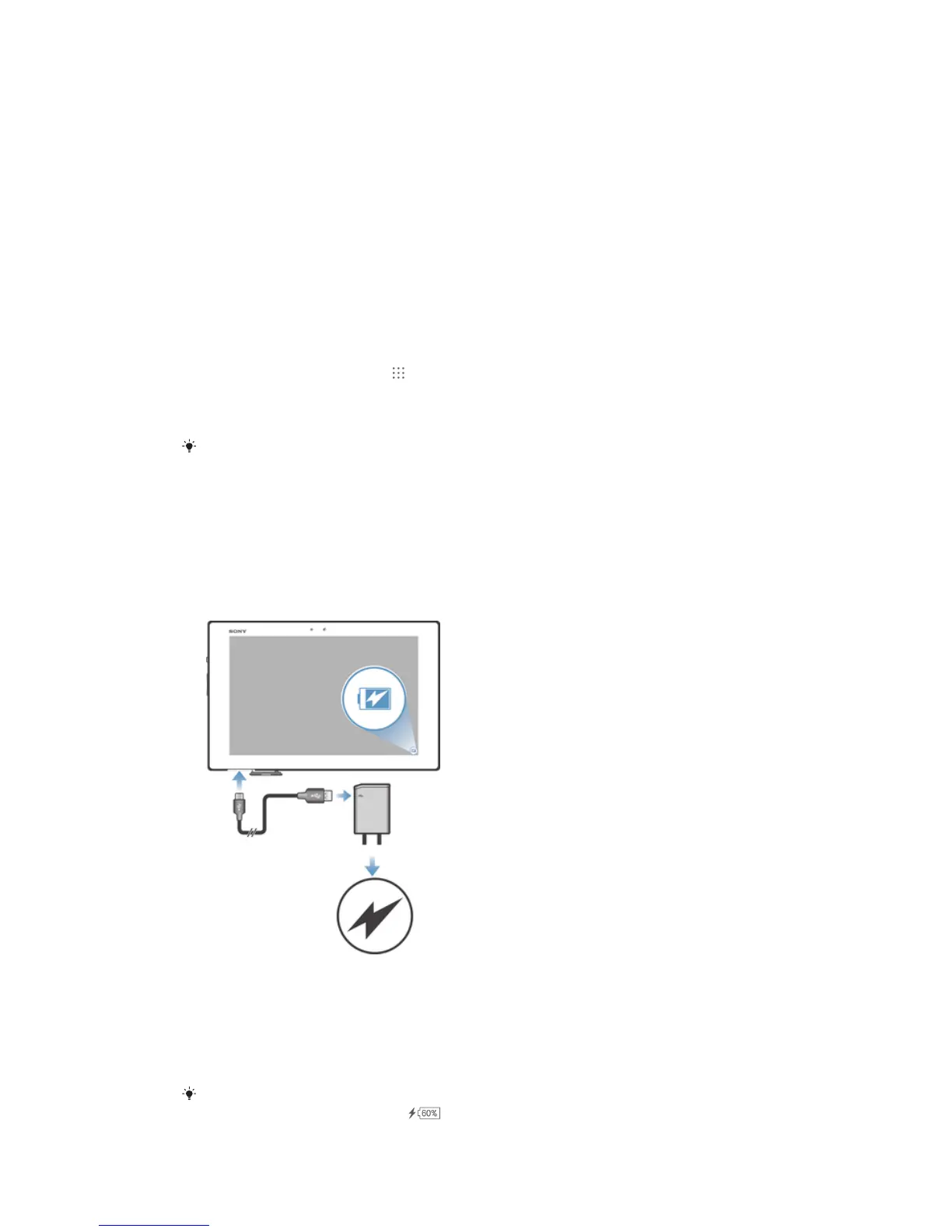
To charge your device
1 Plug the charger into a power outlet.
2 Plug one end of the USB cable into the charger (or into the USB port of a
computer).
3 Plug the other end of the cable into the micro USB port on your device, with the
USB symbol facing up. The notification light illuminates when charging begins.
4 When the device is fully charged, disconnect the cable from your device by pulling
it straight outward. Make sure not to bend the connector.
If the battery is completely discharged, it may take a few minutes before the notification light
illuminates and the charging icon appears.
9
This is an Internet version of this publication. © Print only for private use.














 To Next Page