EasyManua.ls Logo

Sony SLV-696HF - VCR Index Function; Marking Index Signals on Cassette; Automatic Index Marking; Manual Index Marking

Sony SLV-696HF
75 pages
Print Icon
To Next Page IconTo Next Page
To Previous Page IconTo Previous Page
Loading...
Index
Function
eee
Eee
You
can
find
specific
locations
on
a
cassette
using
your
VCR's
index
function.
|
ETA
diatom
iare(cp
ated
ie
larcl
fs)
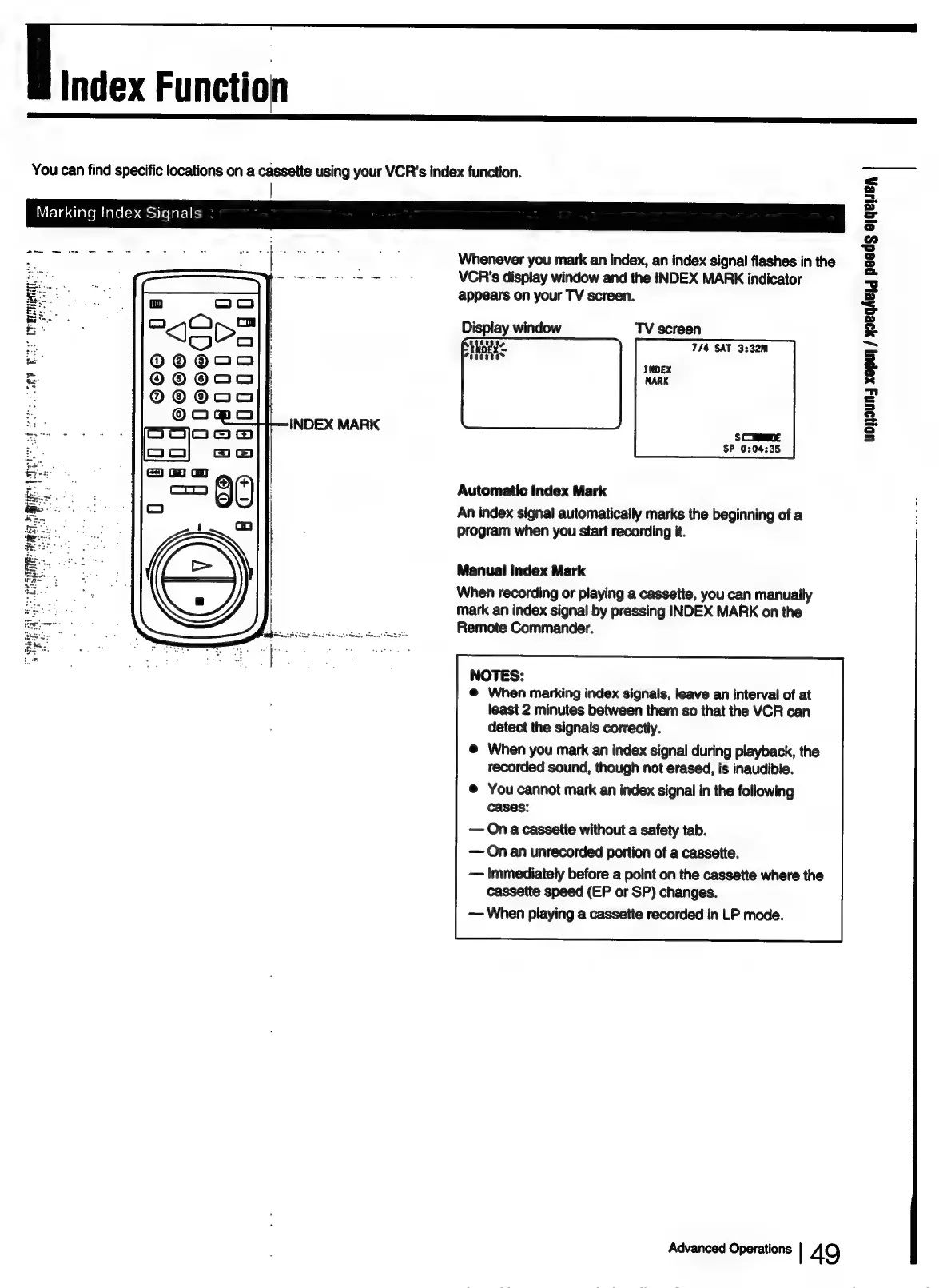
Whenever
you
mark
an
index,
an
index
signal
flashes
in
the
VCR's
display
window
and
the
INDEX
MARK
indicator
appears
on
your
TV
screen.
Display
window
TV
screen
7/4
SAT
3:32m
ran
as
ae
aes
voyaun
xapul
/
yeqhe}g
paeds
ejqeyeA
SCEDE
SP
0:04:35
Automatic
Index
Mark
An
index
signal
automatically
marks
the
beginning
of
a
:
program
when
you
start
recording
it.
i
Manual
Index
Mark
When
recording
or
playing
a
cassette,
you
can
manually
mark
an
index
signal
by
pressing
INDEX
MARK
on
the
Remote
Commander.
NOTES:
@
When
marking
index
signals,
leave
an
interval
of
at
least
2
minutes
between
them
so
that
the
VCR
can
detect
the
signals
correctly.
@
When
you
mark
an
index
signal
during
playback,
the
recorded
sound,
though
not
erased,
is
inaudible.
@
You
cannot
mark
an
index
signal
in
the
following
cases:
—
On
a
cassette
without
a
safety
tab.
—
On
an
unrecorded
portion
of
a
cassette.
—
Immediately
before
a
point
on
the
cassette
where
the
cassette
speed
(EP
or
SP)
changes.
—
When
playing
a
cassette
recorded
in
LP
mode.
Advanced
Operations
|
49

Table of Contents