EasyManua.ls Logo

Sony SLV-975HF - Adjusting Picture Clarity

Sony SLV-975HF
90 pages
Print Icon
To Next Page IconTo Next Page
To Previous Page IconTo Previous Page
Loading...
Getting Started46
SLV-975HF 3-858-120-11 (1)
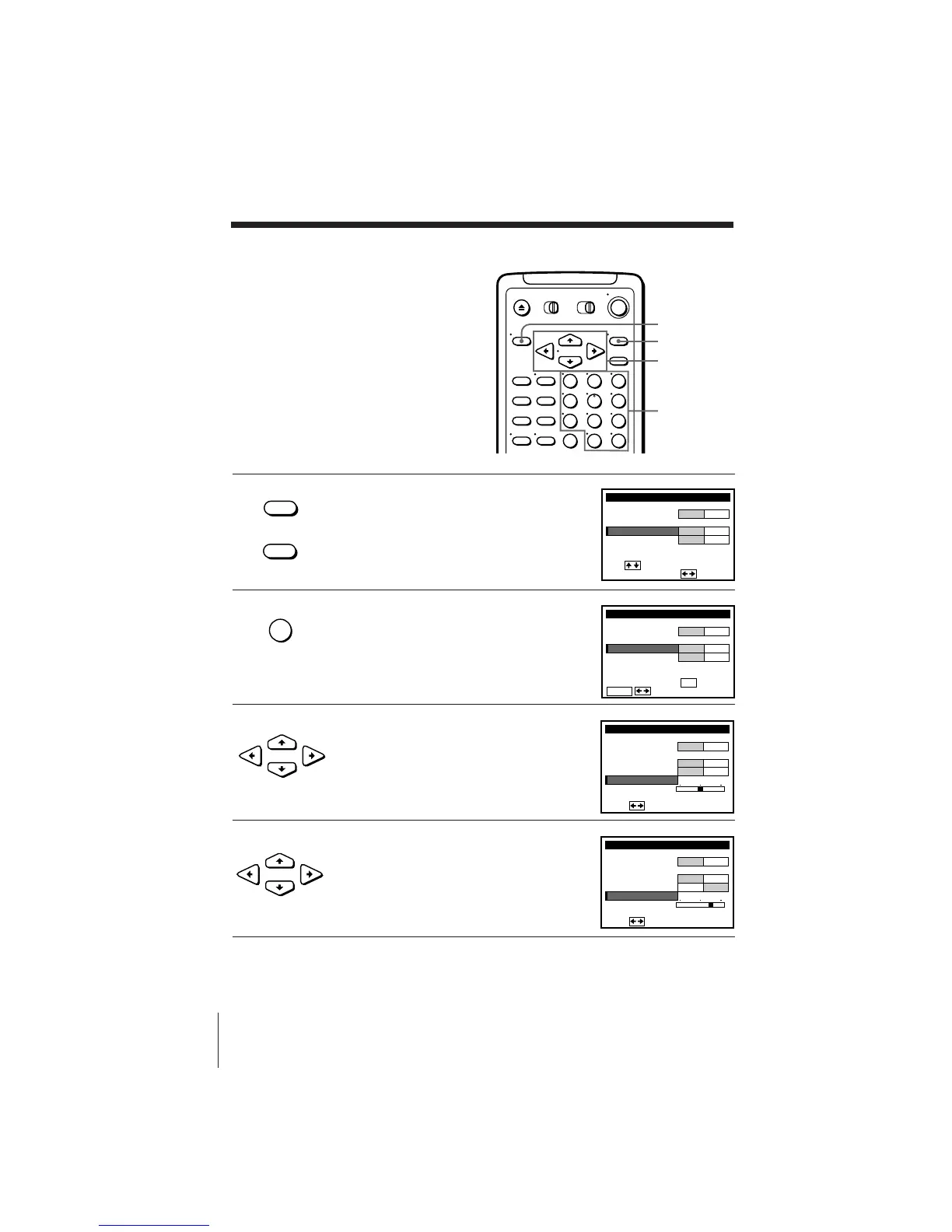
1 Press MENU and select TUNER PRESET,
then press EXECUTE.
2 Press the number buttons to select the
channel you want to fine-tune, then press
ENTER.
3 Press CURSOR >/. to select FINE
TUNING.
The fine tuning meter appears.
4 Press CURSOR ?// to adjust to a
clearer picture.
Note that the AFT setting switches to OFF.
Number
buttons,
ENTER
123
456
789
0
MENU
EXECUTE
CURSOR
• MENU
TUNER PRESET
FINE TUNING
AFT
MANUAL SET
AUTO PRESET
ANT CABLE
ADD ERASE
ON OFF
CH2
ANTENNA / CABLE
i
Use t o se l ec t an
tem, then push
TUNER PRESET
FINE TUNING
AFT
MANUAL SET
AUTO PRESET
ANT CABLE
ADD ERASE
ON OFF
CH5
ANTENNA / CABLE
ENTER.
Sel CH wi th
0–9
ec t P
ush
t o ADD / ERASE
CURSOR
CURSOR
TUNER PRESET
FINE TUNING
Pus h
AFT
MANUAL SET
AUTO PRESET
ANT CABLE
ADD ERASE
ON OFF
CH5
ANTENNA / CABLE
TUNER PRESET
FINE TUNING
Pus h
AFT
MANUAL SET
AUTO PRESET
ANT CABLE
ADD ERASE
ON OFF
CH5
ANTENNA / CABLE
• EXECUTE
ENTER
Presetting channels (continued)
If the picture is not clear
Normally, the Auto Fine Tuning (AFT)
function automatically tunes in channels
clearly. If, however, the picture of a
channel is not clear, you can also use the
manual tuning function.


Other manuals for Sony SLV-975HF

Related product manuals