EasyManua.ls Logo

Sony SLV-975HF - Manual Channel Presetting;Disabling

Sony SLV-975HF
90 pages
Print Icon
To Next Page IconTo Next Page
To Previous Page IconTo Previous Page
Loading...
Getting Started
45Getting Started
SLV-975HF 3-858-120-11 (1)
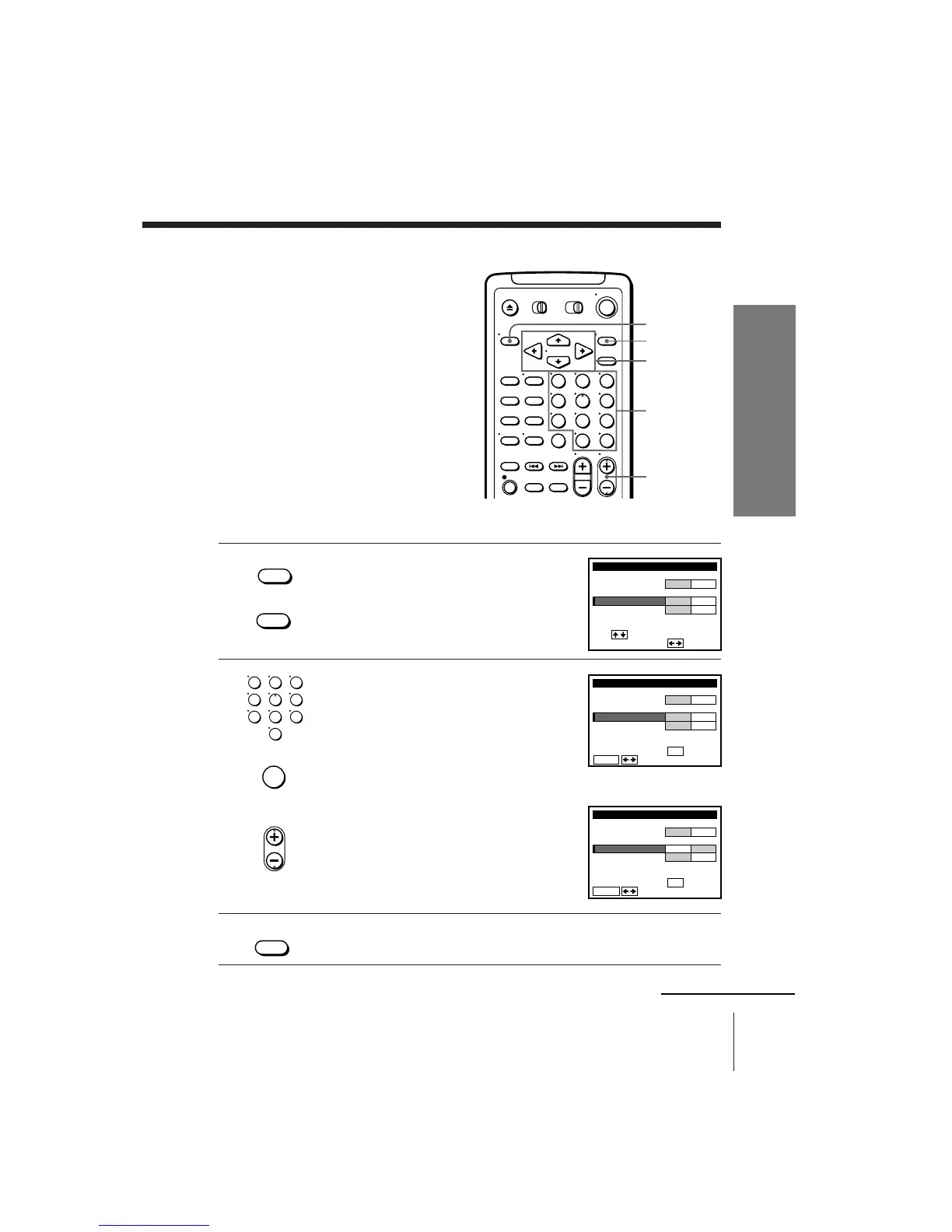
1 Press MENU and select TUNER PRESET,
then press EXECUTE.
2 •To preset a channel:
1 Press the number buttons to enter the
channel number, then press ENTER.
2 Press CURSOR ?// to set
MANUAL SET to ADD.
•To disable a channel:
1 Press CH +/– to select the channel
number.
2 Press CURSOR ?// to set
MANUAL SET to ERASE.
3 Repeat step 2 to preset or disable channels as required, then press
EXECUTE.
EXECUTE
CURSOR
MENU
Number
buttons,
ENTER
CH +/–
• MENU
123
456
789
0
123
456
789
0
• CH
• EXECUTE

TUNER PRESET
FINE TUNING
AFT
MANUAL SET
AUTO PRESET
ANT CABLE
ADD ERASE
ON OFF
CH2
ANTENNA / CABLE
i
Use t o se l ec t an
tem, then push
TUNER PRESET
FINE TUNING
AFT
MANUAL SET
AUTO PRESET
ANT CABLE
ADD ERASE
ON OFF
CH5
ANTENNA / CABLE
ENTER.
Sel CH wi th
0–9
ec t P
ush
t o ADD / ERASE
TUNER PRESET
FINE TUNING
AFT
MANUAL SET
AUTO PRESET
ANT CABLE
ADD ERASE
ON OFF
CH5
ANTENNA / CABLE
ENTER.
Sel CH wi th
0–9
ec t P
ush
t o ADD / ERASE
Presetting/disabling
channels manually
• EXECUTE
ENTER
continued

Other manuals for Sony SLV-975HF

Related product manuals