Getting Started50
SLV-975HF 3-858-120-11 (1)
Setting up VCR Plus+ (continued)
Setting up VCR Plus+
manually
To set the guide channels manually, use
the Channel Line-up Chart to check that
the guide channel numbers match the
TV channel your VCR receives. For
example, if HBO is listed in the Channel
Line-up Chart on channel 33, and your
VCR receives HBO on channel 5, you
need to coordinate these numbers using
the following procedure. If the guide
and TV channel numbers are the same,
you can skip this procedure.
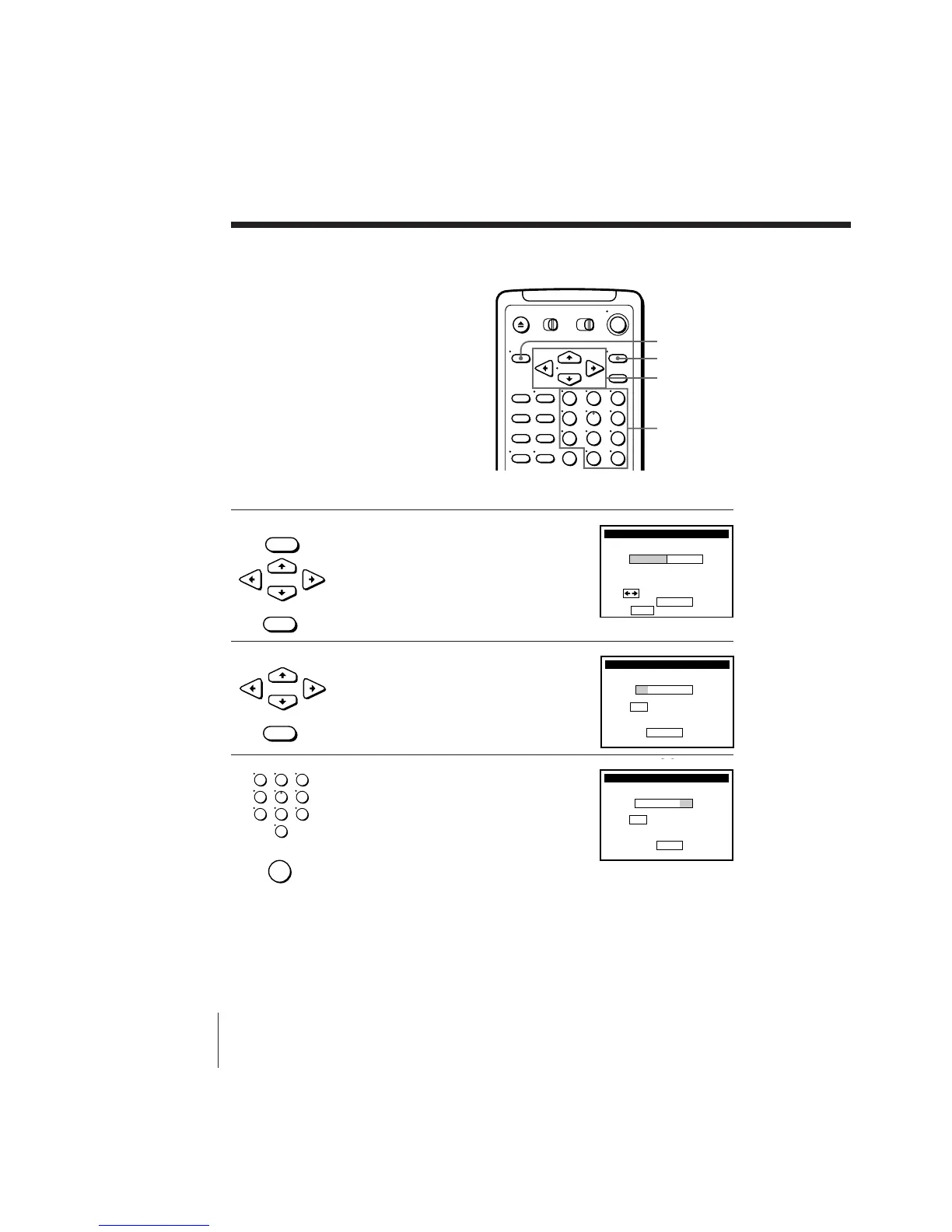
1 Press MENU, then press CURSOR >/. to
move the cursor to SET VCR Plus+
CHANNELS and press EXECUTE.
2 Press CURSOR ?// to select
MANUAL and press EXECUTE.
3 Enter the guide channel number assigned
in the program guide and press ENTER.
•
CURSOR
• MENU
• EXECUTE
•
CURSOR
• EXECUTE
123
456
789
0



 To Next Page