EasyManua.ls Logo

Sony SLV-E170EE - Page 9

Sony SLV-E170EE
116 pages
Print Icon
To Next Page IconTo Next Page
To Previous Page IconTo Previous Page
Loading...
lA
GT
EE
I
ET
Playing
a
tape
(continued)
To
use
the
time
counter
At
the
point
on
the
tape
that
you
want
to
find
later,
press
COUNTER
RESET.
The
counter
in
the
display
window
resets
to
“OHOOMO00S.”
Search
for
the
point
afterwards
by
referring
to
the
counter.
To
display
the
counter
on
the
TV
screen,
press
DISPLAY.
Notes
*
The
counter
resets
to
“OHOOMOOS"
whenever
a
tape
is
reinserted.
*
The
counter
stops
counting
when
it
comes
to
a
portion
with
no
recording.
«
Ifa
tape
has
portions recorded
in
both
PAL
and
NTSC
systems,
the
time
counter
reading
wilt
not
be
correct.
This
is
due
to
the
difference
between
the
counting
cycles
of
the
two
video
systems.
©
Depending
on
your
TY,
the
following
may
occur
while
playing
an
NTSC-recorded
tape:
~
the
picture
becomes
black
and
white
—the
picture
shakes
~no
picture
appears
on
the
TV
screen
~black
streaks
appear
horizontally
on
the
TV
screen
=the
colour
density
increases
or
decreases.
20}
Basic
Operations
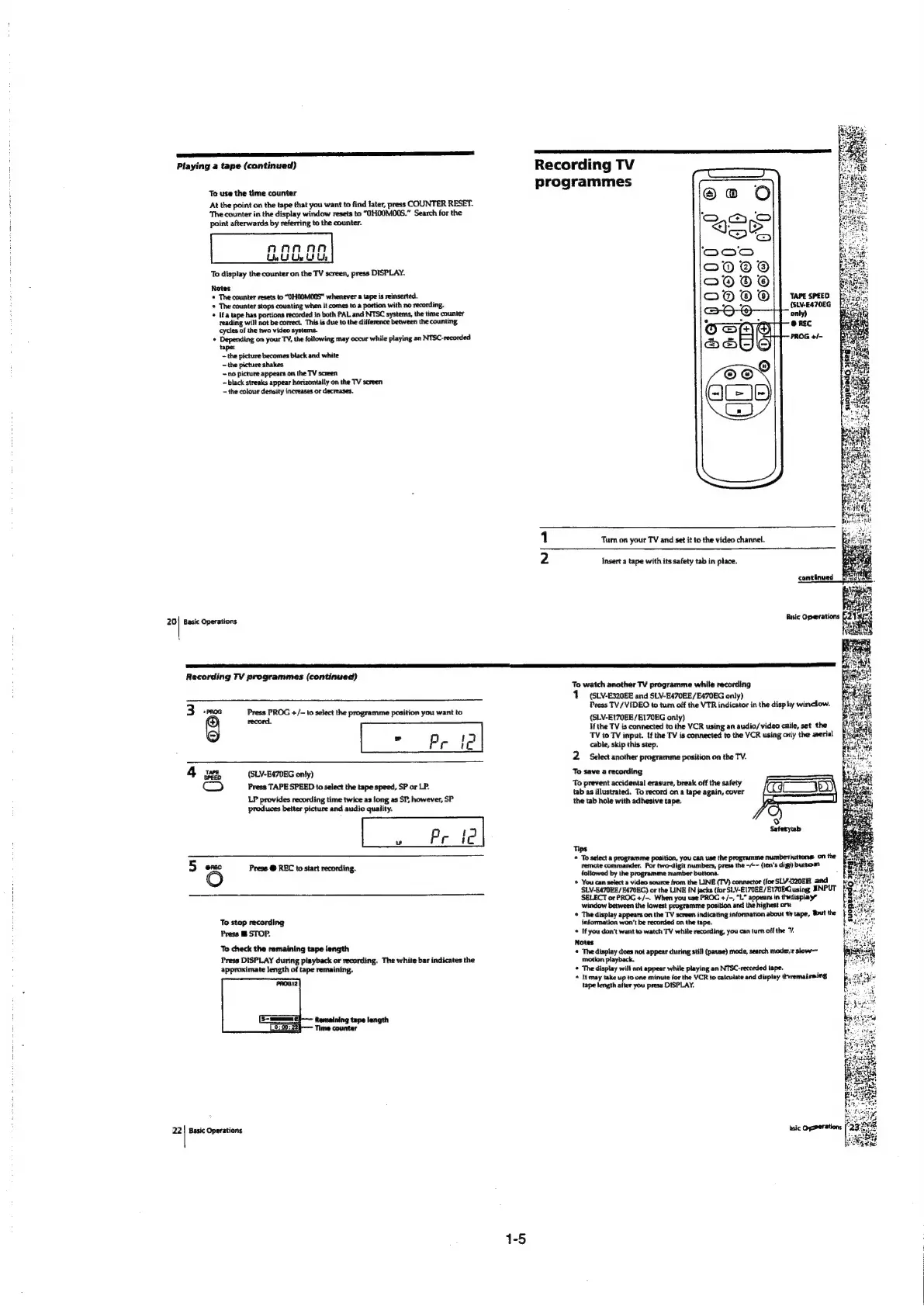
Recording
TV
programmes
TAPE
SPEED
{StN-E470EG
only)
Turn
on
your
TV
and
set
it
to
the
video
channel.
Insert
a
tape
with
its
safety
tab
in
place.
Recording
TV
programmes
(continued)
WwW
“PROG
Press
PROG
+/-
to
select
the
programme
position
you
want
to
g
record.
»
3
Prif
4
p25
(SLV-E470EG
only)
(am)
Press
TAPE
SPEED
to
select
the
tape
speed,
SP
or
LP.
LP
provides
recording
time
twice
as
long
as
SP,
however,
SP
produces
better
picture
and
audio
quality.
.
Prt
5
ence
Press
@
REC
to
start
recording.
To
stap
recording
Press
STOP.
To
check
the
remaining
tape
length
Press
DISPLAY
during
playback
or
recording.
The
white
bar
indicates
the
approximate
length
of
tape
remaining.
22}
Basic
Operations
1-5
To
watch
another
TV
programme
while
recording
(SLV-E320EE
and
SLV-E470EE/E470EG
only)
Press
TV/
VIDEO
to
tur
off
the
VTR
indicator
in
the
displ
window.
(SLV-E170EE/EI70EG
only)
If
the
TV
is
connected
ta
the
VCR
using
an
audio/video
calle,
set
the
TV
to
TV
input.
If
the
TV
is
connected
to
the
VCR
using
ory
the
aerial
cable,
skip
this
step.
2
Select
another
programme
position
on
the
TV.
To
save
a
recording
To
prevent
accidental
erasure,
break
off
the
safety
tab
as
illustrated.
To
record
on
a
tape
again,
cover
the
tab
hole
with
adhesive
tape.
)
Safetytab
Tips
©
To
select
a
programme
position,
you can
use
the
programme
numbetiuttons
on
the
remote
commander.
For
two-digit
numbers,
press
the
-/--
(ten‘s
digi)
buttom
followed
by
the
programme
number
buttons.
*
You
can
select
a
video
source
from
the
LINE
(TV)
connector
(for
SLV320EE
and
SLV-EA70BE/E470EG)
or
the
LINE
IN
jacks
(for
SLV-E170EE/E170EGusing
SNPUT
SELECT
or
PROG
+/~.
When
you
use
PROG
+/-,
“L”
appears
in
thidisplay”
window
between
the
lowest
programme
position
and
the
highest
orv.
*
Thedisplay
appears
on
the
TV
screen
indicating
information
about
th
tape,
But
the
information
won't
be
recorded
on
the
tape.
*
If
you
don’t
want
to
watch
TV
while
recording,
you
can
turn
off
the
v.
Notes
*
The
display
does
not
appear
during
still
(pause)
mode,
search
moder
slow—
motion
playback.
©
The
display
will
not
appear
while
playing
an
NTSC-recorded
tape.
«
it
may
take
up
to
one
minute
for
the
VCR
to
calculate
and
display
thvremaireing
tape
length
after
you
press
DISPLAY.

Table of Contents

Related product manuals