EasyManua.ls Logo

Sony SPP-A250 - Page 22

Sony SPP-A250
86 pages
Print Icon
To Next Page IconTo Next Page
To Previous Page IconTo Previous Page
Loading...
=>Memory
dialing
aa
a
a
a
a
ae
ae
en
ee
Se
Wire)
atate
Marttesrela
melt
lilac
mesic
Once
you
have
stored
numbers
in
the
memory
dialing
!
buttons,
you
can
make
a
call
with
the
touch
of
two
(speed
If
you
press
a
memory
dialing
dialing)
buttons.
button
that
does
not
have
a
7
Press
TALK.
phone
number
stored
in
it,
you
will
hear
five
short
error
beeps.
2
Press
SPEED
DIAUPROGRAM.
3
Press
the
desired
speed
dialing
button
(@
to
@).
The
phone
number
stored
in
the
button
will
be
dialed.
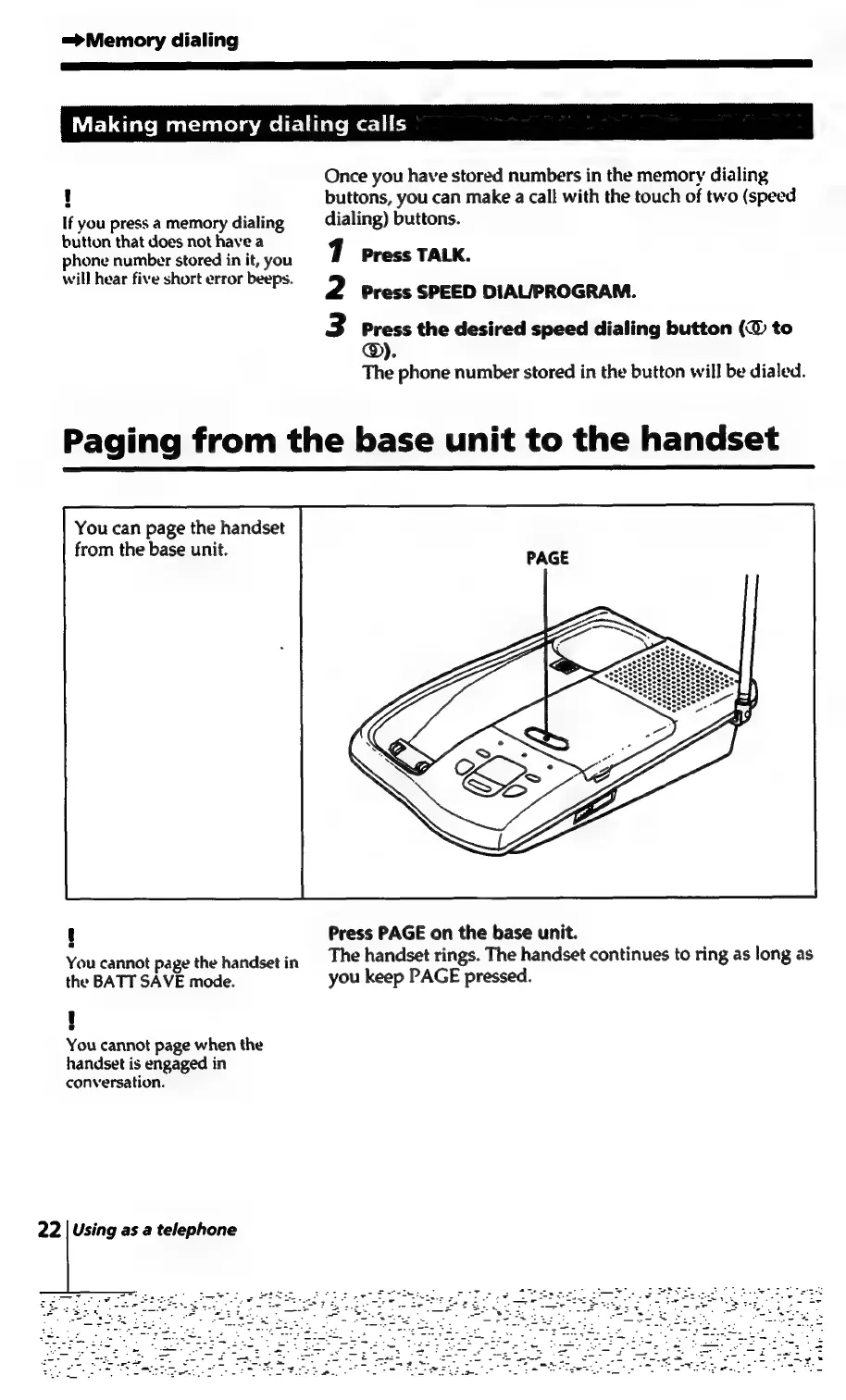
Paging
from
the
base
unit
to
the
handset
You
can
page
the
handset
from
the
base
unit.
t
Press
PAGE
on
the
base
unit.
vail
cannot
page
the
handset
in
The
handset
rings.
The
handset
continues
to
ring
as
long
as
the
BATT
SAVE
mode.
you
keep
PAGE
pressed.
i]
You
cannot
page
when
the
handset
is
engaged
in
conversation.
22
|
Using
as
a
telephone

Table of Contents

Related product manuals