Help Guide
Multi Channel AV Receiver
STR-AZ1000ES
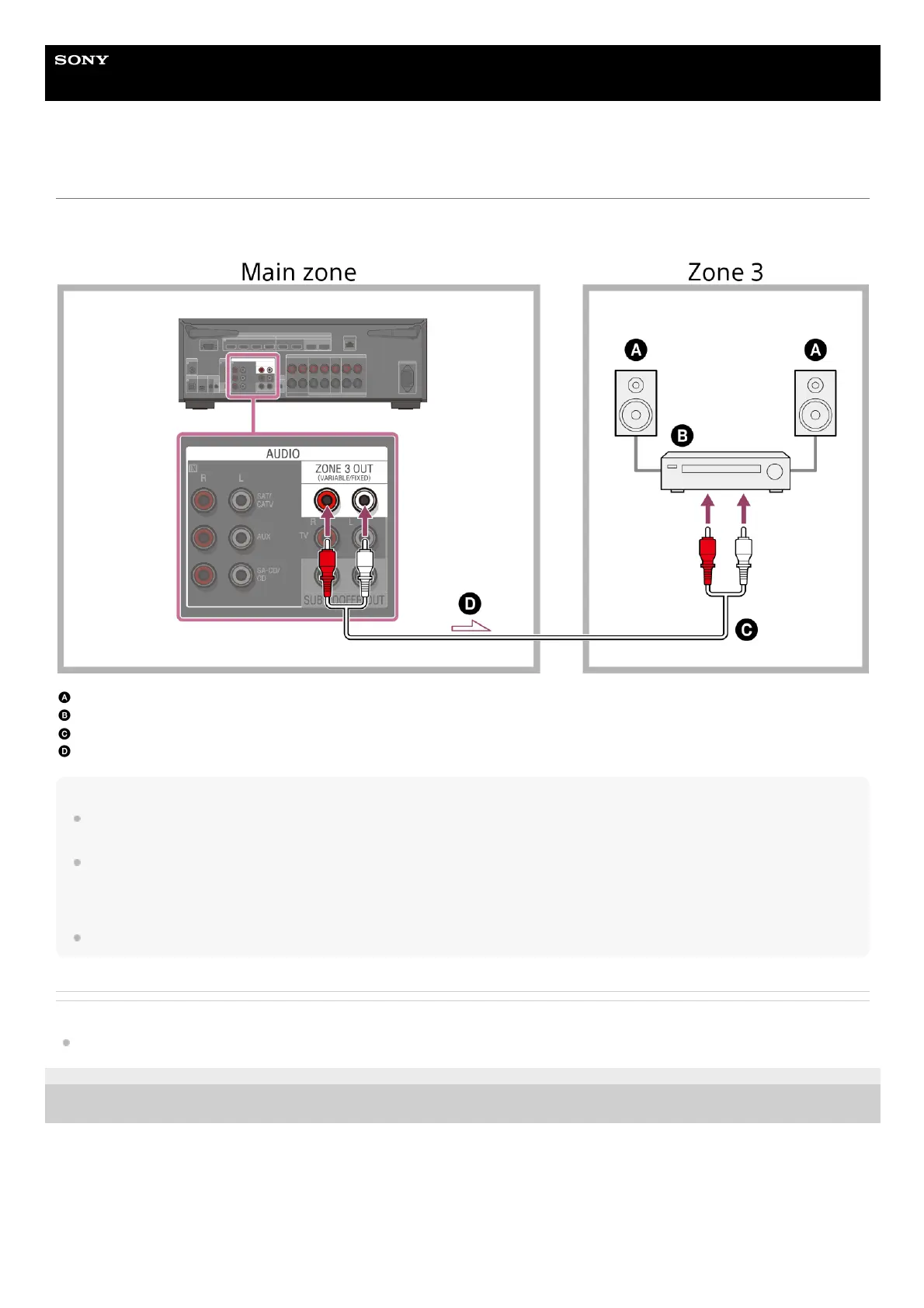
Connecting another amplifier in Zone 3
You can enjoy sound from a device connected to the unit in a zone other than the main zone. For example, you can watch a DVD in the
main zone and listen to music received from music services in Zone 3.
Speakers
Amplifier/receiver
Audio cable (not supplied)
Audio signals
Note
To enjoy [USB], [Home Network], [Bluetooth Audio], [Chromecast built-in], [Spotify], or [AirPlay] in Zone 3, select [SOURCE] for the zone 3 input, then
and switch the main zone input.
You can select an input from four external inputs (SAT/CATV, AUX, TV, or SA-CD/CD), FM radio, and [SOURCE] in Zone 3. When one of the external
inputs is selected, the audio of the device connected to the AUDIO IN jack is played. To play other inputs, such as Bluetooth Audio, or the external
digital input from the OPTICAL IN TV jack, the COAXIAL IN SA-CD/CD jack, or the HDMI IN jacks, select the target input for the main zone, and then
select [SOURCE] for Zone 3.
If you set [DSD Native] in [Audio Settings] to [On], no audio signals for DSD content from [USB] or [Home Network] are output to the Zone 3 speakers.
Related Topic
Notes on connecting cables
5-037-020-11(1) Copyright 2022 Sony Corporation











 To Next Page